Instruction Manual for Sony PlayStation 3 120GB
Quick guide for the Sony PlayStation 3 120GB, covering initial setup, system operation, network configuration, hard disk replacement, and troubleshooting.
Table of contents
Manual images
Jump to the sectionQuick guide from the manual
This manual provides essential information for setting up and operating your PlayStation 3 system. Key procedures include connecting the system to a TV, performing the initial software setup, pairing the wireless controller, and configuring network settings. Always ensure the system is placed in a well-ventilated area and follow all safety precautions to prevent damage or injury.
System setup and connections
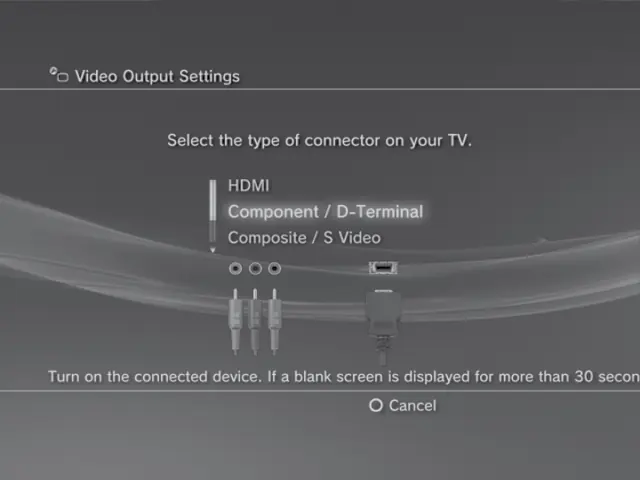
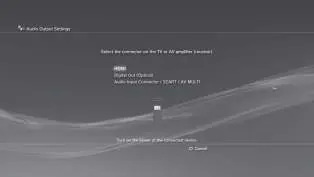
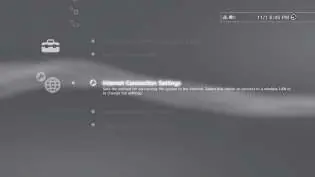
To connect your system to a TV, use the appropriate cable (HDMI, Component, or AV) based on your TV's input. Connect the AC power cord only after all other connections are made. For internet access, use an Ethernet cable or configure wireless network settings via the XMB menu.
Initial setup
- Turn on the TV and select the correct video input.
- Press the power button on the PS3 system.
- Connect the wireless controller using a USB cable and press the PS button.
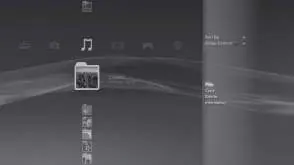
- Follow the on-screen instructions to set the language, time zone, date, time, and user name.
Operation and settings
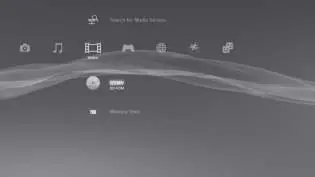
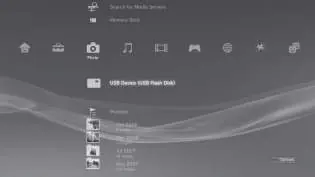
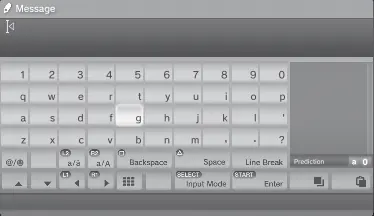
The XMB (XrossMediaBar) menu is the primary interface. Use the directional buttons to navigate categories and items, the X button to confirm, and the O button to cancel. The PS button turns the system on/off and quits games.
Hard disk replacement
The hard disk can be replaced with a 2.5-inch Serial ATA drive. Before replacing, back up your data using the Backup Utility. Ensure the system is turned off and unplugged before removing the HDD bay cover and the hard disk.
Troubleshooting
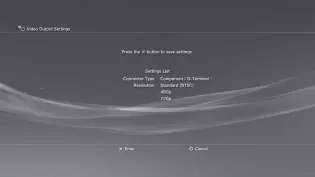
If the system does not turn on, check the AC power cord. If the system beeps repeatedly and turns off, it may be overheating; ensure vents are not blocked. If there is no picture, check cable connections or reset video output settings by holding the power button for 5 seconds until the system beeps twice.
Safety
Do not open the cabinet to avoid electrical shock. Keep the system away from water, high temperatures, and unstable surfaces. If you experience discomfort while playing, especially with 3D content, take a break immediately.
Practical help
Common problems
Check that the AC power cord is securely inserted into the system and the electrical outlet.
The system is overheating. Ensure vents are not blocked and the system is in a well-ventilated area. Wait for it to cool down.
Check cable connections. If the issue persists, reset video output settings by holding the power button for 5 seconds until the system beeps twice.
Pair the controller by connecting it to the system with a USB cable and pressing the PS button.
Before use
- Ensure the system is placed on a stable, flat surface.
- Verify that all cables (power, video, network) are securely connected.
- Ensure the system has at least 10 cm of clearance from walls for ventilation.
- Charge the wireless controller using a USB cable.
- Ensure the TV is set to the correct input source.
Specs in practice
- Power consumption
- Approximately 230 W.
- Operating temperature
- 5°C - 35°C (41°F - 95°F).
Images and diagrams
- The front of the system features the disc slot, power button, and eject button.
- The rear of the system contains the vent, AC IN, AV MULTI OUT, DIGITAL OUT (OPTICAL), LAN, and HDMI OUT connectors.
- The wireless controller includes directional buttons, L1/L2/R1/R2 buttons, analog sticks, and the PS button.
Model compatibility
- The system is designed for PlayStation 3 format software.
- Limited backward compatibility; PlayStation 2 format software is not supported.
- Some PlayStation format software may be playable.

Manual page author
Emily Carter
User documentation editor
Prepares concise manual descriptions and highlights the most useful setup, operation, and maintenance information for readers.