User Manual for Spectrum LED Emergency 6 in 1 Exit Blade
Quick guide for the Spectrum LED Emergency 6 in 1 Exit Blade. Learn about installation methods, technical specifications, and operating modes for models 09068V2, 09066V2, and 09130.
Table of contents
Manual images
Click an image to enlargeQuick guide from the manual
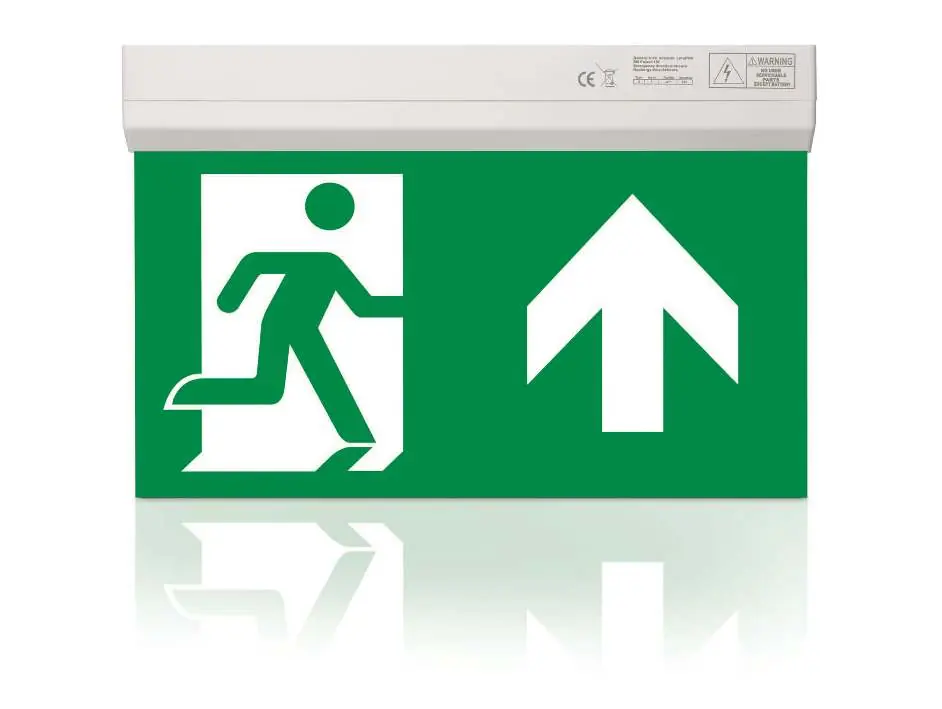
The Spectrum LED Emergency 6 in 1 Exit Blade is a versatile emergency lighting solution designed for commercial and industrial installations. It features a 25m viewing distance and is suitable for both maintained and non-maintained operation.
Mounting Options
This unit is designed for flexibility and supports six different mounting configurations to suit various architectural requirements:

- Surface Mounting: Standard installation on ceilings or walls.
- Suspended Mounting: Hanging installation from the ceiling.
- Recessed Mounting: Flush installation into the ceiling.
- Wall Mounting: Direct mounting to vertical surfaces.
- Parallel Mounting: Installation parallel to the mounting surface.
- Angled Mounting: Installation at an angle for specific visibility needs.
Technical Specifications
- Construction: Polycarbonate
- LED Chip: Samsung
- Input Voltage: 220 - 240V
- Power Factor: > 0.9
- Operating Temperature: 0°C to +35°C
- Battery: LiFePO4
- Ingress Protection: IP20 (Water & Dust Protected)
- Operating Hours: 30,000
- Standards: CE & UKCA
Operating Modes and Features
The device supports selectable Self Test or Manual Emergency modes. It is viewable from both sides, making it ideal for open-plan areas. Various legend options are available to indicate exit directions, including reversible left/right and downward arrows.
Practical help
Common problems
Ensure the battery is properly connected and has been charged for the required duration. Verify the mode (Maintained/Non-Maintained) is set correctly.
Refer to the mounting diagrams to ensure the correct hardware and orientation are used for your specific installation type (Surface, Suspended, Recessed, Wall, Parallel, or Angled).
Before use
- Verify that the input voltage is between 220-240V.
- Ensure the mounting surface is suitable for the chosen installation method.
- Select the appropriate legend (e.g., Left/Right, Down) based on the exit location.
- Confirm the operating environment temperature is between 0°C and +35°C.

Manual page author
Michael Turner
Technical manual editor
Reviews PDF manuals for structure, safety notes, and practical product details so readers can find the right information quickly.