User Manual for Staples 2.4G Wireless Mouse & Keyboard Set
Quick start guide and setup instructions for the Staples 2.4G Wireless Mouse & Keyboard Set. Learn how to install batteries, connect the USB receiver, and troubleshoot common connectivity issues.
Quick answers from the manual
Quick answer
- To set up the Staples 2.4G Wireless Mouse & Keyboard Set, insert the batteries into both devices, then plug the USB receiver into an available USB port on your computer. p. 1
Key actions
- Install batteries p. 1
- Connect USB receiver p. 1
First start
- Insert batteries and plug in the USB receiver. p. 1
Show 3 more answers Show less
Problems and fixes
Check batteries, re-plug receiver, move closer
p. 1Technical specifications
| Parameter | Value | Meaning | Pages |
|---|---|---|---|
| Frequency | 2.4GHz | Wireless connection frequency | p. 1 |
Where to find it in the PDF
- Quick Start Guide p. 1
Table of contents
Manual images
Click an image to enlargeQuick guide from the manual
This document provides setup and troubleshooting instructions for the Staples 2.4G Wireless Mouse & Keyboard Set. The primary setup involves installing batteries and connecting the USB receiver to your computer.
Installation
To prepare the devices for use:
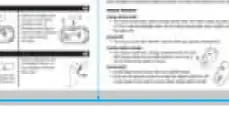
- Open the battery cover on the bottom of the mouse and keyboard.
- Insert the batteries, ensuring the polarity (+/-) matches the markings inside the compartment.
- Close the battery covers securely.
Wireless Connection
The set uses a USB receiver for wireless connectivity:
- Plug the USB receiver into an available USB port on your computer.
- The devices should connect automatically.
Keyboard Usage
The keyboard features standard keys and indicators. Ensure the USB receiver is connected to the computer for the keyboard to function.
Troubleshooting
If you experience connectivity issues:
- Check that the batteries are installed correctly and have sufficient charge.
- Unplug and re-plug the USB receiver into the computer.
- Move the mouse and keyboard closer to the USB receiver to minimize interference.
Technical Specifications
- Frequency: 2.4GHz
- Operating Range: Up to 10 meters
Practical help
Common problems
Check battery installation and polarity. Ensure the USB receiver is securely plugged into the computer.
Move the device closer to the USB receiver to reduce interference.
Before use
- Check battery levels
- Ensure USB receiver is available
- Verify computer USB port is functional

Manual page author
Emily Carter
User documentation editor