Assembly Guide for Star Wars Stormtrooper Armor Kit
Quick assembly guide for the Star Wars Stormtrooper Armor Kit. Includes detailed parts lists, strapping system dimensions, and component location diagrams for proper assembly.
Table of contents
Manual images
Click an image to enlargeQuick Guide to Assembly
This document serves as the assembly guide for the Star Wars Stormtrooper Armor Kit. Before beginning, ensure you have identified all 33 parts and the required strapping system components. Organize your workspace and verify all parts against the provided diagrams to ensure a complete kit.
Parts List
The armor kit is composed of 33 distinct parts. Use the diagrams to identify each piece before assembly.
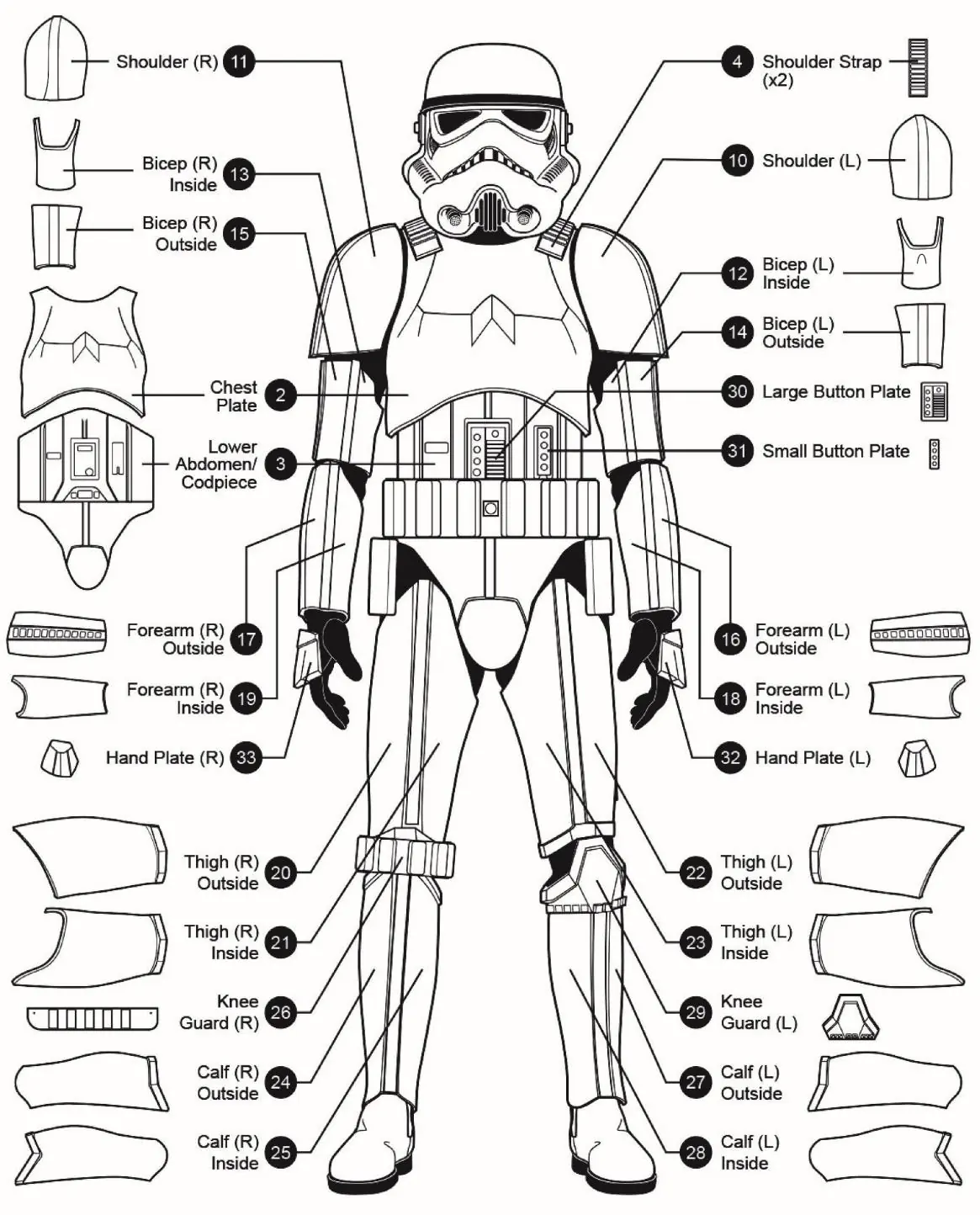
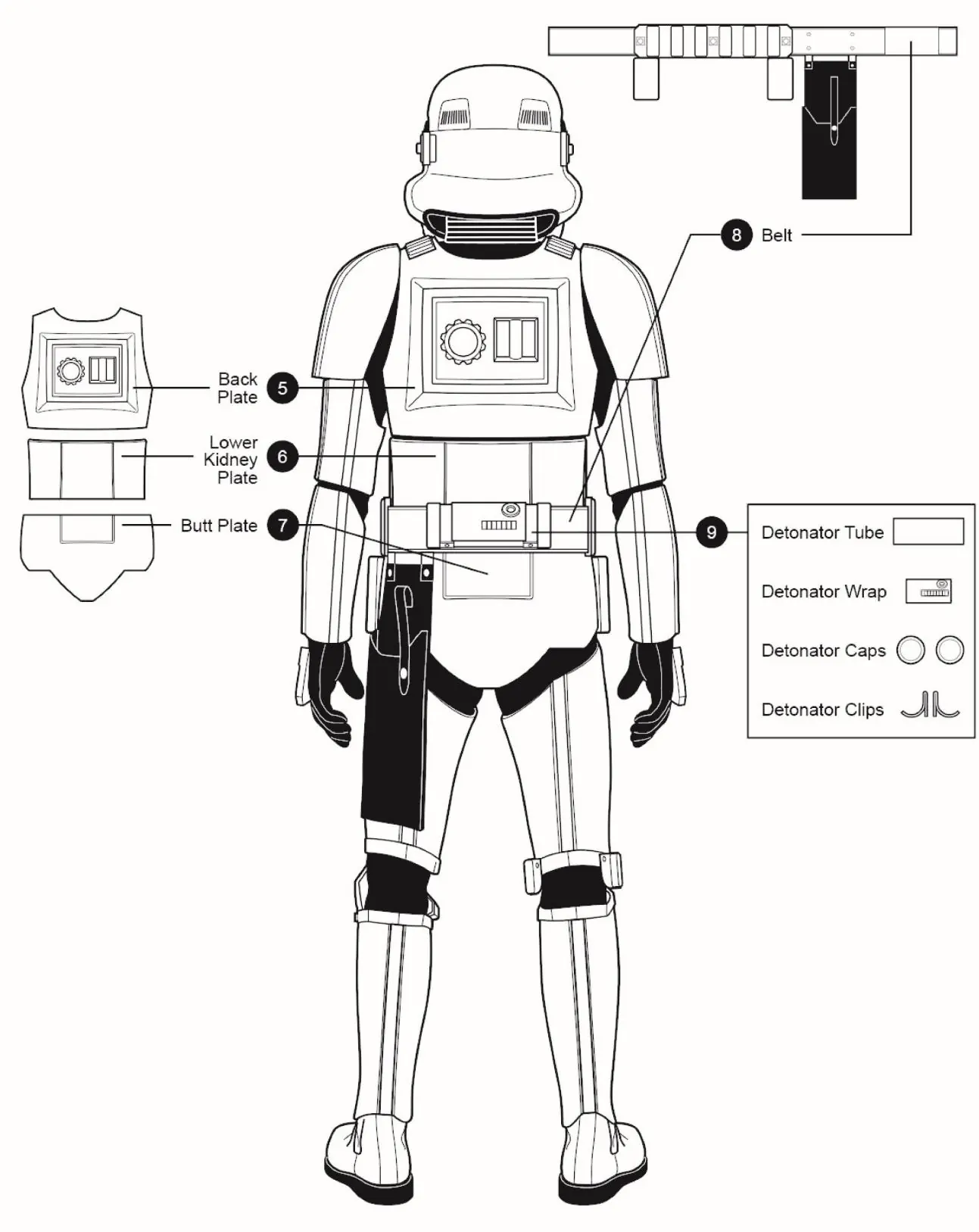
Front View Components
- Chest Plate (02)
- Lower Abdomen/Codpiece (03)
- Shoulder (R/L) (10, 11)
- Bicep (R/L) (12, 13, 14, 15)
- Forearm (R/L) (16, 17, 18, 19)
- Thigh (R/L) (20, 21, 22, 23)
- Knee Guard (R/L) (26, 29)
- Calf (R/L) (24, 25, 27, 28)
- Hand Plate (32, 33)
Back View Components
- Back Plate (05)
- Lower Kidney Plate (06)
- Butt Plate (07)
- Belt (08)
- Detonator Tube (09)
Strapping System
The strapping system is essential for the structural integrity and fit of the armor. It consists of various elastic straps, webbing, and hooks.
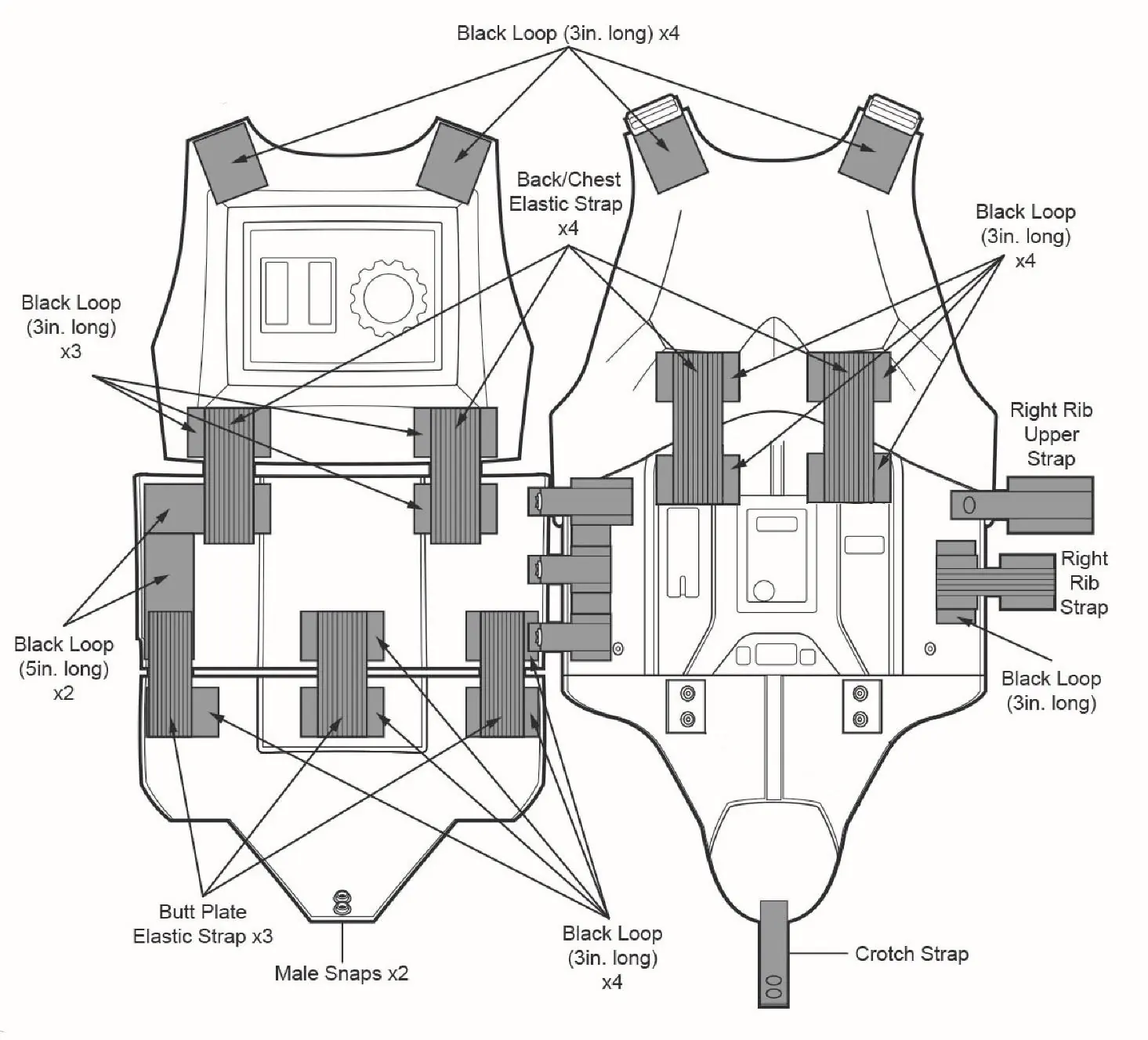
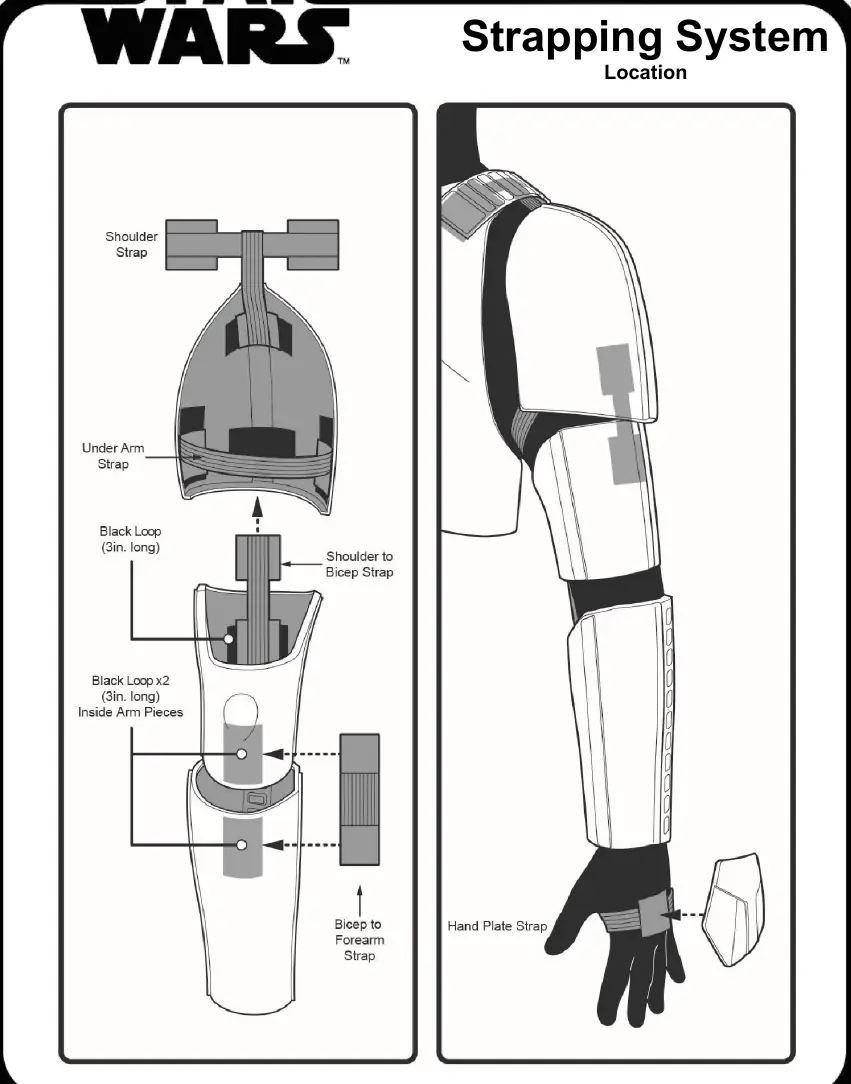
Assembly and Location
Follow the location diagrams to attach the strapping system to the armor plates. Key areas include:
- Back/Chest elastic straps
- Rib upper straps
- Arm assembly (Shoulder to Bicep, Bicep to Forearm)
- Hand plate straps
Manufacturer information
Star Wars
Practical help
Before use
- Verify all 33 parts are present
- Sort elastic and webbing pieces by size
- Identify all armor plates using the parts list diagrams
- Ensure you have the correct tools for snap installation
Images and diagrams
- Parts list diagrams provide a visual reference for all 33 armor components
- Strapping system diagrams detail the dimensions of elastic and webbing pieces
- Location diagrams illustrate the connection points for straps on the armor plates

Manual page author
Emily Carter
User documentation editor
Prepares concise manual descriptions and highlights the most useful setup, operation, and maintenance information for readers.