User Guide for TC Helicon SWITCH-6 Accessory Pedal
Quick guide for the TC Helicon SWITCH-6 accessory pedal. Learn about its features, compatibility with VoiceLive, Play, and Perform series, and how to use the 6-switch footswitch for expanded effects control.
Table of contents
Quick guide from the manual
The TC Helicon SWITCH-6 is a robust, 6-switch accessory foot pedal designed to provide expanded remote control for TC Helicon vocal and guitar processors. It allows for hands-free management of effects, presets, and looping functions.
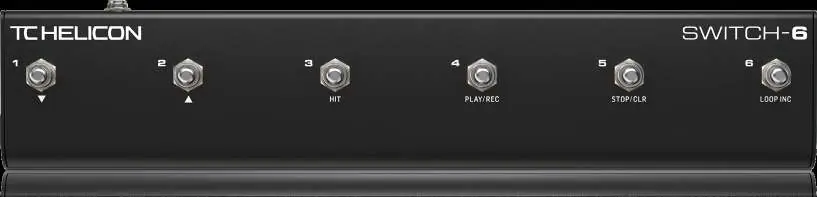
Features and capabilities
- 6-Switch Design: Provides six footswitches for versatile control.
- Customizable Functions: Switches come with preprogrammed settings but can be customized to perform various functions based on your performance needs.
- Versatile Control: Use the pedal to toggle specific effects, change presets, engage the HIT function, or control loops.
- Rugged Construction: Built for road-worthy durability to withstand years of use.
- Connectivity: Includes a TRS cable for connection to your processor.
Compatibility
The SWITCH-6 is compatible with a wide variety of TC Helicon products, including the VoiceLive, Play, and Perform series.
Safety and disposal
This product complies with various safety and environmental regulations, including the WEEE Directive (2012/19/EU). Do not dispose of this product with household waste. It should be taken to a collection center licensed for the recycling of waste electrical and electronic equipment (EEE).
Practical help
Common problems
Ensure the included TRS cable is securely connected to both the SWITCH-6 and the compatible TC Helicon processor.
Before use
- Ensure you have a compatible TC Helicon processor (VoiceLive, Play, or Perform series).
- Connect the provided TRS cable to the pedal and the processor.
- Check the settings on your host processor to customize the switch functions if the default settings do not meet your needs.

Manual page author
Emily Carter
User documentation editor
Prepares concise manual descriptions and highlights the most useful setup, operation, and maintenance information for readers.