TOZO VIZO V1 AR Glasses User Guide
Quick start guide for TOZO VIZO V1 AR Glasses. Learn how to connect, wear, adjust diopters, and control brightness, volume, and 2D/3D modes.
Table of contents
Manual images
Click an image to enlargeQuick guide from the manual
The TOZO VIZO V1 AR Glasses are designed for use with DP-output devices via a Type-C connection. Key operations include adjusting the diopter knobs for vision correction (0-500°) and using the frame buttons to control brightness, volume, and display modes.
Connection and Wearing
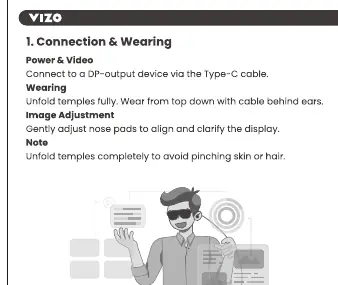
- Connect the glasses to a DP-output device using the provided Type-C cable.
- Unfold the temples fully before wearing to avoid pinching skin or hair.
- Wear the glasses from top down, ensuring the cable is positioned behind the ears.
- Gently adjust the nose pads to align the display and improve clarity.
Settings and Controls
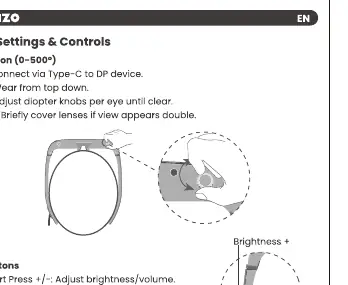
Vision Adjustment
The glasses support diopter adjustment for users with vision between 0 and 500 degrees. Adjust the diopter knobs located on the glasses per eye until the view is clear.
Button Functions
- Short Press +/-: Adjusts brightness or volume.
- Long Press +: Switches function.
- Long Press -: Toggles between 2D and 3D display modes.
Practical help
Common problems
Gently adjust the nose pads to align the display and improve clarity.
Adjust the diopter knobs per eye until the view is clear (supports 0-500°).
Before use
- Ensure your device supports DP-output via Type-C.
- Unfold temples fully before putting on the glasses.
- Position the cable behind the ears when wearing.

Manual page author
David Miller
Documentation analyst
Organizes user manual content into clear summaries, with attention to model details, product context, and everyday usability.