Installation Guide for Ubiquiti PoE+ Adapter 2.5G 30W
Quick installation guide for the Ubiquiti PoE+ Adapter (2.5G - 30W). Includes mounting instructions, required tools, and setup steps.
Quick answers from the manual
Quick answer
- The Ubiquiti PoE+ Adapter (2.5G - 30W) is a device designed to provide power and data connectivity to PoE-enabled network equipment. Installation requires mounting the bracket to a wall and connecting the power cable. p. 1, 2, 8
Key actions
- Mount the bracket to the wall using the provided anchors and screws. p. 4, 5, 6
- Connect the power cable to the adapter. p. 7, 8
Technical specifications
| Parameter | Value | Meaning | Pages |
|---|---|---|---|
| Power Output | 30W | Maximum power delivery | p. 1 |
| Data Speed | 2.5G | Ethernet speed support | p. 1 |
Where to find it in the PDF
- Parts List p. 2
- Installation Steps p. 3, 4, 5, 6
Table of contents
Manual images
Click an image to enlargeQuick guide from the manual
This guide provides instructions for mounting and connecting the Ubiquiti PoE+ Adapter (2.5G - 30W). Ensure you have all necessary tools and components before beginning the installation.
Package contents
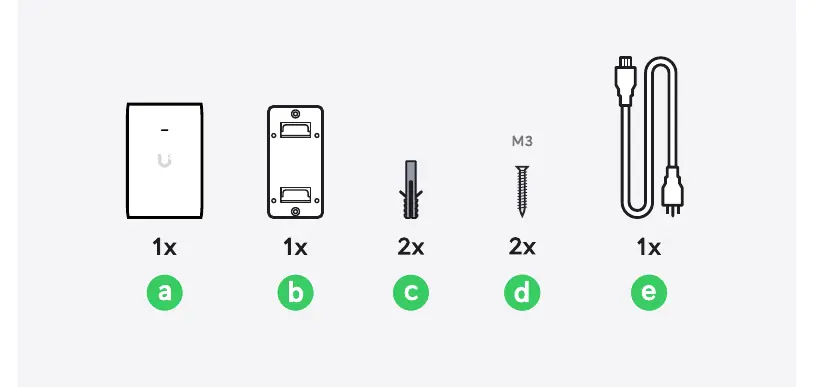
- 1x PoE+ Adapter
- 1x Wall mount bracket
- 2x Anchors
- 2x M3 Screws
- 1x Power cable
Required tools
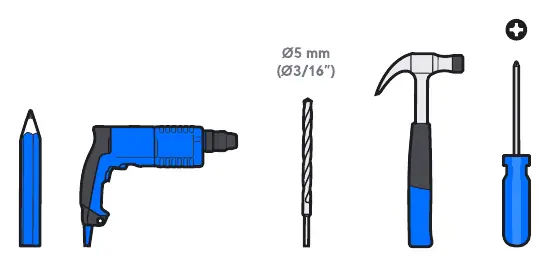
- Pencil
- Drill
- 5mm (3/16") drill bit
- Hammer
- Screwdriver
Installation steps
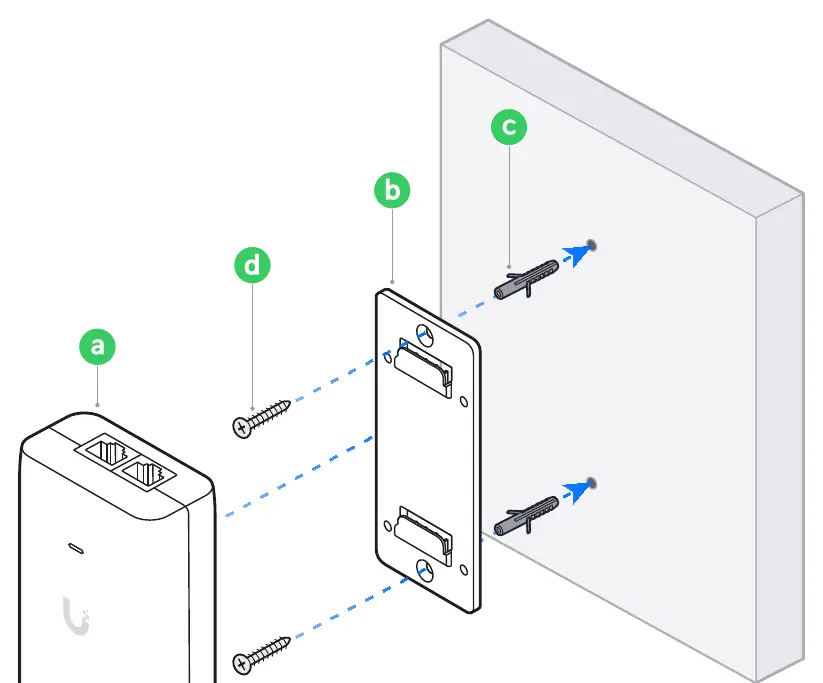
- Marking: Use the wall mount bracket to mark the hole locations on the wall.
- Drilling: Drill holes at the marked locations using a 5mm (3/16") drill bit.
- Anchoring: Insert the anchors into the drilled holes and secure the wall mount bracket using the provided M3 screws.
- Mounting: Slide the PoE+ Adapter onto the wall mount bracket until it clicks into place.
- Connection: Connect the power cable to the adapter and plug it into a power outlet.
Power connection
Connect the power cable to the adapter. If you need further assistance, visit the Ubiquiti Help Center or contact Ubiquiti Support.
Practical help
Before use
- Ensure you have a 5mm (3/16") drill bit
- Verify you have the wall mount bracket
- Check for a power outlet nearby
- Confirm you have the M3 screws and anchors
Images and diagrams
- The installation process involves mounting a bracket to the wall using anchors and screws, then attaching the adapter to the bracket.
- The power cable connects to the bottom of the adapter.

Manual page author
Emily Carter
User documentation editor
Prepares concise manual descriptions and highlights the most useful setup, operation, and maintenance information for readers.