User Manual for Ugreen 2-in-1 Magnetic Wireless Charger W752
Quick guide for the Ugreen 2-in-1 Magnetic Wireless Charger W752. Learn how to connect, charge your devices, and understand technical specifications and safety guidelines.
Quick answers from the manual
Quick answer
- The Ugreen 2-in-1 Magnetic Wireless Charger W752 allows you to charge a magnetic-compatible phone and wireless earbuds simultaneously by connecting the unit to a power source via the USB-C port. p. 1
Key actions
- Connect the charger to a power source using the provided USB-C cable. p. 1
- Place your phone on the magnetic charging area and earbuds on the base pad. p. 1
Problems and fixes
Check power connection and device alignment.
p. 1Technical specifications
| Parameter | Value | Meaning | Pages |
|---|---|---|---|
| Input | 5V/3A, 9V/2A, 12V/1.5A | Required power input | p. 1 |
| Total Output | 20W Max | Maximum combined power output | p. 1 |
Where to find it in the PDF
- Product Overview and Specs p. 1
- Regulatory and Warranty p. 2
Table of contents
Quick Guide
The Ugreen 2-in-1 Magnetic Wireless Charger W752 is designed to charge your smartphone and wireless earbuds simultaneously. To begin, connect the charger to a compatible power source using the provided USB-C cable. Place your magnetic-compatible phone on the upper charging area and your earbuds on the base charging area.
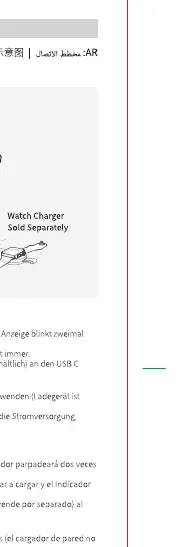
Product Overview
The device features a magnetic charging area for phones and a dedicated charging pad for earbuds. It includes a USB-C input port for power connection.
Specifications
- Input: 5V/3A, 9V/2A, 12V/1.5A
- Wireless Charging Output (Phone): 7.5W / 15W
- Wireless Charging Output (Earbuds): 5W
- Total Output: 20W Max
Safety and Usage
Ensure the charger is placed on a flat, stable surface. Do not place metal objects or credit cards between the charger and your device, as this may interfere with charging or cause overheating. Use only the recommended power adapter to ensure optimal performance and safety. Keep the device away from water and extreme temperatures.
Manufacturer information
UGREEN
Practical help
Common problems
Ensure the charger is connected to a power source with the correct input specifications. Verify that the device is properly aligned with the magnetic charging area.
Ensure you are using a power adapter that meets the input requirements (5V/3A, 9V/2A, or 12V/1.5A).
Before use
- Verify package contents include the charger and USB-C cable.
- Ensure your phone supports magnetic wireless charging.
- Use a power adapter that supports the required input voltage/current.
- Place the charger on a flat, stable surface.

Manual page author
Michael Turner
Technical manual editor
Reviews PDF manuals for structure, safety notes, and practical product details so readers can find the right information quickly.