Electronics / Radio Scanners
Uniden BC 235XLT Scanner Operating Guide
Comprehensive operating guide for the Uniden BC 235XLT trunk tracking scanner. Includes setup, programming, scanning, trunk tracking, and troubleshooting instructions.
Quick answers from the manual
Quick answer
- The BC 235XLT is a 300-channel trunk tracking scanner. It allows you to monitor conventional frequencies and trunked radio systems (Motorola Type I/II/Hybrid) by programming frequencies into 10 banks. p. 3, 35
Key actions
- Programming frequencies p. 17, 18
- Trunk tracking setup p. 38, 39
First start
- Install batteries and charge for 14-16 hours. p. 10, 11
Show 4 more answers Show less
Problems and fixes
Scanner won't work
Check AC adapter connections and wall switch.
p. 56Maintenance and reset
- If memory is lost, reprogram each channel. p. 54
Technical specifications
| Parameter | Value | Meaning | Pages |
|---|---|---|---|
| Channels | 300 | Total programmable channels | p. 58 |
| Operating Temperature | -20°C to +60°C | Operating range | p. 58 |
Where to find it in the PDF
- Programming p. 17, 18, 19, 20
- Trunk Tracking p. 35, 36, 37, 38
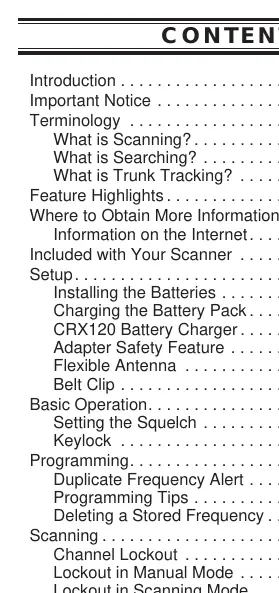
Table of contents
Quick Start Guide
The Uniden BC 235XLT is a 300-channel trunk tracking scanner designed to monitor various radio communications, including police, fire, emergency, marine, air, and amateur bands. To begin, ensure the batteries are installed and charged, the antenna is attached, and frequencies are programmed into the scanner's memory.
Setup and Installation
- Batteries: Open the battery cover and insert the battery pack.
- Charging: Use the supplied AC Adapter (AD70U) to charge the battery. A full charge takes 14–16 hours. You can use the scanner while it charges.
- Antenna: Attach the flexible antenna to the BNC connector on top of the unit.
- Belt Clip: Attach the belt clip using the provided screws, being careful not to overtighten.
Basic Operation
- Squelch Setting: To set the squelch, enter Manual mode. Turn the SQUELCH control fully clockwise until you hear a hiss, then turn it counter-clockwise just until the hiss stops. This ensures only clear signals are received.
- Keylock: Press and hold the LOCK key to prevent accidental key entries.
- Scanning: Press the SCAN key to begin scanning programmed channels.
Programming Frequencies
Before scanning, you must program frequencies into the scanner's channels:
- Press the MANUAL key.
- Enter the desired channel number and press MANUAL again.
- Enter the frequency and press the ENTER key.
- If you make a mistake, press the decimal key twice to clear and start over.
Trunk Tracking
The BC 235XLT supports Motorola Type I, Type II, Type IIi, and Hybrid trunking systems. To track a trunked system:
- Programming: You must enter trunking frequencies while in Trunking Programming mode.
- Operation: Press the TRUNK key to toggle between conventional and trunk tracking modes.
- Fleet Maps: If you are missing conversations, you may need to select a different preset Fleet Map or program a custom one.
Scan Lists
Scan Lists allow you to organize trunking system users into categories. Each trunk tracking bank has 5 Scan Lists, with each list holding up to 10 IDs. You can program these manually or during trunking search mode.
Care and Maintenance
- Cleaning: Disconnect power before cleaning. Use a mild detergent and a soft cloth. Do not use abrasive cleaners or excessive water.
- Repairs: The scanner contains no user-serviceable parts. Contact Uniden Customer Service for repairs.
Troubleshooting
- Scanner won't work: Check AC adapter connections and the battery pack.
- Improper reception: Reposition the antenna or move the scanner.
- Scan won't stop: Adjust the squelch threshold or check for locked-out channels.
- Scanner won't track trunked system: Ensure you have the correct data frequency and system type.
Technical Specifications
- Channels: 300
- Banks: 10 (30 channels each)
- Frequency Range: 29.0–956 MHz (with gaps)
- Operating Temperature: -20°C to +60°C
- Power Requirements: 4.8 VDC 800mAh (internal battery or AD70U AC Adapter)
Practical help
Common problems
Scanner won't work
Check AC adapter connections, ensure the wall outlet is active, or replace the battery pack.
Improper reception
Reposition the antenna, move the scanner, or consider an optional multi-band antenna if in a remote area.
Scan won't stop
Adjust the squelch threshold, check the antenna connection, or verify that channels are not locked out.
Scanner won't track trunked system
Verify you have the correct data frequency, ensure it is a trackable system, or try changing to a Type 1 scanner setup.
Before use
- Install the battery pack
- Charge the battery for 14-16 hours
- Attach the flexible antenna
- Program frequencies into channels
Show more Show less
Specs in practice
- Trunk Tracking
- Allows the scanner to follow talk groups on a trunked radio system.
Images and diagrams
- Front view showing keys and display layout
- Top view showing antenna connector, squelch, and volume controls
Model compatibility
- Compatible with Motorola Type I, Type II, Type IIi, Hybrid, SMARTNET, and PRIVACY PLUS analog trunking systems.

Manual page author
Michael Turner
Technical manual editor