User Manual for Vacmaster 14.8V Handheld Vacuum DHVB1401
Quick guide and user manual for the Vacmaster 14.8V Handheld Vacuum (DHVB1401). Includes setup, charging, maintenance, and troubleshooting instructions.
Table of contents
Manual images
Click an image to enlargeQuick guide from the manual
This guide provides essential information for operating and maintaining your Vacmaster 14.8V Handheld Vacuum. Always read the full safety instructions before use. This appliance is designed for dry household use only.
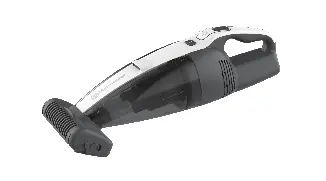
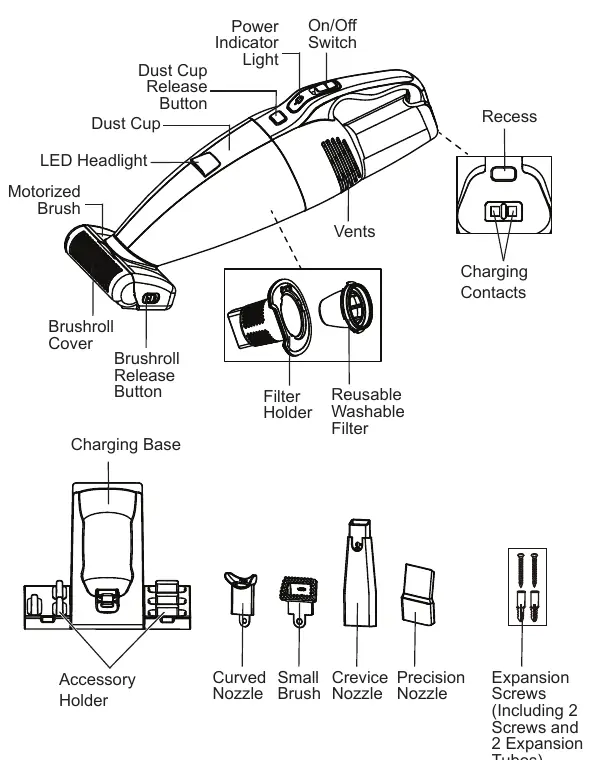
Getting to know your vacuum
The vacuum features an On/Off switch, LED headlight, and a motorized brush. The dust cup and filter are removable for cleaning. The unit comes with a charging base and various accessories, including a crevice nozzle, small brush, curved nozzle, and precision nozzle.
Assembly and charging
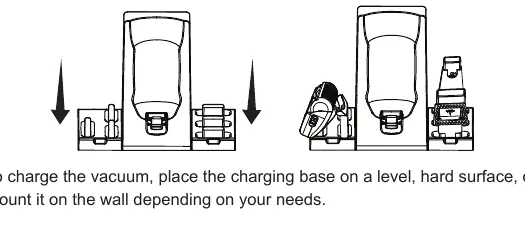
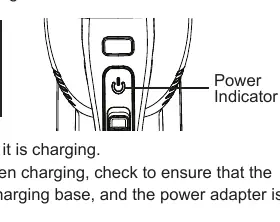
The vacuum comes pre-assembled. To install the charging base, you can place it on a level surface or mount it on a wall using the provided expansion screws. Ensure there are no power or water lines in the wall before drilling. To charge, ensure the vacuum is switched off and properly seated in the charging base. The power indicator will flash red while charging and turn solid green when fully charged. Charging takes approximately 4-4.5 hours.
Operating instructions
The vacuum has two speed settings (I and II). Slide the On/Off switch forward to select the desired speed. The power indicator will light up yellow for speed I and green for speed II. The LED headlight turns on automatically during operation.
Maintenance and cleaning
Regular maintenance is required for optimal performance:
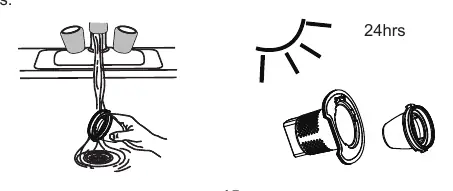
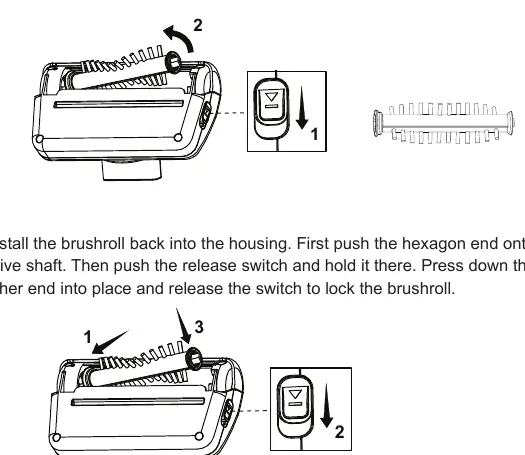
- Emptying the dust cup: Press the release button to remove the dust cup and empty it.
- Cleaning the filter: Remove the filter and filter holder from the dust cup. Clean with a soft brush. Wash with mild soap and water, then air dry for 24 hours before reassembling.
- Cleaning the motorized brush: Remove the brush from the suction opening. Use the release switch to unlock the brushroll, remove debris, and reinstall.
Troubleshooting
If you encounter issues, check the following:
- Vacuum won't power on: Check if the battery is depleted or if the unit is damaged.
- Vacuum won't charge: Ensure it is properly seated in the charging base and the plug is fully inserted.
- Motorized brush not turning: Remove obstructions, check for proper installation, or clean metal contacts.
- Weak suction: Empty the dust cup, clean or replace the filter, and check for blockages.
Practical help
Common problems
Check if the battery is depleted or if the unit is damaged. Call support if damaged.
Ensure the vacuum is properly seated in the charging base and the charging plug is fully inserted into the outlet.
Remove obstructions, check for proper installation, or clean debris from the metal contacts.
Empty the dust cup, clean or replace the filter, and check for blockages in the motorized brush.
Before use
- Ensure the vacuum is fully charged.
- Check that the dust cup is empty.
- Verify the filter is installed.
- Ensure the suction opening is not blocked.
- Select the appropriate accessory for the surface.
Specs in practice
- Battery Capacity
- 2.0Ah / 29.6Wh
- Charger Input
- 100-240VAC, 50-60Hz
- Charger Output
- 18.0V DC, 0.5A
Images and diagrams
- Exploded view of vacuum components and accessories
- Charging base wall-mounting instructions
- Filter removal and cleaning process
- Brushroll removal and maintenance steps
Model compatibility
- Use only the original Mootree SUS014A-180050 charger.
- For dry vacuuming only.

Manual page author
Michael Turner
Technical manual editor
Reviews PDF manuals for structure, safety notes, and practical product details so readers can find the right information quickly.