User Manual for Xiaomi 18W 30000mAh Power Bank
Quick guide for the Xiaomi 18W 30000mAh power bank (PB3018ZM). Includes charging instructions, low-power mode activation, technical specifications, and safety features.
Table of contents
Quick guide from the manual
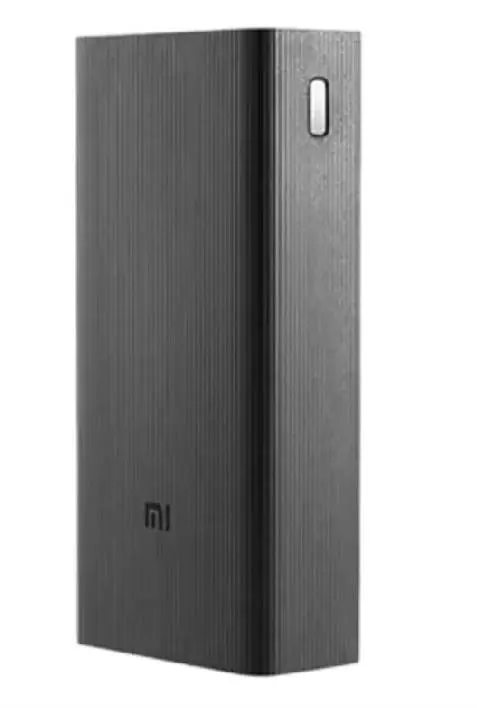
The Xiaomi 18W 30000mAh Power Bank (Model: PB3018ZM) is a high-capacity portable charger designed to charge up to three devices simultaneously. It features two USB-A ports and one USB-C port. The device includes a low-power mode specifically for smaller accessories like smartbands.
Operation
To charge your devices, simply connect them to the available USB-A or USB-C ports. The power bank supports 18W fast charging. To activate the low-power mode for devices requiring less power, press the battery check button twice.
Safety features
The device is equipped with advanced chips that provide multiple protections, including:
- Overheating protection
- Short-circuit protection
- Reset protection
- Overcharge protection
Technical specifications
- Battery type: Lithium-ion
- Battery capacity: 111 Wh, 3.7 V, 30000 mAh
- Rated capacity: 18000 mAh (5 V/3.6 A)
- Input: USB-C (5 V/3 A, 9 V/2.6 A)
- Operating temperature: 5 °C to 35 °C
- Dimensions: 154.5 x 72.3 x 38.9 mm
Charging the power bank
The time required to fully charge the power bank depends on the charger used:
- Approximately 7.5 hours using a 24 W or higher PD charger with a C-to-C cable.
- Approximately 10 hours using a 9 V/2 A charger with the included cable.
Manufacturer information
Xiaomi Corporation
Practical help
Common problems
Press the battery check button twice to activate the low-power mode.
Ensure you are using a 24W PD charger and a C-to-C cable for the fastest 7.5-hour charge time.
Before use
- Verify the package contains the power bank, USB-C cable, and user manual.
- Ensure the ambient temperature is between 5 °C and 35 °C.
- Check that your charging cable is compatible with the USB-A or USB-C ports.

Manual page author
Emily Carter
User documentation editor
Prepares concise manual descriptions and highlights the most useful setup, operation, and maintenance information for readers.