Documents / Warranty Safety
ADJ Saber Spot RGBW 15W LED Light
Comprehensive user manual for the ADJ Saber Spot RGBW, covering setup, DMX operation, system menu navigation, maintenance, and technical specifications.
Table of contents
Product Overview
The ADJ Saber Spot RGBW is a compact, intelligent LED fixture designed for professional lighting applications in theaters, studios, and retail environments. It features a powerful 15W RGBW 4-in-1 LED, providing versatile color mixing and beam control. The unit is DMX-512 compatible and supports multiple operating modes, including Show Mode, RGBW Dimmer Mode, and full DMX control.
Safety Precautions
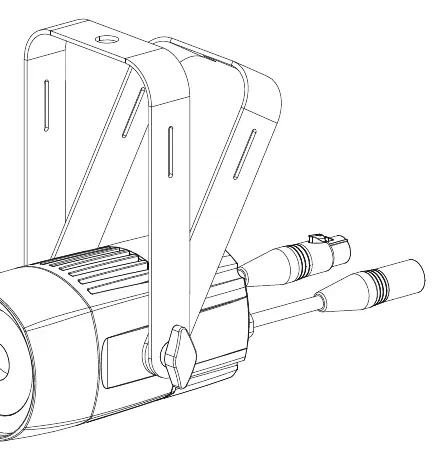
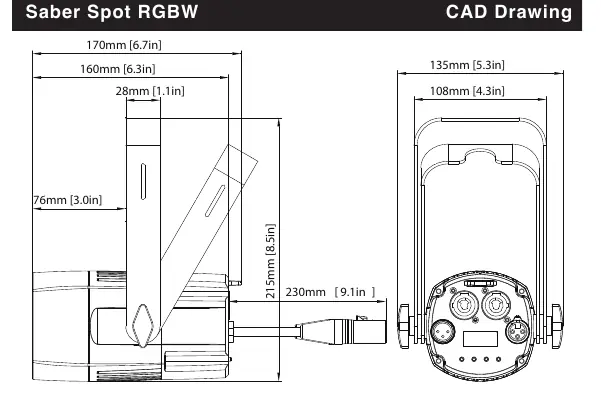
For safe operation, always ensure the unit is mounted in a stable, well-ventilated area with at least 15cm of clearance from walls. The fixture is intended for indoor use only; exposure to rain or moisture may cause electrical shock or fire. Never remove the cover, as there are no user-serviceable parts inside. Avoid looking directly into the light source to prevent eye damage, and be aware that the housing can become extremely hot during operation.
Installation and Setup
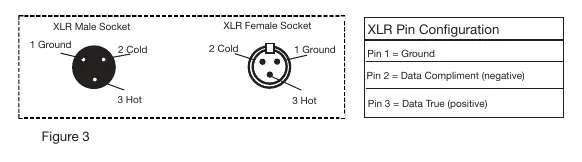
The Saber Spot RGBW features an automatic voltage switch, allowing it to be used with various power sources globally. Units can be daisy-chained using PowerCON connectors, supporting up to 38 fixtures at 110V or 68 fixtures at 240V. For DMX control, use a standard 110-ohm shielded DMX cable. When linking multiple units, ensure the last fixture in the chain is terminated with a 120-ohm resistor to prevent signal errors.
System Menu and Operation
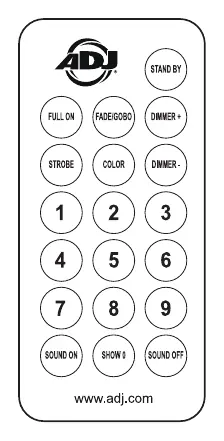
The digital display allows for easy configuration of DMX addresses, channel modes, and dimmer curves. Users can select from 12 different DMX channel modes (ranging from 3 to 12 channels) to suit their specific programming needs. The unit also supports Master/Slave configurations, allowing multiple fixtures to run synchronized shows without an external controller. Advanced settings include manual color adjustment, strobe rate control, and display orientation flipping.
Maintenance and Troubleshooting
To maintain optimal performance, periodically clean the internal and external optical lenses and cooling vents. The frequency of cleaning depends on the operating environment; in heavy use, monthly cleaning is recommended. If the unit fails to output light in RGBW Dimmer Mode, verify that the strobe setting is set to 255. Always disconnect the power before performing any maintenance or cleaning tasks.
Related manuals
Related manuals from the same brand or category.
Documents / Warranty Safety
ADJ Inno Pocket Spot Moving Head LED Instruction Manual
ADJ
Manual page author
Emily Carter
User documentation editor
Prepares concise manual descriptions and highlights the most useful setup, operation, and maintenance information for readers.