Mobile / Smartphones
iPhone 16E SIM Card Modification Guide
Technical guide for modifying the SIM card configuration on the iPhone 16E, including hardware component installation and internal circuit adjustments.
Table of contents
Overview of Modification
This guide provides instructions for modifying the SIM card functionality on the iPhone 16E. The process involves replacing internal ribbon cables and adjusting specific circuit board components to enable physical SIM card support.
Required Components
To perform this modification, you will need the specific iPhone 16E ribbon cable and the corresponding SIM card slot module. These components are designed to integrate with the existing internal architecture of the device.
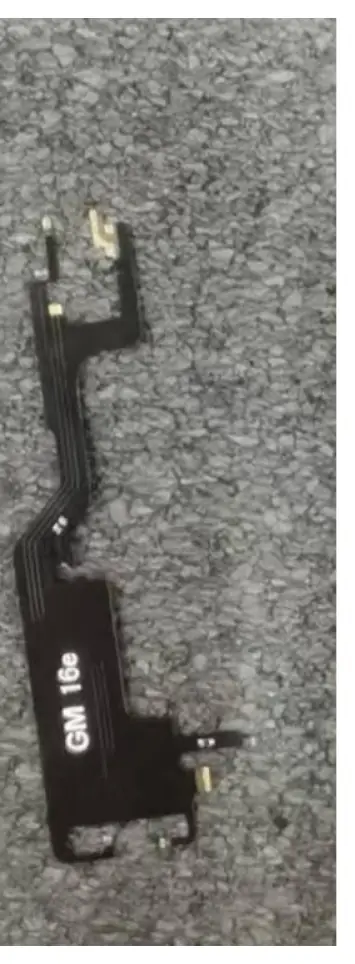
Installation and Hardware Adjustments
The modification requires opening the device and accessing the internal logic board. Users must be aware that performing these hardware modifications will void any existing manufacturer warranty and carries a risk of permanent damage to the device.
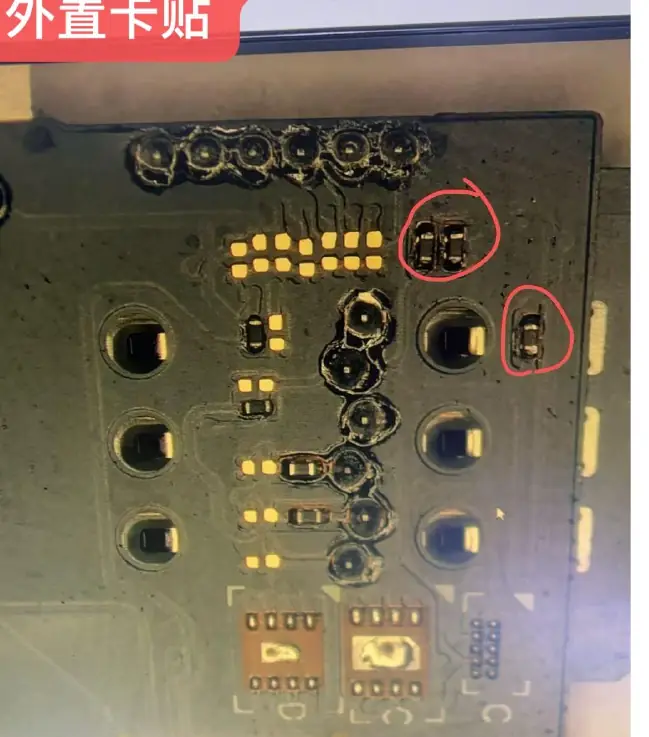
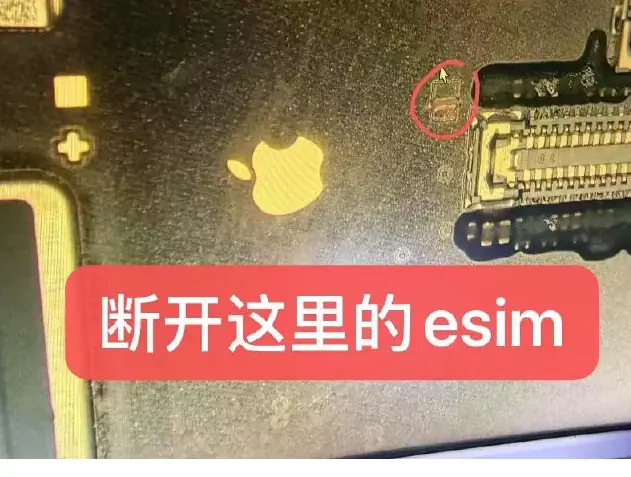
- eSIM Disconnection: Locate the eSIM circuit on the logic board and carefully disconnect it as indicated in the technical diagrams.
- Resistor Removal: Identify the three specific resistors on the board that need to be removed to allow for the external SIM card module installation.
- Cable Integration: Carefully install the new ribbon cable and align the SIM card slot module with the internal connectors.
Safety and Warnings
This procedure involves advanced hardware manipulation. It is intended for experienced technicians only. Improper handling of the logic board, ribbon cables, or soldering components can lead to short circuits, component failure, or total device malfunction. Always ensure the device is powered off and the battery is disconnected before attempting any internal work. Use appropriate anti-static precautions to prevent electrostatic discharge damage to sensitive electronic components.
Maintenance and Troubleshooting
If the device fails to recognize the SIM card after modification, verify that all ribbon cable connections are secure and that the resistors were removed cleanly without damaging adjacent pads. Ensure that the SIM card slot is properly seated and that no debris is obstructing the contacts.
Related manuals
Related manuals from the same brand or category.
Mobile / Smartphones
Apple iPhone 16 Plus User Guide
AppleGeneral / Other Manuals
Apple MacBook Pro User Guide
AppleDocuments / Warranty Safety
iPhone 16e User Manual and Warranty Information
AppleElectronics / Monitors
iPhone 16e - Technical Specifications
AppleComputers / Keyboards Input
MacBook Pro 16-inch 2019 Teardown
AppleElectronics / Monitors
MacBook Pro (14-inch, M4 Pro or M4 Max, 2024) - Tech Specs
AppleComputers / Tablets
Apple iPad Pro 13-inch (M5) Recycler Guide
AppleSoftware / Apps Services
MacBook Air (Retina, 13-inch, 2020) Quick Start Guide
AppleElectronics / Monitors
Macintosh 128K Teardown
Apple
Manual page author
Emily Carter
User documentation editor
Prepares concise manual descriptions and highlights the most useful setup, operation, and maintenance information for readers.