Documents / Warranty Safety
EcoSmart Adjustable White A21 Motion Sensor Bulb User Guide
Comprehensive user guide for the EcoSmart 14A21100D6CCT01 Adjustable White A21 Motion Sensor Bulb, covering installation, operation, color temperature settings, and troubleshooting.
Table of contents
Product Overview
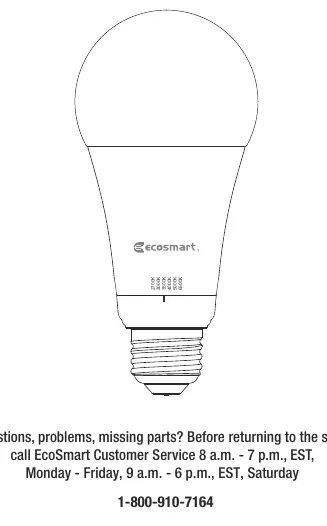
The EcoSmart Adjustable White A21 Motion Sensor Bulb is a versatile lighting solution featuring an integrated microwave motion sensor. It offers adjustable color temperatures ranging from 2700K to 6500K, allowing you to customize the ambiance for various environments such as bedrooms, kitchens, or task areas. The bulb is designed for indoor use and provides efficient, automated lighting control.
Safety Information
Warning: This product is for indoor use only and must not be exposed to water. It is not intended for use with emergency exits. Always turn off the power at the fixture before inspection, installation, or removal. Do not attempt to open the bulb, as there are no user-serviceable parts inside.
Installation and Operation
Before installing, select your preferred color temperature using the switch on the bulb. Ensure the power to the fixture is turned off during installation. Once installed and powered on, the bulb will initialize for 5 seconds. After approximately 2 seconds, the internal microwave sensor takes control. The bulb will automatically turn on when motion is detected and remain illuminated for 2 minutes after motion ceases. For optimal performance, install the bulb facing downwards in a fixture at a height of 9ft to 16ft. Note that the microwave sensor may detect motion through thin walls or glass.
Troubleshooting
- Intermittent blinking: The sensor may be detecting movement through walls or being triggered by external factors like wind-blown plants. Ensure the bulb is at least 2ft away from other motion sensor bulbs.
- Bulb never turns on: Ensure the bulb is not installed facing upwards, as this significantly reduces the detection range.
- Daytime activation: The bulb is designed to detect motion regardless of ambient light levels.
Disabling the Motion Sensor
If you wish to use the bulb as a standard light, you can disable the motion sensor: turn the bulb on and wait 5 seconds, then toggle the power switch on and off quickly 10 times. Wait 20 seconds for the setting to take effect. The same process can be used to re-enable the sensor.
Technical Specifications
- Model: 14A21100D6CCT01
- Input Voltage: 120V AC
- Frequency: 60Hz
- Power: 15W
- Brightness: 1600 Lumens
- CRI: 90
Related manuals
Related manuals from the same brand or category.
Documents / Warranty Safety
EcoSmart 12MR161050RGB01 Wireless Controlled MR16 Smart Bulb
EcosmartDocuments / Warranty Safety
EcoSmart B11 Smart Bulb User Guide
EcosmartElectronics / Televisions