Sports / Fitness
Fontastic 165CH Calor Fitness Tracker
Comprehensive user guide for the Fontastic 165CH Calor fitness tracker, covering setup, app synchronization, health monitoring features, and maintenance.
Table of contents
Product Overview
The Fontastic 165CH Calor is a versatile fitness tracker designed to monitor your daily activities and health metrics. It features a 0.96-inch TFT display, a touch-sensitive button for navigation, and a built-in heart rate and temperature sensor. The device is powered by a rechargeable lithium-polymer battery and is protected against water splashes (IPX7 rating).
Getting Started
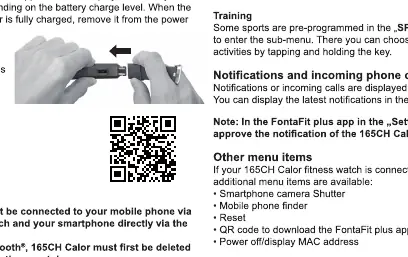
Before first use, fully charge the device by connecting the USB charging connector to a standard USB power source. To begin, download and install the FontaFit plus app on your smartphone (requires Android 4.4 or iOS 9 and above). Pair the device exclusively through the app settings, not via your phone's Bluetooth menu. Once paired, the tracker will automatically synchronize the date and time from your smartphone.
Operation and Features
Navigate the menu by tapping the touch button to scroll and holding it for approximately 3 seconds to select an item or enter a sub-menu. Key features include:
- Health Monitoring: Tracks steps, heart rate, blood pressure, oxygen saturation, and body temperature.
- Sports Modes: Pre-programmed activities such as running, skipping, and sit-ups.
- Notifications: Receive alerts for incoming calls and messages directly on your wrist.
- Sleep Tracking: Automatically monitors sleep quality between 20:00 and 10:00.
For accurate measurements, ensure the wristband is worn snugly about 1cm above the wrist bone. Note that this device is not a medical instrument; data provided is for fitness purposes only and should not be used for medical diagnosis.
Maintenance and Safety
To ensure longevity, keep the sensor clean and avoid exposing the device to extreme conditions. Do not attempt to open the device casing, as this will void the warranty and compromise water resistance. If the device shows visible defects, discontinue use immediately. When the device reaches the end of its life, dispose of it according to local environmental regulations for electronic waste.
Related manuals
Related manuals from the same brand or category.
Sports / Fitness
FMS 1500mm Maule User Manual
FMSSports / Fitness
14G Straight Pull Bicycle Spokes Safety Instructions
GenericSports / Fitness
Hyper 12in Moto Balance Bike Owner’s Manual
HyperSports / Fitness
APOLLO Stunt Scooter 120mm Replacement Wheels Instructions
ApolloSports / Fitness
Thule Yepp Nexxt 2 Mini Bicycle Seat
ThuleSports / Fitness
Thule Yepp 2 Mini Front-Mounted Child Bike Seat
ThuleSports / Fitness
EUFAB 12010LAS Bicycle Carrier POKER-F
EufabSports / Fitness
EUFAB 12010LAS POKER-F Bicycle Carrier
Eufab
Manual page author
David Miller
Documentation analyst
Organizes user manual content into clear summaries, with attention to model details, product context, and everyday usability.