Electronics / Audio
FrSky TANDEM 18R & 18RS Radio Transmitter User Guide
Quick start guide for the FrSky TANDEM 18R & 18RS radio transmitter, covering setup, model configuration, RF system binding, failsafe settings, and safety procedures.
Table of contents
Manual images
Jump to the sectionQuick guide from the manual
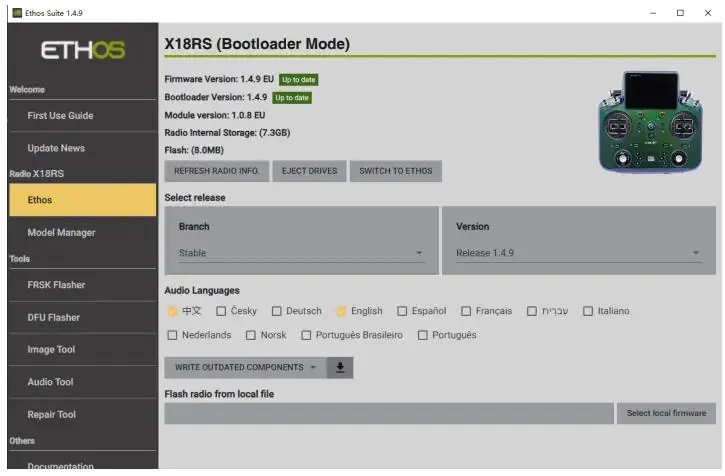
This document provides essential instructions for operating the FrSky TANDEM 18R & 18RS radio transmitter. It covers initial setup, RF system configuration, receiver binding, and safety guidelines for flight operations. Always ensure your transmitter firmware is up to date using the ETHOS Suite.
Device Overview
The TANDEM 18RS is a high-performance radio control system featuring a dual-band 900M/2.4G RF link with the built-in TD-ISRM RS module. It includes a high-brightness 800x480 touch screen, CNC-machined metal components, and MC18 gimbals with adjustable travel (45°/60°).
Setup and Configuration
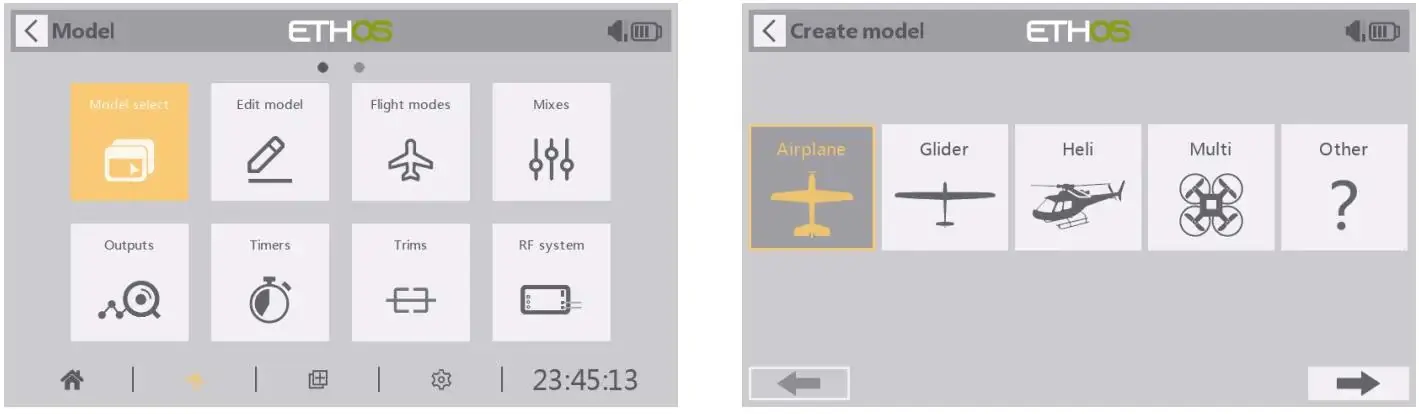
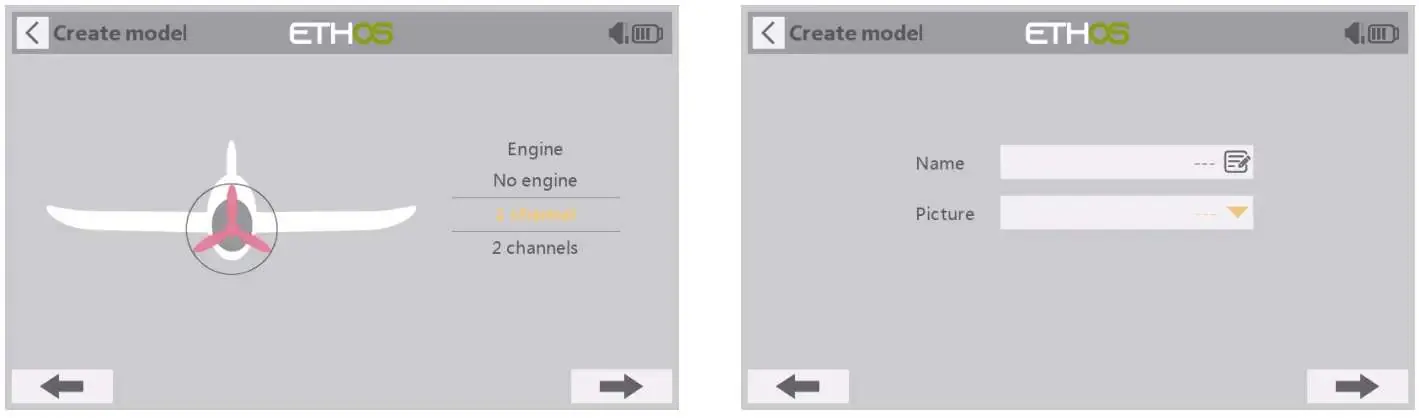
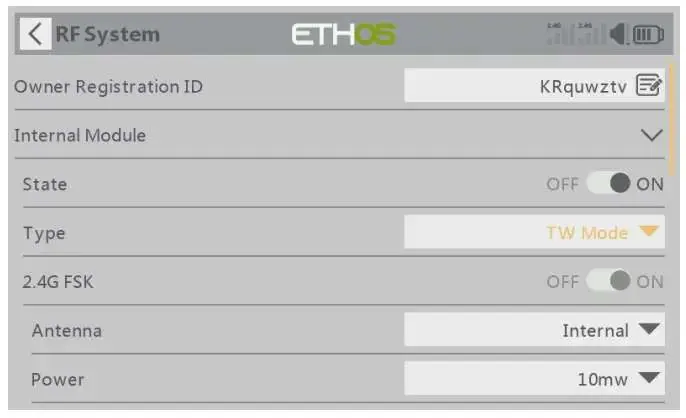
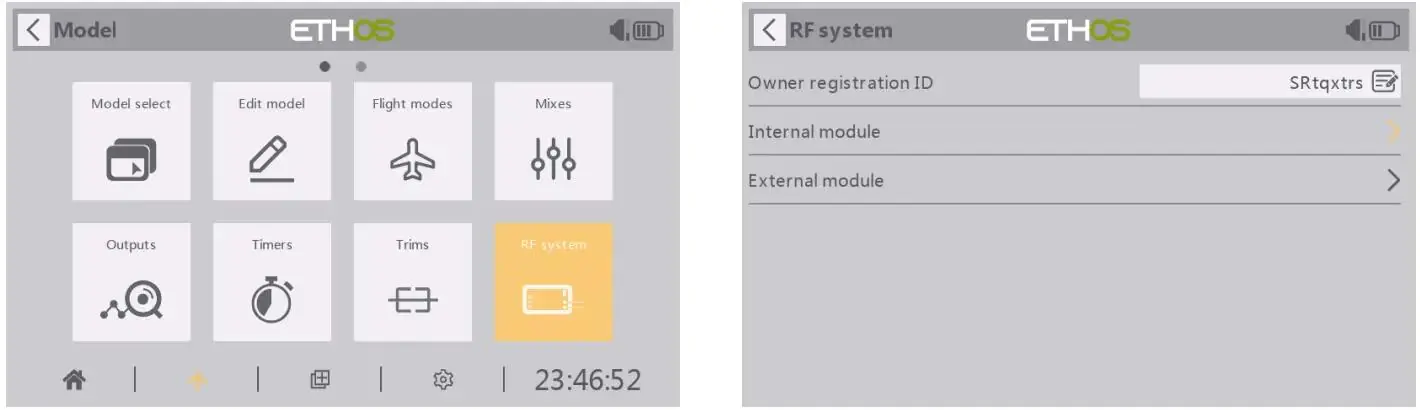
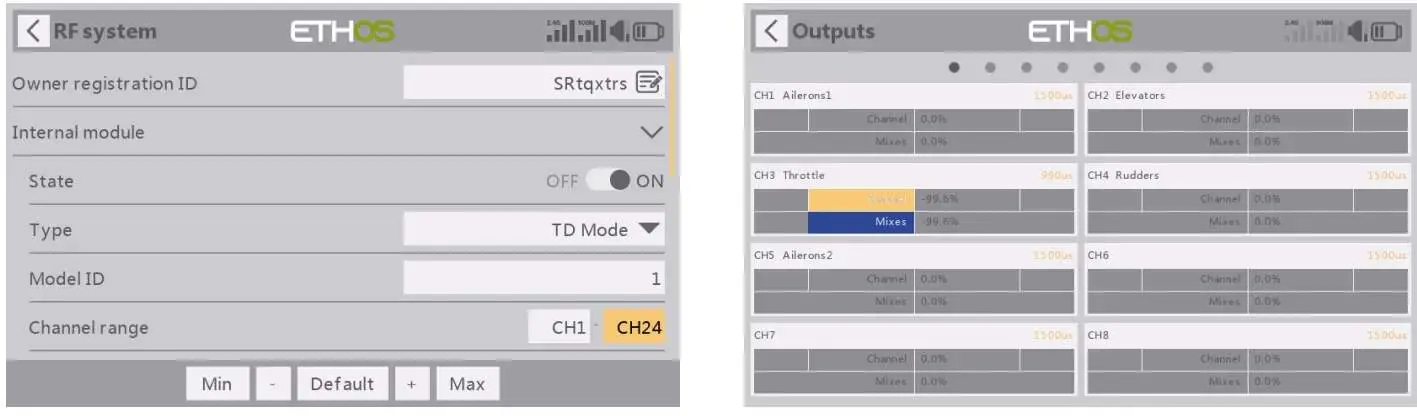
Use the ETHOS operating system to manage your models. Navigate to the Model menu to create a new model, configure channels, and set up the internal RF module. The system supports multiple protocols including ACCST D16, ACCESS 2.4G, R9 ACCESS, TW, and TD.
Binding and Registration
To bind a receiver: 1. Enter the RF system menu and select Register. 2. Put the receiver into registration mode. 3. Once registered, use the Smart Match feature to bind the receiver to the transmitter. Ensure the receiver is updated to the latest firmware.
Failsafe Settings
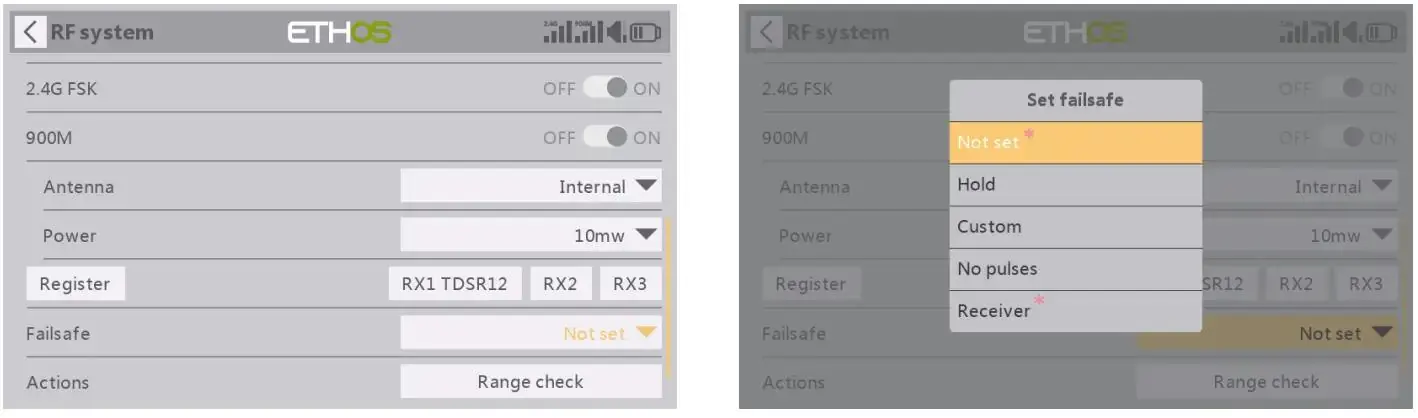
Configure failsafe to protect your model in case of signal loss. Options include:
- No pulses: Receiver produces no output pulses.
- Hold: Receiver maintains the last known position.
- Custom: Receiver moves to a pre-defined position.
Safety and Maintenance
Always perform a range check before flight. Keep the transmitter antenna clear during flight and avoid flying in rain or near large metal structures. Charge the 2S Li-ion battery using the USB-C port with a 5V/2A adapter. Annual maintenance at a FrSky service center is recommended.
Technical Specifications
- Operating System: ETHOS
- Channels: Up to 24
- Internal Storage: 512 MB Flash
- Operating Voltage: 6.5 ~ 8.4 V (2S Li-battery)
- Operating Temperature: -10 °C ~ 60 °C
- Display: 800x480 Touchscreen
Manufacturer information
FrSky Electronic Co., Ltd.
Practical help
Common problems
Signal loss or interference
Perform a range check before flight. Ensure the model is 60cm above ground and antennas are positioned correctly. Avoid flying near metal fences, concrete, or large buildings.
Receiver not binding
Ensure the transmitter and receiver are using compatible protocols (ACCST D16, ACCESS, etc.) and that the transmitter is in the correct registration/binding mode.
Battery charging issues
Use a 5V/2A USB adapter. If the green LED flashes, a charging error has occurred. Ensure the battery is a 2S Li-ion type.
Before use
- Ensure the battery is fully charged (6.5V - 8.4V).
- Verify the correct model memory is selected.
- Perform a range check before the first flight of the day.
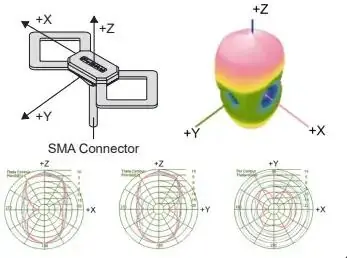
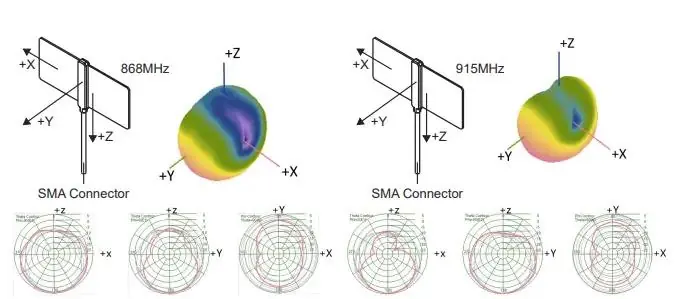
- Check that all antennas are securely connected.
- Test all control surfaces and switches before starting the motor.
- Ensure the throttle is at idle before turning on the transmitter.
Images and diagrams
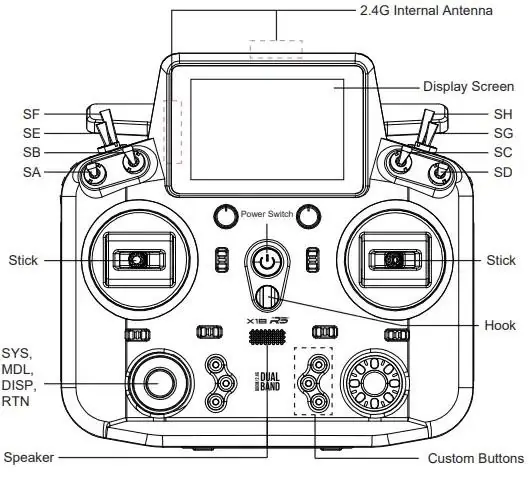
- The transmitter features various switches (SA-SH) and sliders for custom control mapping.
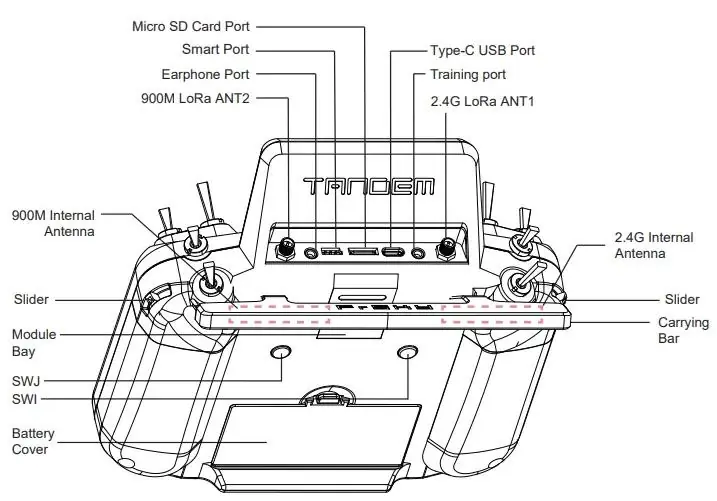
- The rear panel contains the module bay, battery cover, and external antenna connectors.
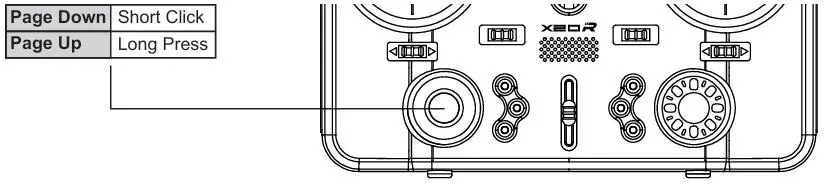
- The navigation controls include a rotary encoder for scrolling and selection, plus touch screen support.
Model compatibility
- Compatible with ACCST D16, ACCESS 2.4G, R9 ACCESS, TD, and TW receivers.
- Supports external Lite modules.

Manual page author
Michael Turner
Technical manual editor
Reviews PDF manuals for structure, safety notes, and practical product details so readers can find the right information quickly.