User Manual for Hisense BIM320G41X Built-in Microwave
Quick guide and technical specifications for the Hisense BIM320G41X built-in microwave. Includes installation dimensions, power settings, and feature overview.
PDF source: PT · summary: English
Table of contents
Manual images
Click an image to enlargeQuick Guide and Specifications
The Hisense BIM320G41X is a 20-liter built-in microwave oven designed for integrated kitchen installation. It offers a combination of microwave and grill functions, along with 15 automatic programs and 5 power levels. The unit features a stainless steel finish and a user-friendly button control panel.
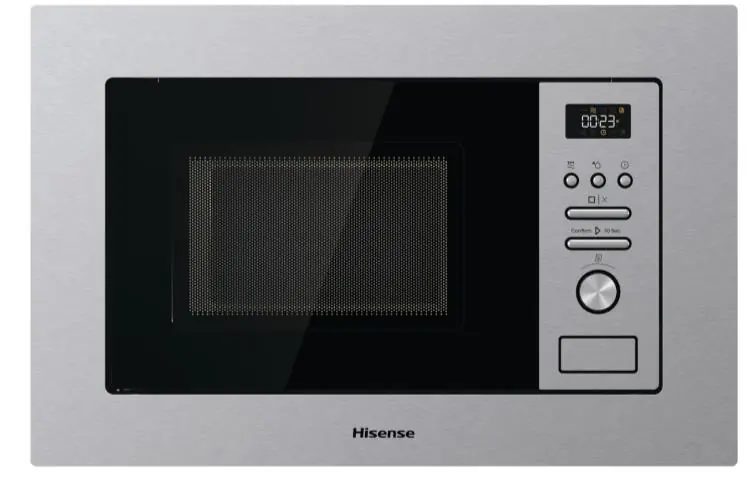
Installation Dimensions
For proper built-in installation, ensure the cabinet space meets the following requirements:
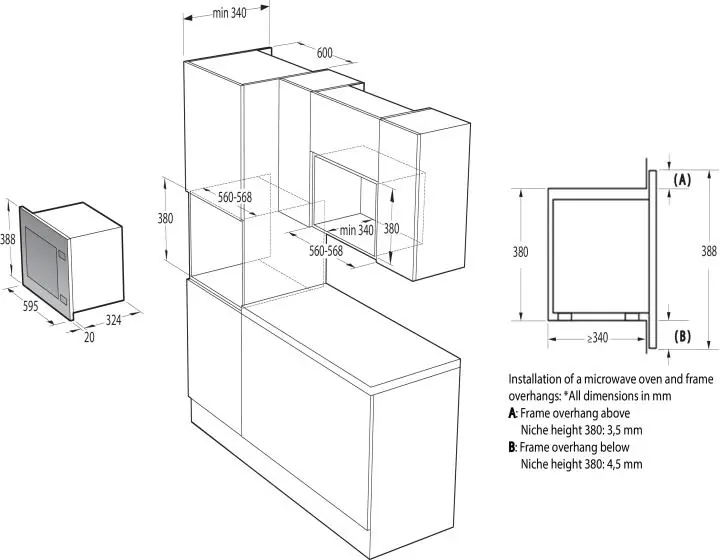
- Niche dimensions: 380-382 mm (height) x 560-568 mm (width) x 340 mm (depth).
- Frame overhang: 3.5 mm above and 4.5 mm below for a 380 mm niche height.
- Product dimensions: 388 mm (height) x 595 mm (width) x 344 mm (depth).
Technical Specifications
- Microwave Power: 1000 W
- Grill Power: 800 W
- Capacity: 20 Liters
- Noise Level: 63 dB
- Cleaning: Hydrolytic
- Control Type: Buttons
- Turntable Diameter: 245 mm
Cooking Features
The microwave includes several specialized modes to assist with daily cooking:
- Automatic Programs: 15 preset programs.
- Power Levels: 5 adjustable levels.
- Cooking Modes: Includes Grill, Combi Grill, and Defrost functions.
- Stage Cooking: Supports cooking by stages.
- Safety: Equipped with a child lock function.
- Eco Mode: Includes an energy-saving mode.
Manufacturer information
Hisense
Practical help
Before use
- Verify that the installation niche dimensions are between 380-382 mm (H) x 560-568 mm (W) x 340 mm (D).
- Ensure the power supply is compatible with the unit requirements.
- Check that the turntable and ring are correctly positioned inside the cavity.
- Confirm the cabinet is suitable for a built-in appliance of these dimensions.
Specs in practice
- Microwave Power
- 1000 W output for heating and cooking.

Manual page author
Emily Carter
User documentation editor