Documents / Warranty Safety
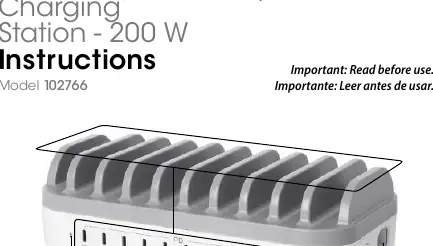
Manhattan 10-Port USB-C 200 W Power Delivery Charging Station
Efficient 10-port USB-C charging station with 200W total power delivery, designed for safe and organized device charging.
Table of contents
Product Overview
The Manhattan 10-Port USB-C Power Delivery Charging Station is a high-capacity solution designed to charge multiple devices simultaneously. With a total output of 200W, it provides efficient power to smartphones, tablets, and other USB-C compatible electronics. The station features dedicated bays to keep your workspace organized while charging.
Setup and Operation
To begin using your charging station, follow these simple steps:
- Connect the included power cable to the charging station and plug it into a standard AC wall outlet.
- Place your devices into the designated charging bays.
- Use appropriate USB cables to connect your devices to the USB-C (PD) ports.
- Turn the power switch to the On (I) position.
- The LED power indicator will illuminate to confirm the station is active.
Each port provides up to 20W of power to Power Delivery (PD) devices. Non-PD devices will charge at a standard rate of up to 12W.
Safety and Maintenance
For safe and reliable operation, please adhere to the following guidelines:
- Keep the device out of reach of children; it is not a toy.
- Use only the specified AC power supply to prevent fire, shock, or injury.
- Keep the unit away from moisture, heat, chemicals, and dust.
- Do not insert foreign objects into the ports.
- Avoid using the station in high-risk applications or explosive atmospheres.
- Keep connectors clean and dry. If the unit or cables are damaged, discontinue use immediately.
- Always unplug the device before cleaning. Use only a dry cloth for cleaning; do not use liquid cleaners.
- Do not attempt to open or repair the unit yourself, as this may cause injury and will void your warranty.
- The product may become warm during operation; ensure adequate ventilation and avoid prolonged skin contact.
Disposal and Environmental Responsibility
This product must not be treated as unsorted household waste. In accordance with the WEEE Directive, please dispose of this electrical product by returning it to your local point of sale or a municipal recycling collection point. Proper disposal helps protect the environment and ensures that electronic components are handled responsibly.
Practical help
Common problems
Device not charging
Ensure the power switch is in the On (I) position and the power cable is securely connected to both the station and the wall outlet.
Unit feels warm during use
This is normal during operation. Ensure the station is placed in a well-ventilated area and avoid prolonged skin contact.
Connector damage
If connectors or cables appear damaged, stop using the device immediately to prevent potential electrical hazards.
Before use
- Verify the AC power supply matches the specifications.
- Ensure the charging area is dry and free of flammable materials.
- Check that all cables are intact and free of damage.
- Confirm the power switch is in the Off position before plugging in.
Specs in practice
- Total Output Power
- 200W maximum capacity shared across all ports.
- USB-C PD Output
- Up to 20W per port for Power Delivery compatible devices.
- Non-PD Charging
- Standard devices charge at up to 12W.
- Input Voltage
- 100 – 240 V~, 50 – 60 Hz, 3.0 A.
Images and diagrams
- 1: Power cable connection point.
- 2: USB-C (PD) charging ports.
- 3: Power switch (On/Off).
- 4: LED power indicator.
Model compatibility
- Compatible with USB-C Power Delivery devices.
- Supports non-PD devices at 12W charging speeds.

Manual page author
Emily Carter
User documentation editor
Prepares concise manual descriptions and highlights the most useful setup, operation, and maintenance information for readers.