Tools / Air Tools
User Manual for Mirka LEROS(-S) 950 Wall Sander
Quick guide and user manual for the Mirka LEROS(-S) 950 wall sander. Includes setup, operation, maintenance, troubleshooting, and technical specifications.
Table of contents
Quick guide from the manual
This manual provides essential information for the Mirka LEROS(-S) 950 wall sander. Always read the safety instructions before use. Ensure the tool is connected to a grounded outlet and a suitable dust extraction unit for optimal performance.
Operating instructions
The sander is designed for hand-held use. Before starting, ensure the abrasive is centered on the backing pad. Use the Speed+ and Speed- buttons to adjust the speed between 4,000 and 8,000 rpm. Always place the tool on the work surface before starting and remove it before stopping to prevent gouging.
Multi-purpose LED indications
- Green: Power connected / Tool switched on.
- Flashing Green/Red: Speed indication active.
- Red: Over temperature.
- Quick-flashing Green/Red: Voltage out of range.
Maintenance
Always disconnect the power before performing maintenance. Use only original Mirka spare parts.
Replacing the backing pad and interface
- Remove hole screws (8 pcs).
- Remove the interface.
- Remove the cover cap and untighten the screw to remove the backing pad.
- Remove the old pad.
- Attach the new backing pad, tighten the screw, and reassemble.
Replacing the brake seal
If the brake seal malfunctions, remove the backing pad, pull out the old seal, fit the new one in the groove, and reattach the backing pad.
Technical data
The Mirka LEROS 950XCV and -S 950XCV models feature a 250 W motor, 100-240 VAC mains voltage, and a speed range of 4,000-8,000 rpm. The backing pad size is 225 mm.
Practical help
Common problems
Multi-purpose LED flashes between red and green
Connect the sander to a mains outlet that corresponds with the nominal voltage of the tool.
No light from multi-purpose LED when switched on
Check if the power cord is properly attached and check the main fuse in the power supply.
Multi-purpose LED is red and sander slows down
Reduce the load on the sander for some time to allow it to cool down.
Before use
- Ensure the tool is intact and undamaged.
- Check that the backing pad is correctly attached and tightened.
- Connect the power cord to a grounded outlet (100-240 VAC).
- Connect the tool to a dust extractor for optimal performance.
Specs in practice
- Backing pad size
- 225 mm
Images and diagrams
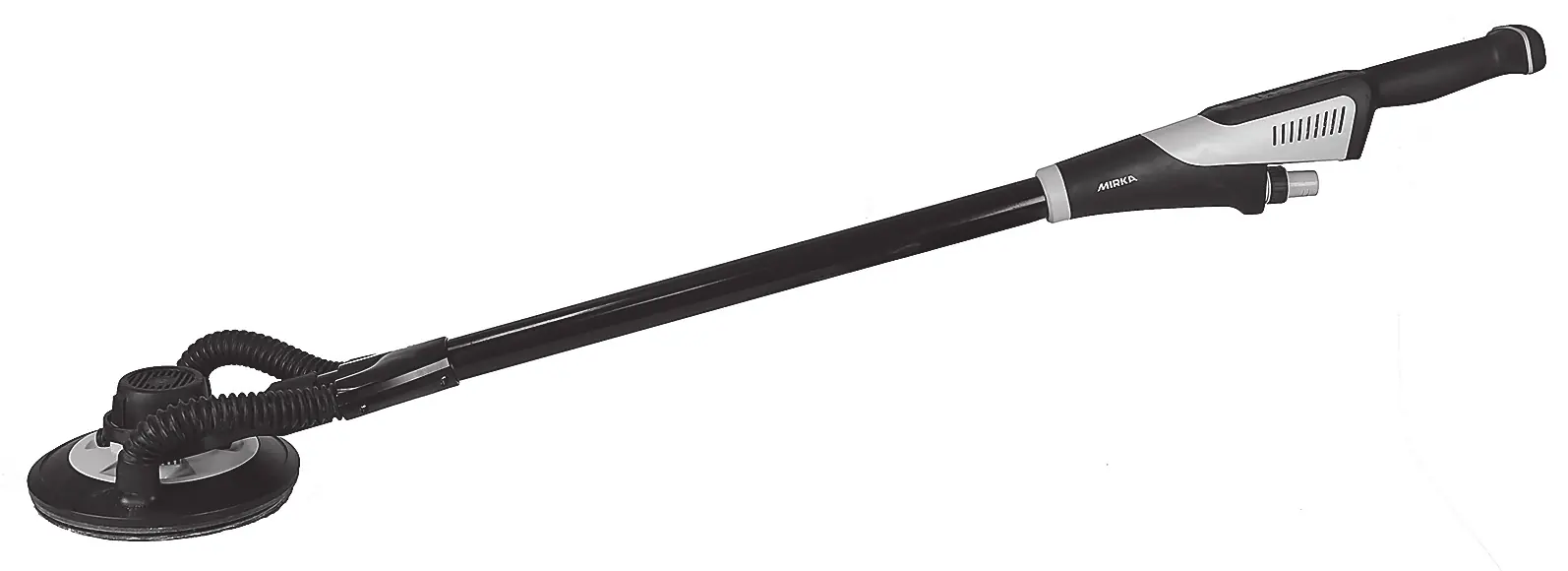
- Figure 1: Overview of the tool components including gripping surfaces and hose connection.
- Figure 2: Control panel layout showing LED indicators, speed controls, and start/stop button.
Model compatibility
- Use only original Mirka backing pads.
- Use with Mirka dust extractor for optimal dust-free sanding.

Manual page author
David Miller
Documentation analyst
Organizes user manual content into clear summaries, with attention to model details, product context, and everyday usability.