Philips NeoPix 130C Smart Projector User Guide
Quick start guide for the Philips NeoPix 130C Smart projector, covering setup, remote control functions, focusing, and connectivity.
Table of contents
Manual images
Jump to the sectionQuick guide from the manual
This document provides essential instructions for setting up and operating the Philips NeoPix 130C Smart projector. It covers initial power connection, remote control usage, focusing, and device connectivity.
Package contents
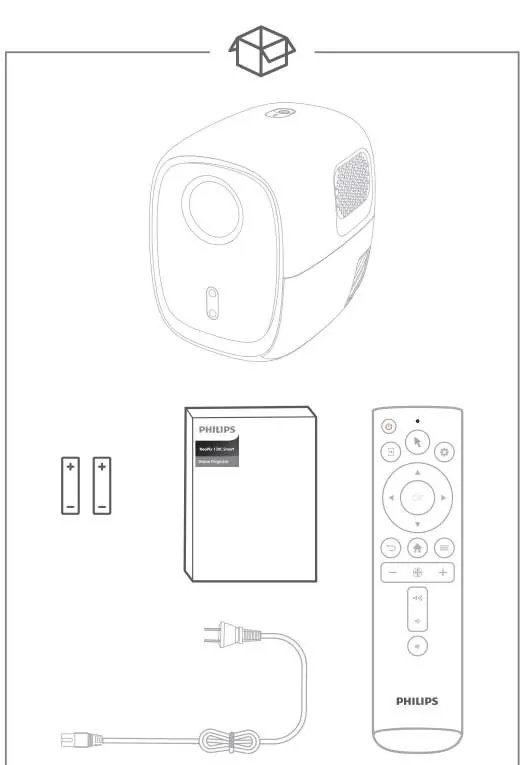
The package includes the projector, remote control with batteries, power cable, and this quick start guide.
Setup and operation
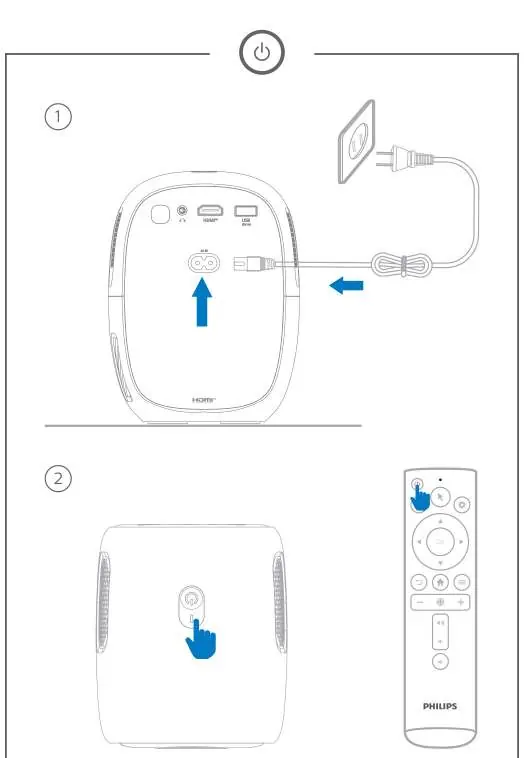

- Connect the power supply to the projector.
- Press and hold the power button for 2 seconds to turn the projector on.
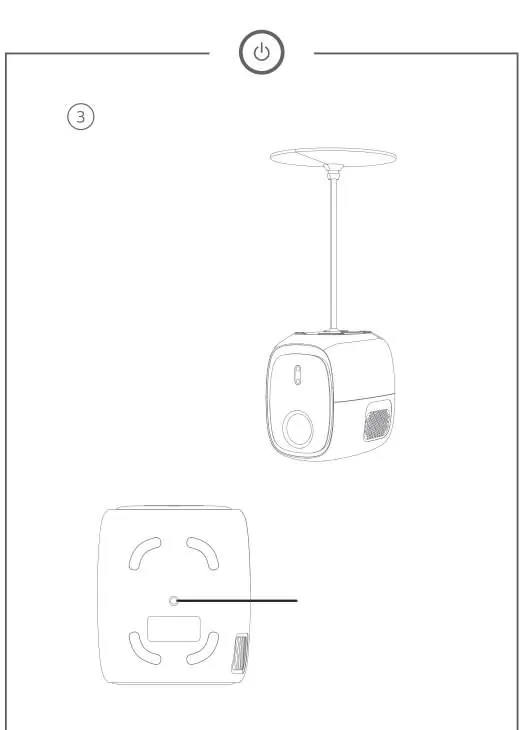
- The projector can be placed on a surface or mounted using the bottom screw hole.
Remote control
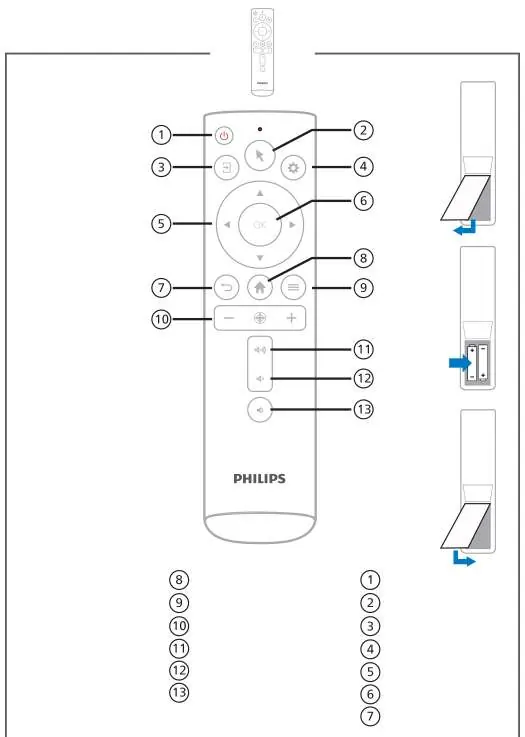
The remote control features buttons for power, mouse pointer, input source, settings, navigation, confirmation, return, home, options, focus, volume control, and mute.
Focusing
Automatic focus: Place the projector 1.2 to 3 meters from the wall and press the focus button on the remote. Enable 'Autofocus Displacement' in the menu for dynamic focusing when the projector moves.
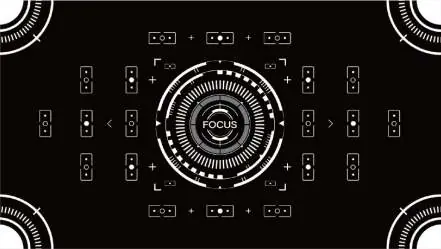
Manual focus: Press and hold the '+' or '-' buttons on the remote to adjust the focus manually.
Connectivity
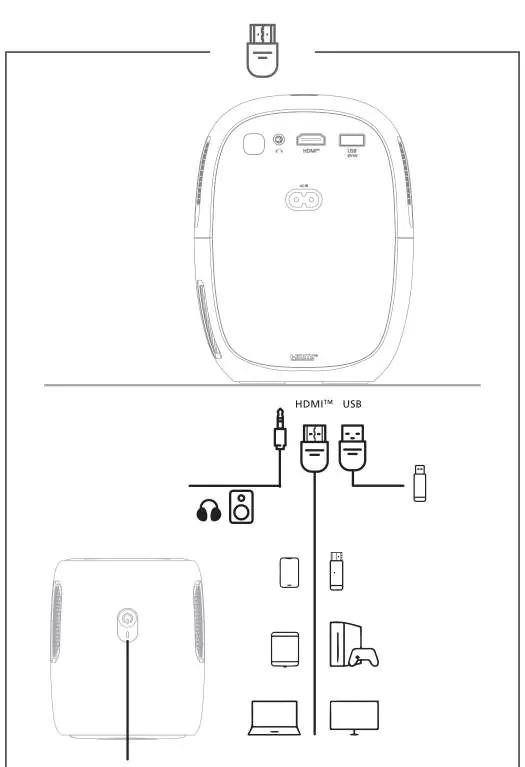
The projector supports various inputs including HDMI and USB for media storage, smartphones, tablets, computers, smart TV boxes, game consoles, and Blu-ray/DVD players. Audio output is available via the headphone jack.
Safety and maintenance
Ensure the power supply voltage matches the projector's requirements. Do not touch the power supply with wet hands, expose it to moisture, or open the casing. Keep the power supply away from high temperatures, direct sunlight, and fire. The device is intended for indoor use only.
Support
For assistance, you can chat with technicians on Facebook at m.me/philipsprojection, watch tutorials on youtube.com/philipsprojection, or email [email protected].
Official resources from the manual
Manufacturer information
Philips
Practical help
Common problems
Disconnect from power immediately and contact a service center.
Use the focus button on the remote for auto-focus or hold '+' / '-' for manual adjustment.
Before use
- Ensure the power supply voltage matches the projector's specifications.
- Place the projector 1.2 to 3 meters away from the projection surface.
- Insert batteries into the remote control.
- Ensure the device is used indoors in a dry environment.
Specs in practice
- Autofocus Displacement
- A setting that enables the projector to automatically re-focus when it is moved.
Images and diagrams
- The projector features a rear panel with HDMI, USB, and headphone ports.
- The bottom of the unit contains a screw hole for mounting purposes.
- The remote control includes dedicated buttons for volume, focus, and navigation.
Model compatibility
- Compatible with HDMI and USB devices including smartphones, tablets, computers, and game consoles.

Manual page author
Michael Turner
Technical manual editor
Reviews PDF manuals for structure, safety notes, and practical product details so readers can find the right information quickly.