Home Appliances / Cleaning Robots
User Manual for Roborock Saros 10R Robot Vacuum
Get started with your Roborock Saros 10R robot vacuum. This guide covers setup, app connection, cleaning modes, maintenance, and troubleshooting to keep your device running efficiently.
Table of contents
Manual images
Click an image to enlargeQuick guide from the manual
The Roborock Saros 10R is an advanced robot vacuum with an automated base station. Before first use, ensure the floor is clear of cables, sharp objects, and fragile items. The base station must be placed on a hard, flat surface with specific clearance requirements to function correctly. The robot requires a 2.4GHz WiFi connection for app features.
Product Overview
The system consists of the robot vacuum and the Auto-Empty, Wash, and Fill Dock. Key components include:
- Robot: Navigation sensors, main brushes, side brush, omnidirectional wheel, and dustbin.
- Base Station: Clean water tank, dirty water tank, cleaning solution cartridge, and dust bag compartment.
Installation and Setup
Base Placement: Place the base against a wall on a hard, flat surface. Ensure the following clearance:
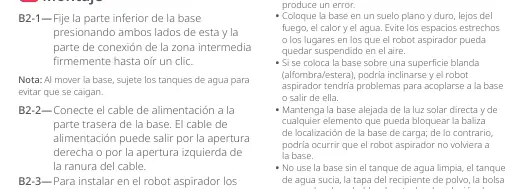
- Above: At least 0.75m
- Width: At least 0.4m
- Depth: At least 1.2m
Connect the power cable to the back of the base. Ensure the base is plugged into a grounded outlet. The status indicator light will turn on when the base is powered.
App Connection
- Download the "Roborock" app from the App Store or Google Play.
- Reset WiFi by holding the power and dock buttons simultaneously until you hear "Resetting WiFi".
- Follow the in-app instructions to add the device.
Operation
Cleaning: Press the power button to start cleaning. The robot will plan its route, cleaning edges first, then the interior in a zigzag pattern.
Mopping and Emptying: The robot automatically returns to the base to wash the mop and empty the dustbin as needed. You can trigger these functions manually via the app or the buttons on the base.
DND Mode: The default Do Not Disturb period is 22:00 to 08:00. This can be customized in the app to disable automatic recharging, emptying, or drying.
Maintenance
Regular maintenance is essential for optimal performance:
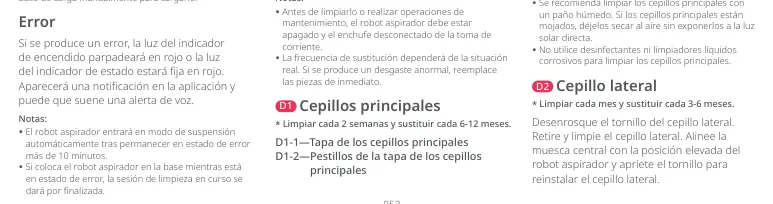
- Main Brushes: Clean every 2 weeks, replace every 6-12 months.
- Side Brush: Clean monthly, replace every 3-6 months.
- Filter: Clean every 2 weeks, replace every 6-12 months.
- Sensors: Wipe regularly with a soft, dry cloth.
- Dustbin: Empty and rinse as needed.
Troubleshooting
If the robot encounters an error, the power indicator will flash red or the status light will be solid red. Check the app for specific error notifications. If the robot becomes unresponsive, remove the magnetic top cover and press the Reset button.
Technical Specifications
- Robot Model: S91COP
- Battery: 14.4V / 6400mAh Li-ion
- Charging Time: Approx. 3 hours
- Base Model: EWFD28HRR
Manufacturer information
Beijing Roborock Technology Co. Ltd.
Practical help
Common problems
Robot not connecting to WiFi
Ensure you are using a 2.4GHz network. Reset WiFi by holding the power and dock buttons simultaneously until the voice prompt plays.
Robot not charging
Ensure the base is plugged in. Check that charging contacts on both the robot and base are clean. Place the robot manually on the base.
Error light flashing red
Check the Roborock app for a specific error notification or voice alert.
Before use
- Clear the floor of cables, sharp objects, and fragile items.
- Ensure the base is on a hard, flat surface.
- Verify the base has 0.75m clearance above, 0.4m width, and 1.2m depth.
- Check that the dustbin, filter, and mop are correctly installed.
- Ensure the base is plugged into a grounded outlet.
Specs in practice
- Charging Time
- Approximately 3 hours for a full charge.
- WiFi Compatibility
- Only supports 2.4GHz networks.
Images and diagrams
- The base station requires specific clearance: 0.75m above, 0.4m width, and 1.2m depth.
- The power button light indicates status: White (>=15% battery), Red (<15% battery), Flashing (charging/starting), Blue (WiFi status).
Model compatibility
- Only compatible with 2.4GHz WiFi networks.
- Use only Roborock-recommended cleaning solution.

Manual page author
David Miller
Documentation analyst
Organizes user manual content into clear summaries, with attention to model details, product context, and everyday usability.