Home Appliances / Cleaning Robots
Roborock Saros 10R Robotic Vacuum Cleaner User Manual
Quick guide for the Roborock Saros 10R robotic vacuum cleaner. Includes setup, app connection, cleaning modes, maintenance, and troubleshooting.
Table of contents
Manual images
Click an image to enlargeQuick guide from the manual
The Roborock Saros 10R is an intelligent robotic vacuum cleaner designed for indoor floor cleaning. Before using, ensure the floor is clear of cables, fragile items, and sharp objects. The robot must be used with the provided docking station on a hard, flat surface. Do not use the robot on wet floors or elevated surfaces without barriers.
Product Overview
The robot features a power/clean button, navigation sensors, and a bumper. The docking station handles auto-emptying, mop washing, and water refilling. The robot uses a high-performance lithium-ion battery.
Installation
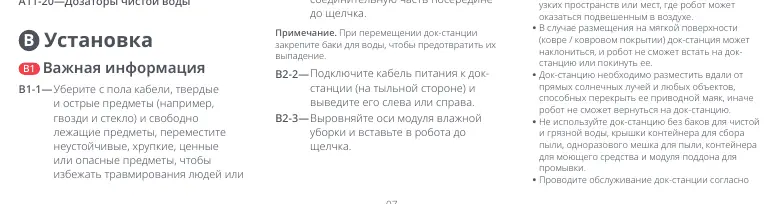
Place the docking station against a wall on a hard, flat floor. Ensure there is at least 0.75 m of height, 0.4 m of width, and 1.2 m of depth of free space around the dock. Connect the power cord and ensure the status indicator light is on. Align and install the mop axles into the robot until they click.
App Connection
Download the Roborock app from the App Store or Google Play. To reset WiFi, press and hold the power and dock buttons simultaneously until you hear the voice prompt. Follow the in-app instructions to add the device. Note that only 2.4 GHz WiFi networks are supported.
Instructions for Use
- Turning On/Off: Press and hold the power button to turn the robot on or off.
- Cleaning: Press the power button to start cleaning. The robot will plan its route and clean rooms in a zigzag pattern.
- Spot Cleaning: Press and hold the dock button to start spot cleaning a 1.5 m x 1.5 m area.
- Pause: Press any button while the robot is running to pause.
- Sleep: The robot enters sleep mode if paused for over 10 minutes.
Routine Maintenance
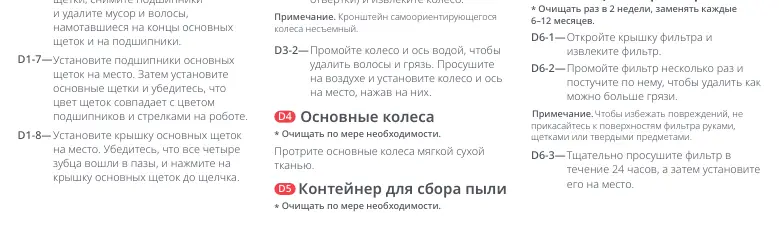
- Main Brushes: Clean every 2 weeks and replace every 6-12 months. Remove the cover, lift the brushes, and remove entangled hair.
- Dustbin: Clean as required. Remove the dustbin, open the filter cover, and empty the bin. Wash the filter and allow it to dry for at least 24 hours.
- Side Brush: Clean monthly and replace every 3-6 months.
- Sensors: Wipe all sensors, including navigation and cliff sensors, with a soft, dry cloth.
Troubleshooting
If the robot fails to turn on, check the battery level and charge it on the dock. If it fails to charge, check the power connection and clean the charging contacts. For WiFi connection issues, reset the WiFi and ensure you are using a 2.4 GHz network. If the robot is noisy, check for obstructions in the brushes or wheels.
Basic Parameters
Robot Model: S91COP. Battery: 14.4V/6400mAh Li-ion. Charging Time: Approx. 3 hours. Dock Model: EWFD28HRR.
Manufacturer information
Beijing Roborock Technology Co. Ltd.
Practical help
Common problems
Robot does not turn on
Battery level is low. Place the robot on the dock to charge.
Robot does not charge
Check if the dock is connected to power and clean the charging contacts on both the robot and the dock.
Cannot connect to WiFi
Reset WiFi settings and ensure the network is 2.4 GHz. Move the robot to an area with better signal.
Noisy during cleaning
Check for obstructions in the main brushes, side brush, or wheels.
Before use
- Clear the floor of cables, loose items, and fragile objects.
- Ensure the dock is placed on a hard, flat surface.
- Verify the dustbin, filter, and dust bag are correctly installed.
- Ensure mop cloths are properly attached.
- Check that the water tanks are filled if mopping.
Specs in practice
- Charging Time
- Approximately 3 hours for a full charge.
Images and diagrams
- A1: Robot top view showing power button and sensors.
- A2: Robot bottom view showing brushes and wheels.
- A11: Docking station components including water tanks and dust bag slot.
Model compatibility
- Supports 2.4 GHz WiFi networks only.
- Use only Roborock-recommended cleaning solution.
- Do not use on high-pile carpets.

Manual page author
Emily Carter
User documentation editor
Prepares concise manual descriptions and highlights the most useful setup, operation, and maintenance information for readers.