Electronics / Audio
Instruction Manual for SAL 1100-BL/RD Car Radio
Comprehensive user guide for the SAL 1100-BL and 1100-RD car radio, covering installation, Bluetooth connectivity, radio tuning, and playback features.
Table of contents
Manual images
Jump to the sectionProduct Overview
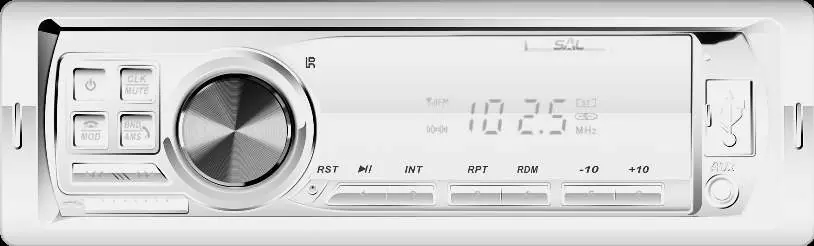
The SAL 1100-BL and 1100-RD are advanced car radio and MP3/WMA players designed for 12V vehicles with negative ground. Key features include wireless Bluetooth connectivity for music streaming and hands-free calling, an integrated sensitive microphone, 18 FM station memory, and support for USB/SD playback. The unit also features a 3.5mm AUX input and 4x45W Hi-Fi speaker output.
Installation and Safety
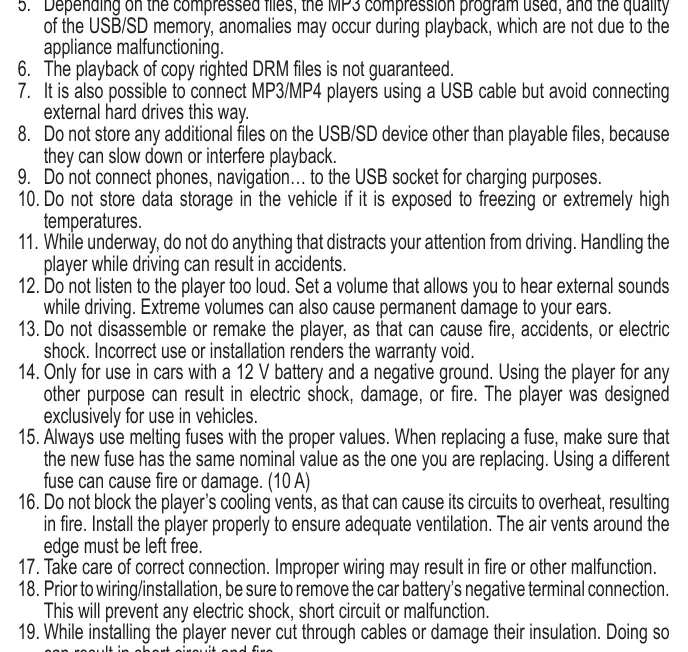
Important: Installation should only be performed by a qualified professional. Before starting, disconnect the negative terminal of the car battery to prevent short circuits. Ensure the unit is not exposed to extreme temperatures (0°C to +40°C), moisture, or excessive dust. Proper ventilation is critical to prevent overheating. Do not connect speaker wires to the vehicle's chassis or ground.
Operation
Use the rotary knob for volume and menu navigation. The MOD button switches between sources (FM, USB, SD, BT, AUX). For Bluetooth, pair your mobile device with the radio; the display will show BT ON upon successful connection. For radio tuning, use the BND/AMS button to select bands and the tuning buttons for manual or automatic scanning.
Maintenance and Troubleshooting
Clean the unit with a soft, dry cloth. Do not use cleaning agents or liquids. If the unit malfunctions, press the RESET button on the front panel with a thin, pointed object for 2 seconds to restore factory settings. Ensure the antenna is properly connected for radio reception. If playback issues occur with USB/SD media, ensure the file system is FAT32 and that no non-playable files are stored on the device.
Practical help
Common problems
Unit does not turn on or display is blank.
Check if the car ignition is on. Verify the red (power) and yellow (memory) wire connections. Check the 10A fuse.
Radio does not save stations or forgets settings.
Ensure the yellow memory wire is connected directly to the constant +12V battery source.
No sound or noisy playback.
Check antenna connection, verify file format (FAT32), or clean the USB/SD socket with a dry brush.
Unstable operation or display glitches.
Press the RESET button on the front panel to restore factory settings.
Before use
- Ensure the vehicle has a 12V negative ground electrical system.
- Disconnect the negative battery terminal before installation.
- Verify that the temperature in the vehicle is between 0°C and +40°C.
- Ensure all speaker wires are isolated and not touching the chassis.
- Check that the 10A fuse is installed correctly.
Specs in practice
- Operation Voltage
- 14.4V DC (11-15V range).
- Speaker Impedance
- 4-8 Ohm.
- FM Frequency Range
- 87.5-108.0 MHz.
- USB/SD Compatibility
- FAT32 file system, max 32GB.
Images and diagrams
- Figure 1: Front panel layout showing buttons for power, mode, volume, and playback controls.
- Figure 2: Rear panel connections including antenna socket, RCA outputs, and ISO power/speaker connectors.
Model compatibility
- Only for use in 12V vehicles with negative ground.
- Do not connect external hard drives to the USB port.
- Do not use the USB port for charging mobile devices.

Manual page author
Michael Turner
Technical manual editor
Reviews PDF manuals for structure, safety notes, and practical product details so readers can find the right information quickly.