Installation Guide for Vogel's PTS 12XX Secure Tablet Case
Quick installation guide for the Vogel's PTS 12XX Secure Tablet Case. Learn how to mount the enclosure, secure your tablet, and use optional locking features.
Table of contents
Manual images
Click an image to enlargeQuick guide from the manual
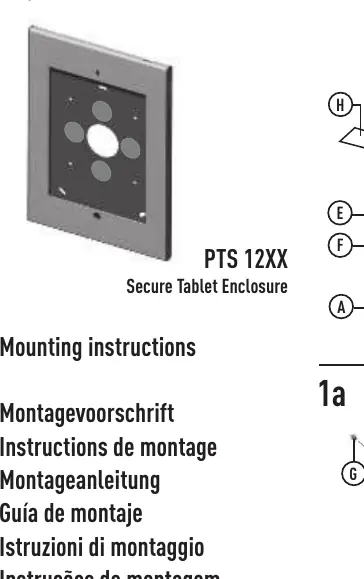
This document provides installation instructions for the Vogel's PTS 12XX Secure Tablet Case. Ensure you have all parts before starting the installation process.
Parts list
- A: 1x
- B: 1x
- C: 4x
- D: 6x
- E: 1x
- F: 4x
- G: 2x
- H: 2x
Installation steps
Mounting the enclosure
The enclosure can be mounted using a VESA 100x100 mount (Step 1a) or directly to a wall (Step 1b). Note that screws for wall mounting are not included and must be sourced separately based on your wall type.
Assembling the case
Follow the assembly diagram to prepare the back plate components (Step 2).
Placing the tablet
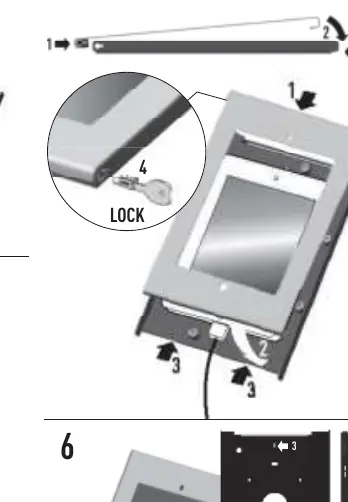
Place the tablet into the enclosure (Step 3). Please note that charging or data cables are not included. If you are using a Galaxy Tab, you must use the optional spacer (H) as shown in step 4.
Securing the enclosure
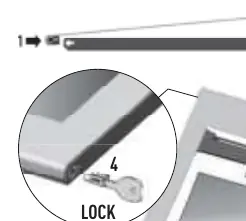
Use the provided lock to secure the enclosure (Step 5). An optional Kensington lock can also be used for additional security (Step 6).
Practical help
Common problems
The package does not include screws for wall mounting; you must provide appropriate screws for your specific wall type.
The enclosure does not include charging or data cables.
Before use
- Verify all parts (A-H) are present
- Determine if mounting to VESA 100x100 or wall
- Ensure you have appropriate screws for wall mounting
- Prepare the tablet and necessary cables

Manual page author
Emily Carter
User documentation editor
Prepares concise manual descriptions and highlights the most useful setup, operation, and maintenance information for readers.