Electronics / Headphones Earbuds
Sennheiser RS 120-W Wireless TV Headphone System User Guide
Quick start guide for the Sennheiser RS 120-W wireless TV headphone system, covering setup, battery installation, charging, pairing, and troubleshooting.
Table of contents
Manual images
Jump to the sectionQuick guide from the manual
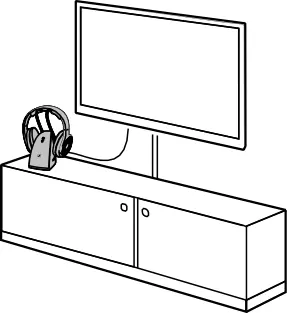
The Sennheiser RS 120-W is a wireless TV headphone system using Bluetooth LE Audio technology. This guide covers the initial setup, charging, and basic operation. Ensure the transmitter is placed at least 50 cm away from other wireless devices and not near metal structures to maintain optimal range.
Product Overview
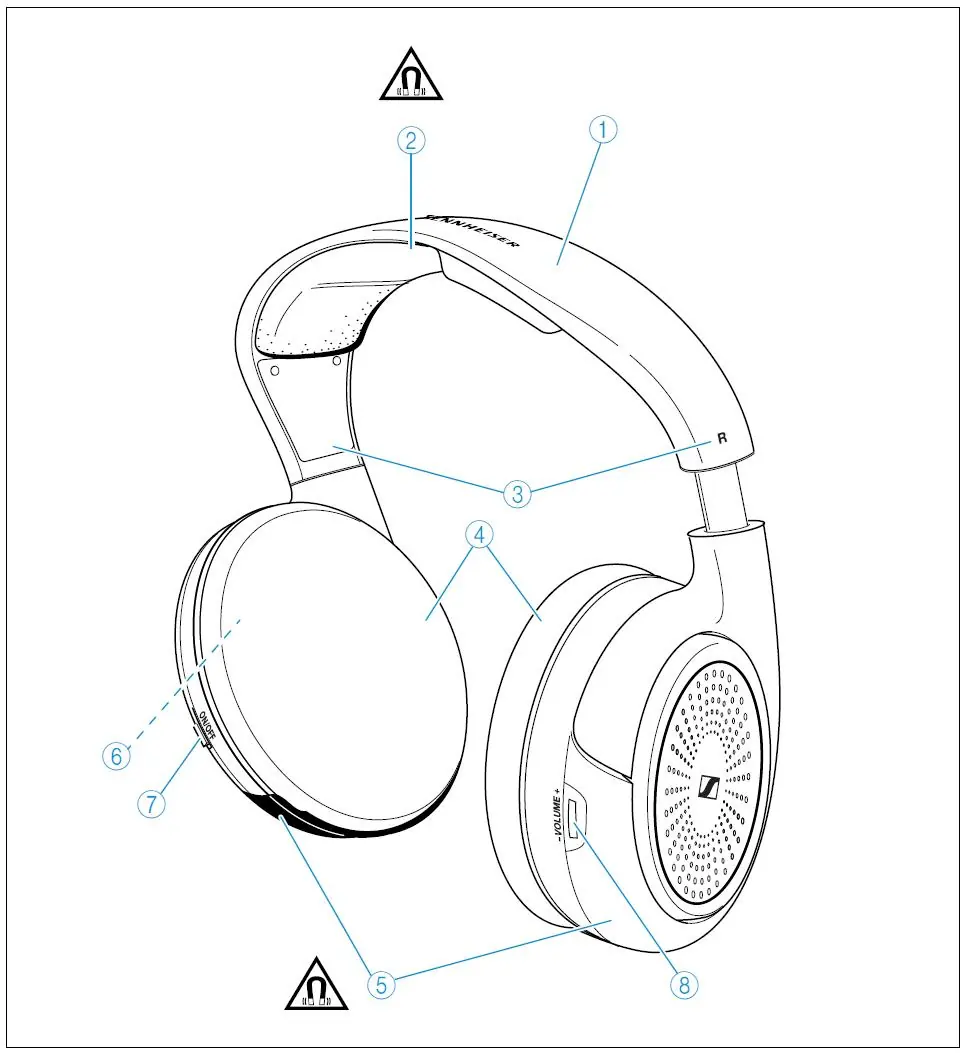
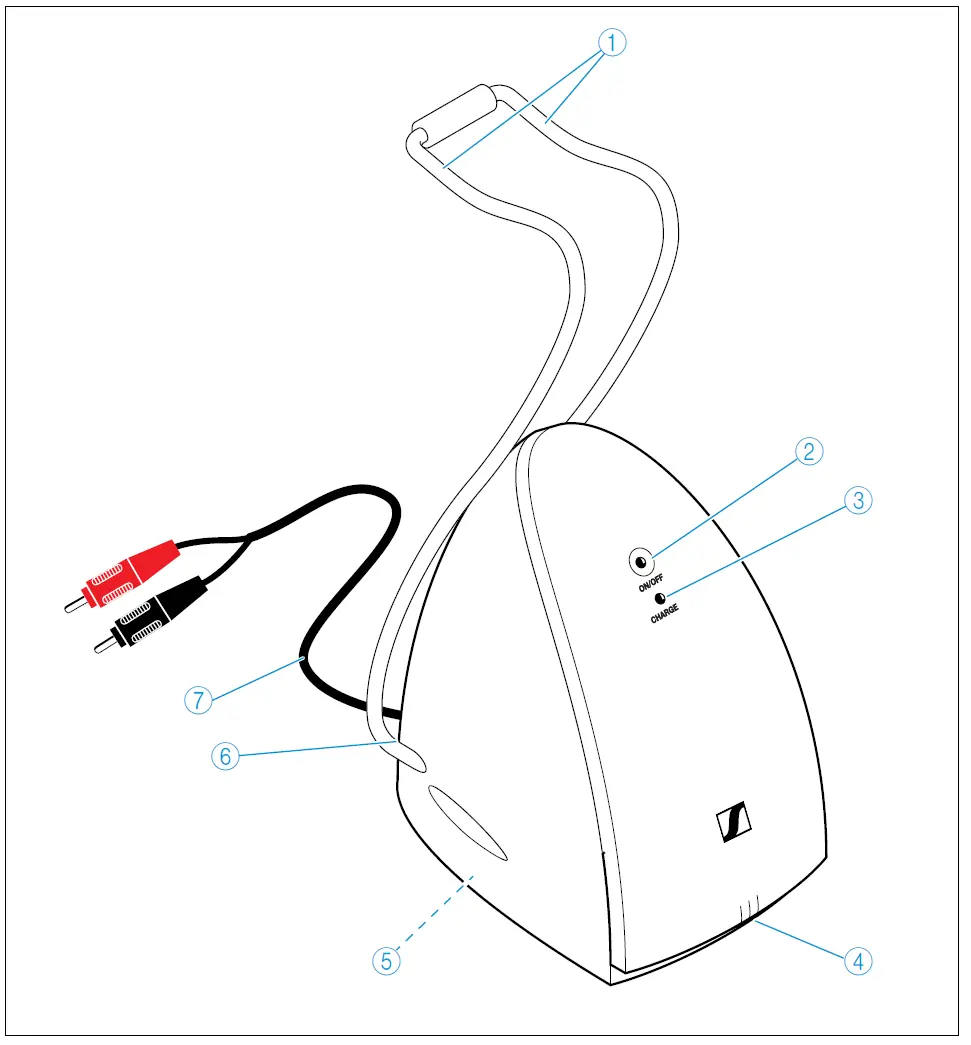
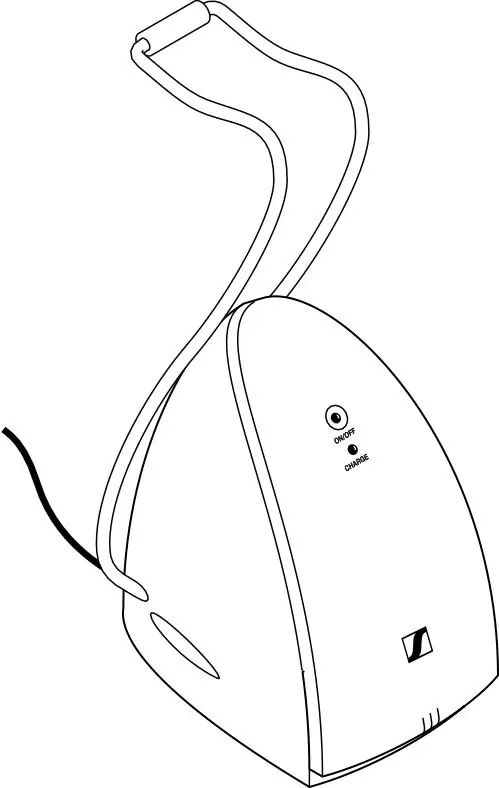
The system consists of the HDR 120-W headphones and the TR 120-W transmitter. The headphones feature an adjustable headband, volume control, and power button. The transmitter includes status LEDs, a mode switch for different audio profiles, and RCA audio inputs.
Setup and Installation
1. Connect the transmitter to your audio source (TV, Hi-Fi) using the provided RCA cable. If your device only has a 3.5mm jack or optical output, use the appropriate adapter.
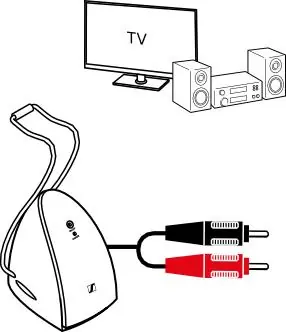
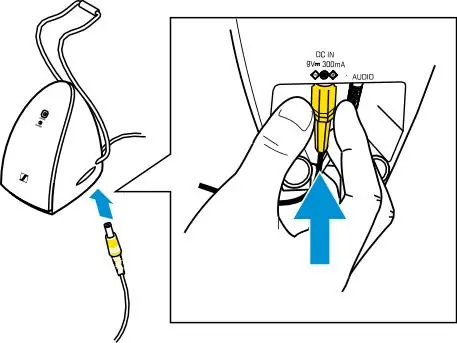
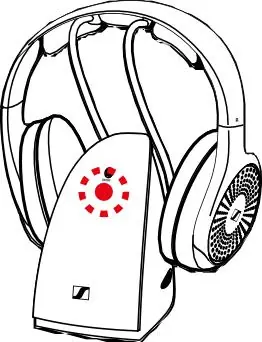
2. Connect the power adapter to the transmitter and plug it into a wall outlet. The ON/OFF LED will glow green when an audio signal is detected.
3. For wall mounting, ensure the transmitter is installed no higher than 2 meters.
Battery Installation and Charging
1. Twist the left ear pad counter-clockwise to remove it and access the battery compartment.
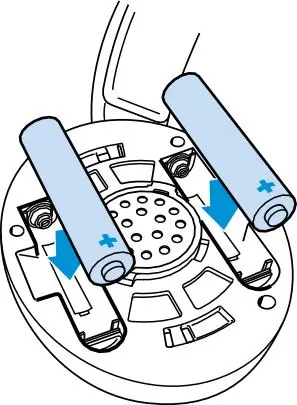
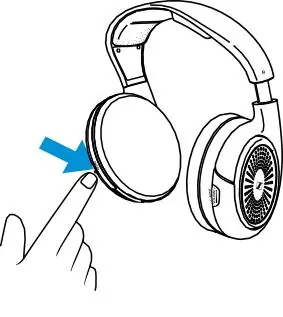
2. Insert the two rechargeable NiMH AAA batteries, ensuring correct polarity.
3. To charge, place the headphones on the transmitter's charging contacts. The CHARGE LED will glow red during charging and turn off when complete. A full charge takes approximately 8.5 hours.
Operation
To use the system, turn on your audio source, remove the headphones from the transmitter, and switch them on. The headphones will automatically connect to the transmitter. Use the volume control on the right ear cup to adjust the sound level. You can select between Neutral, Music, and Speech modes using the MODE switch on the transmitter.
Maintenance
Clean the device using only a soft, dry cloth. Periodically clean the charging contacts on both the headphones and the transmitter using a cotton swab. Replace ear pads when necessary.
Troubleshooting
If the connection is lost, ensure the headphones are within range (up to 60 meters). If the connection does not automatically restore within 3 minutes, manually turn the headphones off and back on. For persistent issues, check the FAQ section on the official Sennheiser website.
Manufacturer information
Sennheiser
Practical help
Common problems
No sound or connection lost
Ensure the audio source is on and connected. If out of range, move closer. If the connection doesn't restore, power cycle the headphones.
Headphones not charging
Ensure the headphones are correctly placed on the transmitter contacts and that the transmitter is powered.
Distorted sound
Adjust the audio source volume to a medium level if connected via a headphone jack.
Before use
- Ensure the transmitter is placed away from metal objects and other wireless devices.
- Charge the batteries for at least 24 hours before the first use.
- Check that the audio source is connected to an 'OUT' port.
- Verify the correct polarity when inserting batteries.
- Set the audio source volume to a medium level if using the headphone output.
Specs in practice
- Transmission Frequency
- 2.402-2.480 MHz, utilizing Bluetooth LE Audio.
- Battery Life
- Up to 18 hours of operation on a full charge.
- Charging Time
- Approximately 8.5 hours for a full charge.
Images and diagrams
- The transmitter features an ON/OFF LED (green when active) and a CHARGE LED (red when charging).
- Headphone volume is adjusted via the buttons on the right ear cup.
- The MODE switch on the transmitter allows toggling between Neutral, Music, and Speech audio profiles.
Model compatibility
- The TR 120-W transmitter is only compatible with HDR 120-W headphones.
- Bluetooth connection to other devices like smartphones is not supported.

Manual page author
Emily Carter
User documentation editor
Prepares concise manual descriptions and highlights the most useful setup, operation, and maintenance information for readers.