Mobile / Smartphones
User Manual for Tecno SPARK 10C Smartphone
Quick guide for the Tecno SPARK 10C smartphone. Learn how to install SIM/SD cards, charge your device, and understand button functions and safety compliance.
Table of contents
Manual images
Click an image to enlargeQuick guide from the manual
This document provides essential setup and safety information for the Tecno SPARK 10C smartphone. Key procedures include device button identification, SIM and SD card installation, and proper charging practices to maintain warranty validity.
Know your phone
The device features the following physical controls and components:
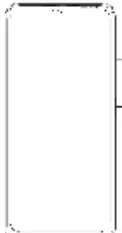
- Front camera: Located at the top of the screen.
- Volume keys: Volume + and Volume - keys located on the side.
- Power key & side fingerprint sensor: Located on the side of the device for power control and biometric security.
SIM/SD card installation
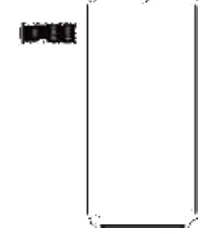
- Ensure the mobile device is powered off before attempting to insert cards.
- Follow the diagram provided in the manual to correctly orient and insert your SIM and SD cards into the tray.
Charging the phone
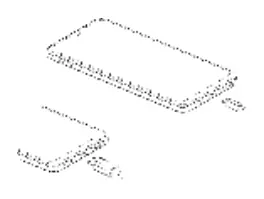
To charge your device, connect it to a power source using the provided USB cable. Important: Use only official Tecno chargers and cables. Using third-party accessories may damage the device and invalidate your phone warranty.
Safety and Regulatory
This device complies with Part 15 of the FCC Rules. It is tested for SAR (Specific Absorption Rate) compliance. To maintain RF exposure compliance, ensure a minimum separation distance of 10 mm (1.0 cm) between the handset and your body during operation. Avoid using accessories with metallic components for body-worn operations.
Practical help
Common problems
Charging issues or potential damage
Use only official Tecno chargers and cables. Using unauthorized accessories may damage the device and void the warranty.
Radio or TV interference
Reorient or relocate the receiving antenna, increase separation between the equipment and receiver, or connect the device to a different circuit.
Before use
- Power off the mobile device before inserting SIM or SD cards.
- Ensure you are using the original USB cable provided with the phone.
- Maintain a 10 mm (1.0 cm) separation distance from the body for RF exposure compliance.
- Avoid using belt clips or holsters containing metallic components.
Specs in practice
- SAR limit (USA)
- 1.6 W/kg averaged over one gram of tissue (FCC standard).
Images and diagrams
- The explosion diagram details internal components including the main PCBA, camera modules, and battery.
- The phone layout diagram identifies the front camera, volume keys, and the combined power/fingerprint sensor.
Model compatibility
- Device type: KI5k (FCC ID: 2ADYY-KI5K).
- Operating System: HiOS based on Android.

Manual page author
Michael Turner
Technical manual editor
Reviews PDF manuals for structure, safety notes, and practical product details so readers can find the right information quickly.