Industrial / Signal Converters
Operating Instructions for Veratron LINK UP 0-5V Signal Converter
Quick guide for the Veratron LINK UP 0-5V signal converter. Learn how to install, configure via NFC, connect to NMEA 2000 networks, and troubleshoot LED status indicators.
Table of contents
Manual images
Click an image to enlargeQuick guide from the manual
The Veratron LINK UP 0-5V gateway is designed to convert analog vessel and engine sensor data into NMEA 2000 network signals. It features a passive NFC antenna for easy configuration via a smartphone app and a plug-and-play NMEA 2000 interface. The device is waterproof (IPX9/K) and suitable for installation in engine rooms.
Safety information
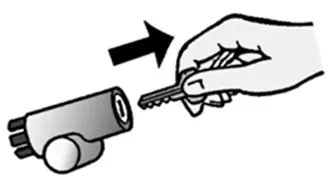
Warning: Before starting installation, turn off the ignition, remove the key, and disconnect the negative terminal of the battery to prevent short circuits. If the vehicle uses auxiliary batteries, disconnect their negative terminals as well. Ensure the device is installed at least 300 mm away from any magnetic compass. Do not drill into load-bearing or stabilizing structures.
System installation
The installation requires basic knowledge of vehicle or marine electronics. Ensure all cables are protected from tensile, compressive, or shearing forces. Use only insulated tools when working on live parts.
Pinout
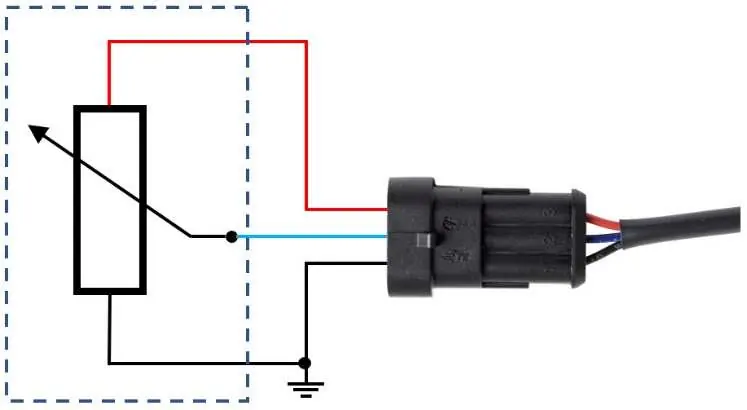
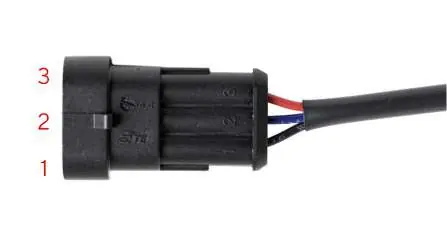
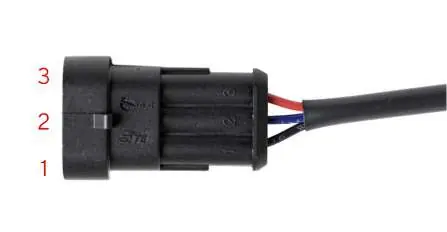
Sensor Side (AMP SuperSeal 3-poles):
- Pin 1: Black (GND)
- Pin 2: Blue (Signal)
- Pin 3: Red (5V-Supply, max 15 mA)
NMEA 2000 Side (Micro-C M12 5-poles):
- Pin 1: Shield
- Pin 2: NET-S (V+)
- Pin 3: NET-C (V-)
- Pin 4: NET-H (CAN High)
- Pin 5: NET-L (CAN Low)
When connecting a sensor, use the dedicated plug if available. If not, you may cut the plug and wire directly according to the pinout. For active sensors, ensure the signal does not exceed 5V.
Configuration
Configuration is performed using the "Link Up Configurator" app for Android or iOS. The device uses a passive NFC receiver, allowing configuration without external power.
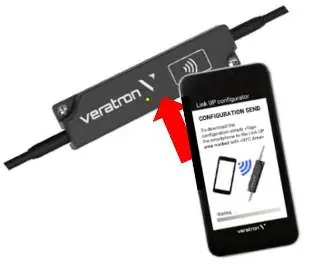
- Launch the app and tap your smartphone onto the NFC area of the LinkUp device to read the current configuration.
- Review the "Configuration Summary" in the app.
- Select the sensor type from the list (e.g., Fuel Level, Trim, Pressure, Temperature).
- Choose a standard sensor curve or define a custom one.
- Set the engine or tank number.
- For specific sensors, enable the alarm and set the threshold.
- Press "Write Configuration" and tap the smartphone to the device again to transfer the settings.
For Trim Level and Trim Tabs, use the "Trim Configuration Wizard" in the app to calibrate the full down and full up positions.
LED notifications
- OFF: Device not powered.
- ON: Device configured and in operation.
- Slow blink (1Hz): Invalid or empty configuration; waiting for user input.
- Fast blink (2.5Hz): Sensor value out of range.
- Very fast blink (10Hz): Reconfiguration in progress.
Technical data
The device operates on 6–16.5 V (12 V nominal from NMEA 2000 network) with a power consumption of ≤ 100 mA. It supports a measurement range of 0–5.0 V and has an operating temperature range of -30°C to 80°C.
Practical help
Common problems
Device not powered
Check the NMEA 2000 network connection and power supply.
Slow LED blink (1Hz)
The device has an invalid or empty configuration. Use the Link Up Configurator app to set up the device.
Fast LED blink (2.5Hz)
The analog sensor value is out of range. Check the sensor wiring and signal output.
Before use
- Turn off the ignition and remove the key.
- Disconnect the negative battery terminal.
- Ensure at least 300 mm distance from any magnetic compass.
- Verify sensor compatibility with the supported list.
- Download the Link Up Configurator app.
Specs in practice
- Operating voltage
- 6–16.5 V DC.
- Protection class
- IP X9/K (when connected), suitable for harsh environments.
- Max current on 5V output
- 15 mA, for powering passive sensors.
- Operating temperature
- -30°C to 80°C.
Images and diagrams
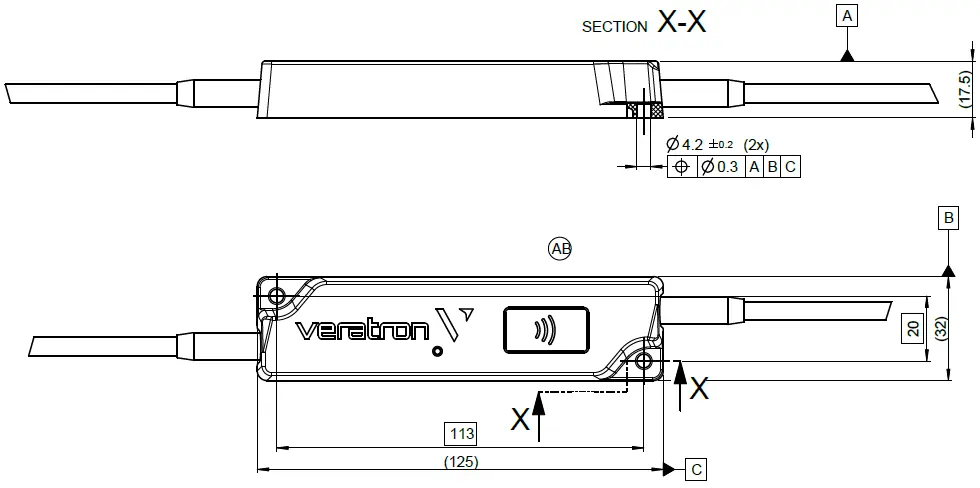
- Sensor Side: 3-pin AMP SuperSeal connector for GND, Signal, and 5V power.
- NMEA 2000 Side: 5-pin M12 connector for network integration.
- NFC Area: Located on the device housing for smartphone configuration.
Model compatibility
- Compatible with NMEA 2000 networks.
- Supports various sensors including fuel, freshwater, wastewater, trim, rudder, temperature, and pressure.

Manual page author
Emily Carter
User documentation editor
Prepares concise manual descriptions and highlights the most useful setup, operation, and maintenance information for readers.