Home / Security
User Manual for AJAX Button Wireless Panic Button
Quick guide for the AJAX Button wireless panic button. Learn how to install, configure, use panic and control modes, and maintain your device.
Table of contents
Manual images
Click an image to enlargeQuick guide from the manual
The AJAX Button is a wireless panic button designed to trigger alarms or control automation devices. It is compatible with Ajax hubs and requires the Ajax app for configuration. The device features protection against accidental presses and is resistant to dust and splashes.
Functional elements
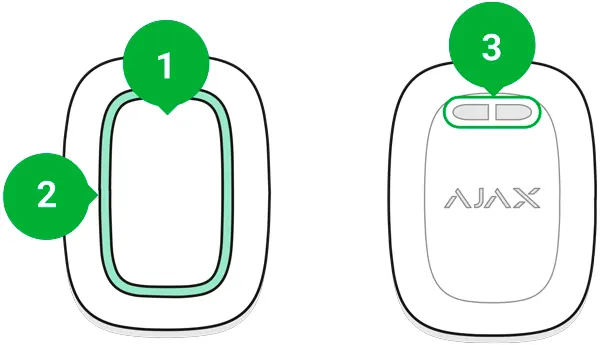
The device consists of an alarm button, indicator lights, and a mounting hole for carrying or fixing the device.
Operating principle
The button operates in three modes: Panic mode (for emergencies), Control mode (to trigger automation scenarios), and Mute Interconnected Fire Alarm mode. You can configure these settings in the Ajax app.
Connecting to the system
To connect the button, install the Ajax app, create an account, and add a hub. In the app, select Add Device, name the device, scan the QR code, and hold the button for 7 seconds until the LEDs flash green.
Configuration
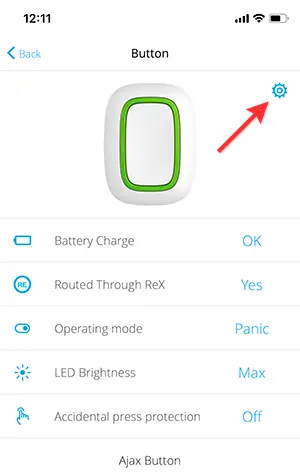
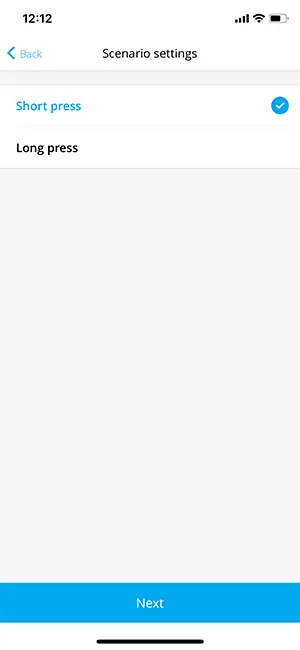
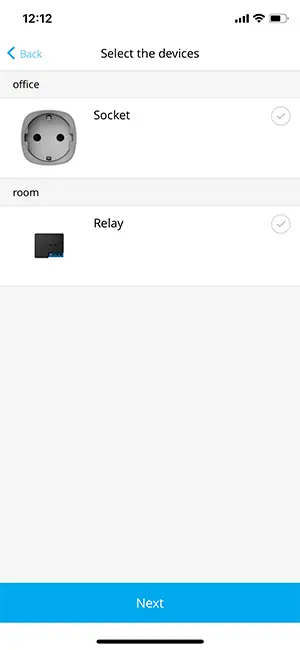
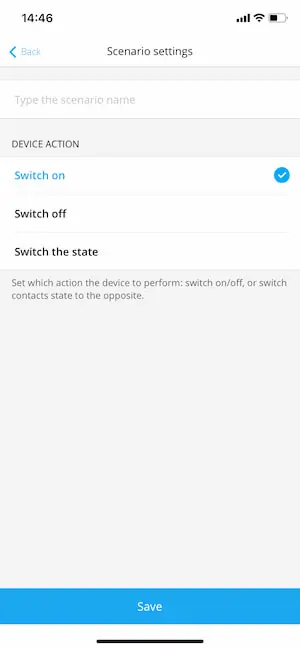
Use the Ajax app to adjust settings such as operating mode, LED brightness, and accidental press protection. You can bind automation actions (like switching a Relay or Socket) to short or long presses in the Scenarios menu.
Placement and installation
The button can be carried on a wrist or necklace using the mounting hole. To fix it on a surface, use double-sided adhesive tape or a holder (sold separately).
Maintenance
The device uses a CR2032 battery with a lifespan of up to 5 years. If the battery is low, the LED will light up red when pressed. Clean the body with cleaners suitable for technical maintenance; do not use alcohol or solvents.
Technical specifications
The device has an IP55 protection rating, a radio range of up to 1,300 m, and operates in temperatures from -10°C to +40°C.
Practical help
Common problems
Button not connecting
Ensure it is within the hub radio communication zone and the hub is not in armed mode.
Battery low
Replace the CR2032 battery; the LED will light up red when pressed if the battery is depleted.
Command not delivered
Check if the button is within range or if the hub is online.
Before use
- Install the Ajax application on your smartphone.
- Create an account and add a hub.
- Ensure the hub is not in armed mode during setup.
- Have a CR2032 battery ready (pre-installed).
Images and diagrams
- 1: Alarm button.
- 2: Indicator lights.
- 3: Button mounting hole.
Model compatibility
- Compatible only with Ajax hubs.
- No support for ocBridge Plus or uartBridge integration modules.

Manual page author
Emily Carter
User documentation editor
Prepares concise manual descriptions and highlights the most useful setup, operation, and maintenance information for readers.