Lighting / Fixtures
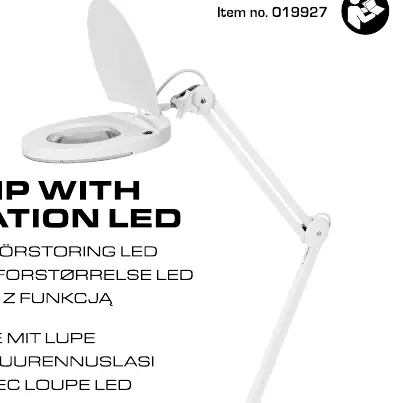
User Manual for Anslut Work Lamp with Magnification LED
Quick guide for the Anslut Work Lamp with Magnification LED (Item no. 019927). Includes safety instructions, usage steps, maintenance tips, and technical specifications.
Table of contents
Quick guide from the manual
This work lamp with magnification is designed for indoor use. To operate, place the lamp on a stable surface, connect the plug to a power outlet, and use the switch to turn the light on or off.
Safety instructions
- The product is intended for indoor use only.
- Do not attempt to dismantle or repair the product yourself. Repairs must be performed by an authorized electrician.
- Always pull out the plug before cleaning or performing maintenance.
- If the power cord is damaged, it must be replaced by an authorized service center or qualified person.
- Do not look directly into the light source. Never point the beam at the eyes of people or animals.
- The light source is not replaceable. If the light source stops working, the entire product must be discarded.
Operation
- Place the product in the desired location.
- Plug the power cord into a wall outlet.
- Turn the light on using the switch.
Maintenance
Wipe the product with a dry, soft cloth when necessary.
Technical specifications
- Rated voltage: 230 V ~ 50 Hz
- Output: 10 W
- Luminous flux: 730 lm
- Life span: 25,000 h
- Diffusion angle: 120°
- Cord length: 1.5 m
Manufacturer information
Anslut
Practical help
Common problems
Light does not turn on
Check if the plug is securely inserted into the power outlet and the switch is in the ON position.
Light source stops working
The light source is not replaceable. If it stops working, the entire product must be discarded.
Before use
- Ensure the lamp is used indoors only.
- Check that the power cord is undamaged.
- Place the lamp on a stable surface.
- Ensure the voltage matches 230V~50Hz.
Specs in practice
- Luminous flux
- 730 lm - indicates the brightness of the lamp.
- Diffusion angle
- 120° - the spread of the light beam.
Model compatibility
- Indoor use only.
- Not compatible with dimmers.

Manual page author
David Miller
Documentation analyst
Organizes user manual content into clear summaries, with attention to model details, product context, and everyday usability.