Home Appliances / Refrigerators
User Manual for Bauknecht 10GF3 Refrigerator
Quick guide for the Bauknecht 10GF3 refrigerator. Learn about first-time setup, food storage, defrosting, cleaning, and maintenance.
Table of contents
Manual images
Click an image to enlargeQuick guide from the manual
This guide provides essential information for the Bauknecht 10GF3 refrigerator. For optimal performance, wait at least two hours after installation before connecting the appliance to the power supply. After turning it on, wait 4-6 hours for the correct storage temperature to be reached for a normally filled appliance.
Refrigerator light
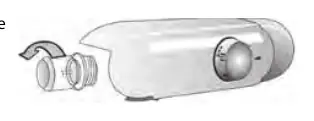
The refrigerator uses LED lighting for better visibility and low energy consumption. If the light needs replacement, contact the Technical Assistance Service.
Shelves and Door
All drawers, door shelves, and shelves are removable. The door opening direction can be changed; if performed by the After-sales Service, this is not covered by the warranty. Follow the instructions in the Installation Guide.
Refrigerator compartment and food storage
The refrigerator compartment defrosts automatically. Occasional water drops on the back wall are a sign of the automatic defrosting phase. Ensure the drain hole is kept clean to allow water to flow into the collection container. Use the air ventilation system to distribute temperatures evenly and reduce excess humidity.
Freezer compartment
The freezer compartment allows for long-term storage of frozen food and freezing of fresh food. Do not re-freeze partially defrosted food. Wrap food to prevent moisture and condensation. Use the provided ice tray for ice cubes; do not use sharp objects to remove them.
Cleaning and maintenance
Always disconnect the appliance before cleaning. Do not use abrasive cleaners, flammable fluids, or steam cleaners. Clean the interior periodically with warm water and neutral cleaning agents. Regularly clean the drain hole located on the back wall of the refrigerator compartment near the fruit and vegetable drawer using the provided tool.
Functional sounds
Normal operating sounds include buzzing from the compressor, gurgling and crackling from the refrigerant gas, and occasional creaking sounds from the structure of the appliance.
Manufacturer information
Bauknecht
Practical help
Common problems
Audible signal sounds
The temperature alarm has intervened; press the button to switch off the acoustic alarm.
Condensation in the refrigerator
Close containers with liquids, wrap food with high water content, and turn on the fan if available.
Noises during operation
Buzzing, gurgling, and crackling are normal functional sounds.
Before use
- Wait at least two hours after installation before connecting to power.
- Wait 4-6 hours after turning on for the correct storage temperature.
- Install the antibacterial anti-odour filter in the fan if provided.
Specs in practice
- Fast Freeze/Fast Cool
- Function to lower temperature before defrosting or when storing large amounts of food.
Images and diagrams
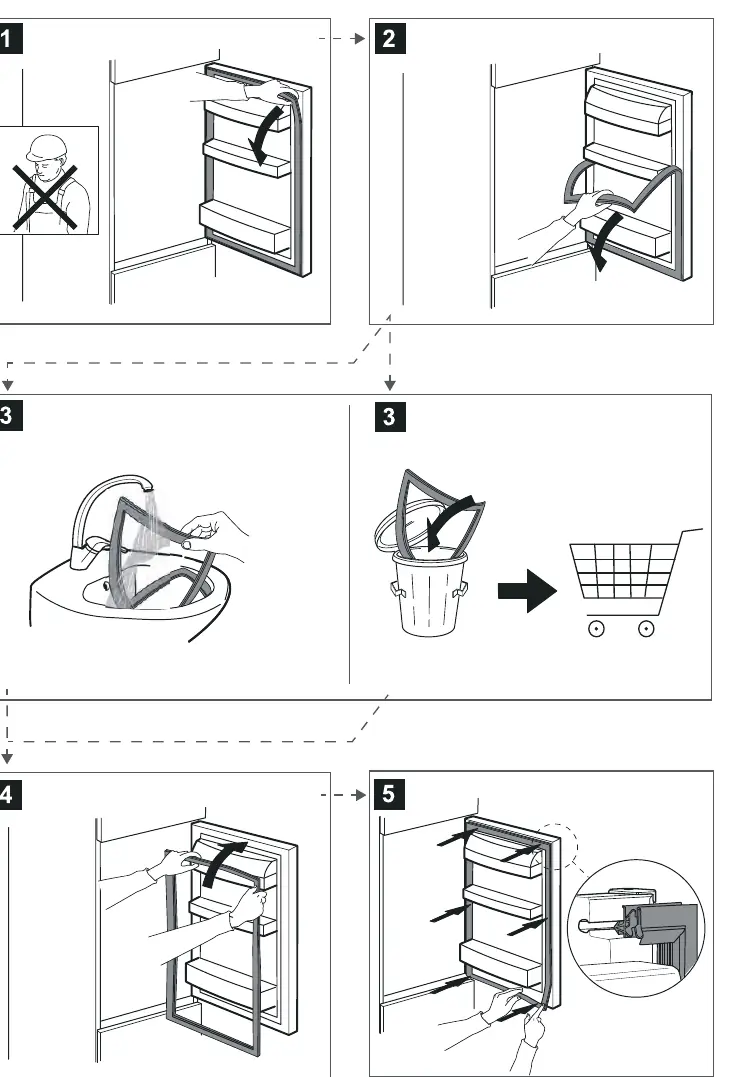
- The manual includes diagrams for replacing the LED light bulb and replacing the door gasket.
Model compatibility
- Some features like the bottle holder or 0° Zone may vary by model.

Manual page author
Michael Turner
Technical manual editor
Reviews PDF manuals for structure, safety notes, and practical product details so readers can find the right information quickly.