Tools / Power Tools
Bosch ANGLE EXACT 12V-12-400, 12V-6-600, 12V-3-600 Industrial Cordless Screwdriver Manual
Quick guide for the Bosch ANGLE EXACT 12V series industrial cordless screwdrivers. Includes assembly, torque adjustment, battery handling, and maintenance instructions.
Table of contents
Manual images
Jump to the sectionQuick guide from the manual
This manual covers the Bosch ANGLE EXACT 12V-12-400, 12V-6-600, and 12V-3-600 industrial cordless screwdrivers. These tools are designed for tightening and loosening screws, nuts, and other threaded connectors in industrial environments. They are not suitable for drilling.
Assembly
Before performing any work on the tool (maintenance, tool change, etc.), remove the battery to prevent accidental activation.
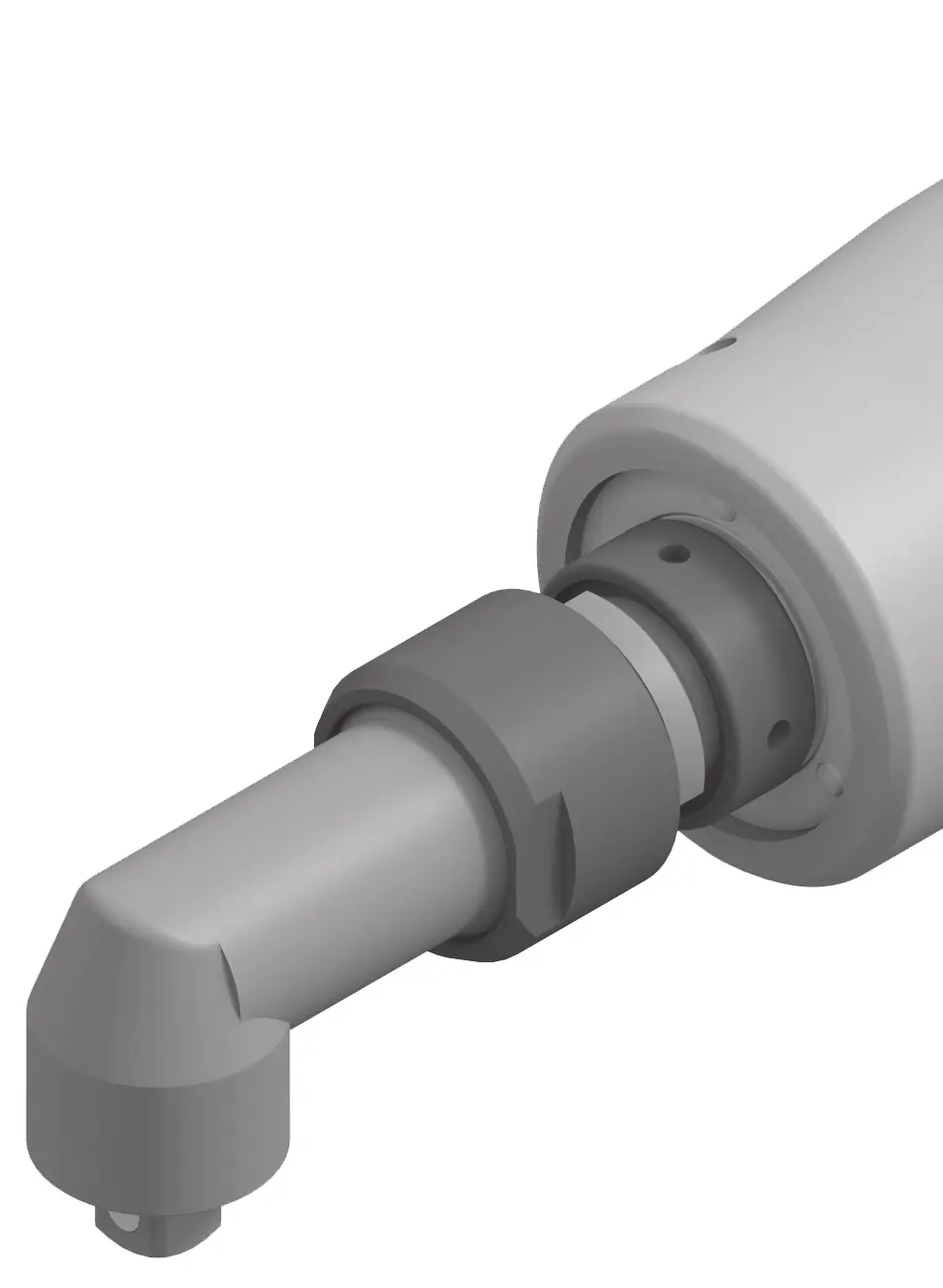



Suspension Device
Use the hanging hook (12) to attach the tool to a suspension device. Ensure it engages in the holes (13) and regularly check the condition of the hook and the suspension device.
Mounting the Angle Head
The tool requires an adapter and a compatible angle head (see Technical Data). Ensure threads and flange threads are free of grease and apply the specified torque to prevent the head from loosening. Never clamp the tool by its housing shells.
Operation
Setting Rotational Direction
Use the rotational direction switch (9) to set the direction. The tool will not start if the switch is in the center position (lock-off).
Setting Torque
The torque depends on the spring preload of the shut-off clutch. Use only the supplied adjustment tool (20) to set the torque. Turning clockwise increases torque; turning counter-clockwise decreases it. Always check the torque on a screw connection regularly and readjust if necessary.
Battery Handling
The yellow LED battery charge indicator provides status updates:
- Flashing light + sound: Charge the battery (6-8 screws remaining).
- Continuous light + sound: Insufficient capacity or tool overloaded; tool cannot be switched on.
- Flashing light: Tool overheated; wait for the light to stop flashing before restarting.
Maintenance and Service
Keep the tool and ventilation slots clean. Check the entire tool for damage and wear at least every 100,000 screw connections and reset the clutch torque.
Manufacturer information
Bosch
Practical help
Common problems
Tool does not start
Check if the rotational direction switch is in the center position (lock-off) or if the battery is depleted/overheated.
Preset torque not reached
Check if the shut-off clutch is set within the specified power range or if the battery charge is insufficient.
Angle head loosens
Ensure threads are free of grease and the head is tightened to the specified torque.
Before use
- Ensure the battery is fully charged.
- Check that the correct angle head and adapter are mounted.
- Set the desired rotational direction.
- Adjust the torque using the supplied adjustment tool.
- Ensure the tool is clean and ventilation slots are unobstructed.
Specs in practice
- No-load speed (n0)
- The rotational speed of the tool without a load.
- Protection rating (IP 20)
- The tool is protected against solid objects over 12.5mm, but not against water.
Images and diagrams
- Figure A: Mounting the hanging hook.
- Figure B/C: Mounting and adjusting the angle head.
- Figure D/E/F: Changing tool bits for different head types.
- Figure G: Setting rotational direction.
- Figure H: Adjusting the torque.
Model compatibility
- Use only GBA 12V batteries.
- Use only recommended chargers (GAL 12..., GAX 18...).
- Tool is for industrial use only; not suitable for drilling.

Manual page author
Emily Carter
User documentation editor
Prepares concise manual descriptions and highlights the most useful setup, operation, and maintenance information for readers.