Tools / Power Tools
Bosch GDS 18V-300 Professional Cordless Impact Wrench User Manual
Quick guide for the Bosch GDS 18V-300 Professional cordless impact wrench, covering assembly, operation, ABR (Auto Bolt Release) function, and maintenance.
Table of contents
Quick guide from the manual
The Bosch GDS 18V-300 Professional is a cordless impact wrench designed for driving and loosening screws and bolts, as well as tightening and loosening nuts. It features an ABR (Auto Bolt Release) function to prevent nuts from falling when loosened.
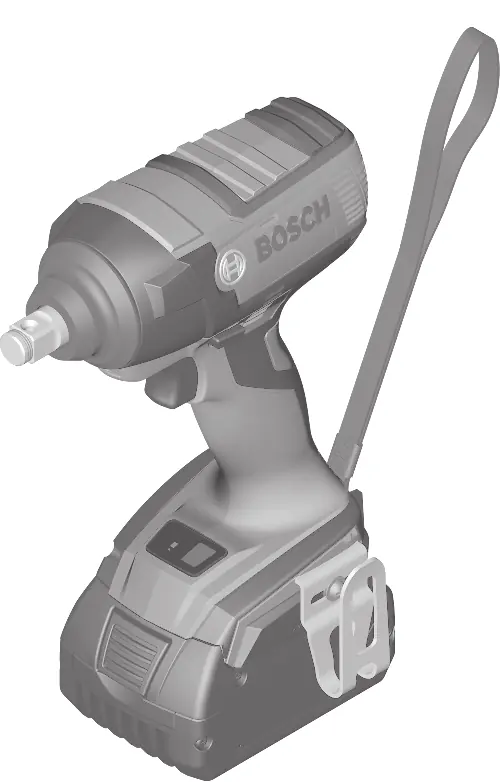
Assembly
Always remove the battery before performing any maintenance, changing tools, or transporting/storing the device to prevent accidental activation.
- Battery charging: Charge the battery fully before first use. The Li-ion battery can be charged at any time without reducing its service life.
- Removing the battery: Press the release button and pull the battery forward out of the tool.
- Changing the tool: Slide the application tool (e.g., impact socket) onto the square drive of the tool holder. Ensure it is securely connected.
Operation
The tool holder is driven by an electric motor via a gear and impact mechanism. The impact mechanism activates when the screw connection tightens and the motor is loaded.
Automatic shutdown (ABR)
The ABR function automatically stops the tool when the nut is loosened to prevent it from falling. Activate or deactivate this feature using the ABR button. The ABR LED lights up when the function is active.
Starting and stopping
Press and hold the on/off switch to start the tool. The integrated work light illuminates the area. Release the switch to stop the tool. Speed is controlled by the pressure applied to the on/off switch.
Maintenance and cleaning
Keep the tool and ventilation slots clean for safe and efficient operation. For repairs or spare parts, contact an authorized Bosch service center.
Manufacturer information
Bosch
Practical help
Common problems
Tool does not start
Check if the battery is charged and correctly inserted. Ensure the rotational direction switch is not in the center position.
Application tool falls off
Ensure the tool is securely connected to the square drive of the tool holder.
Battery life is significantly reduced
The battery has reached the end of its service life and must be replaced.
Before use
- Ensure the battery is fully charged.
- Check that the correct application tool (impact socket) is securely attached.
- Set the rotational direction switch to the desired position (right for tightening, left for loosening).
- Ensure the work area is clean and well-lit.
Specs in practice
- Rated voltage
- 18V, indicating the battery system compatibility.
- No-load speed
- 0–2400 min-1, the rotational speed without load.
Images and diagrams
- The tool features a tool holder (1), rotational direction switch (8), on/off switch (9), and ABR button (6) with LED indicator (7).
- Figure A shows the attachment of an application tool to the tool holder.
- Figure B illustrates the rotational direction settings.
- Figure C highlights the ABR button and LED indicator.
Model compatibility
- Compatible with Bosch GBA 18V and ProCORE18V battery series.
- Use only recommended Bosch chargers (e.g., AL 1814 CV, GAL 1880 CV).

Manual page author
Michael Turner
Technical manual editor
Reviews PDF manuals for structure, safety notes, and practical product details so readers can find the right information quickly.