Tools / Power Tools
Bosch GBH 5-40 D Professional Rotary Hammer User Manual
Quick guide for the Bosch GBH 5-40 D Professional rotary hammer, covering safety, assembly, operation, tool changing, and maintenance.
Table of contents
Manual images
Jump to the sectionQuick guide from the manual
This document provides essential information for the safe and efficient operation of the Bosch GBH 5-40 D Professional rotary hammer. Always read the full safety warnings before use. The tool is designed for hammer drilling in concrete, brick, and stone, as well as for chiseling.
Device Description
The rotary hammer features an SDS-max tool holder, a mode selector switch, and a speed/impact frequency preselection thumbwheel. The main components include a dust protection cap, locking sleeve, mode selector switch, on/off switch, main handle, speed/impact thumbwheel, and an auxiliary handle.
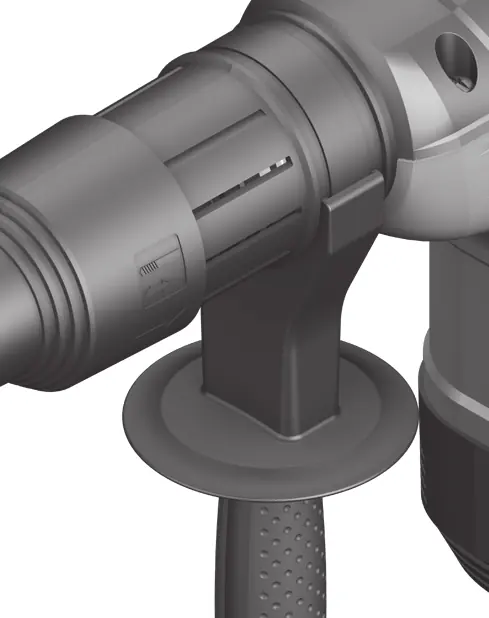
Assembly
Always disconnect the mains plug before performing any work on the machine. The auxiliary handle must be used for safe operation. To adjust, turn the bottom part of the handle counter-clockwise, swivel to the desired position, and retighten by turning clockwise.
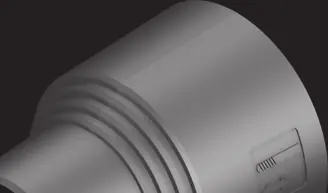
Tool Changing
The SDS-max tool holder allows for easy tool changes without additional aids. The dust protection cap prevents drilling dust from entering the holder. If the cap is damaged, it must be replaced immediately by an after-sales service.
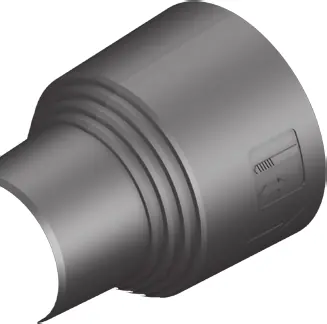
Inserting the tool
- Clean and lightly grease the shank end of the tool.
- Push back the locking sleeve and insert the tool into the holder with a twisting motion.
- Release the locking sleeve to lock the tool.
- Check the latching by pulling on the tool.
Removing the tool
- Push back the locking sleeve and remove the tool.
Operation
Ensure the mains voltage matches the specifications on the tool's nameplate. Use the mode selector switch to choose between hammer drilling, Vario-Lock (for chisel positioning), and chiseling. Only change the operating mode when the machine is switched off.
Maintenance and Service
Keep the machine and ventilation slots clean for safe operation. The tool is grease-lubricated; replacement of the grease should only be performed by an authorized Bosch service agent. Always include the 10-digit article number from the nameplate when contacting service or ordering spare parts.
Manufacturer information
Bosch
Practical help
Common problems
Tool insert does not rotate immediately upon switching on
Allow the machine to run slowly until the drilling tool rotates.
Tool insert becomes caught or jammed
The overload clutch will interrupt the drive. Switch off the machine immediately, hold it firmly with both hands, and loosen the tool insert.
Damaged dust protection cap
Replace immediately. It is recommended to have this carried out by an after-sales service.
Before use
- Ensure the mains voltage matches the tool's nameplate.
- Check that the auxiliary handle is securely attached.
- Clean and lightly grease the shank end of the tool insert.
- Verify the tool is locked by pulling on it.
- Ensure the mode selector switch is in the correct position.
- Wear personal protective equipment, including ear protection.
Specs in practice
- Rated power input (1100 W)
- Indicates the power consumption of the tool.
- Impact energy (8.5 J)
- The force of each individual hammer blow.
- Tool holder (SDS-max)
- The system for quick and tool-free bit changes.
- Chisel positions (12)
- Allows the chisel to be locked in 12 different angles for optimal working position.
Images and diagrams
- Figure A: Inserting the tool insert into the SDS-max holder.
- Figure B: Removing the tool insert from the SDS-max holder.
Model compatibility
- Designed for hammer drilling in concrete, brick, and stone.
- Suitable for chiseling work.
- Only use original Bosch spare parts for repairs.

Manual page author
Emily Carter
User documentation editor
Prepares concise manual descriptions and highlights the most useful setup, operation, and maintenance information for readers.