Tools / Power Tools
Bosch UniversalBrush Cordless Scrubbing Brush User Guide
Quick guide for the Bosch UniversalBrush cordless scrubbing brush, covering setup, charging, accessory selection, operation, and maintenance.
Table of contents
Quick guide from the manual
The Bosch UniversalBrush is a cordless, handheld power tool designed for wet scrubbing of surfaces in indoor and outdoor areas. It is particularly suitable for cleaning joints and tiles in bathrooms and kitchens. The device is intended for household use only.
Charging the battery
Before first use, fully charge the battery. Use a recommended USB power supply unit or any 5V power supply with at least 1.0A. The battery charge indicator flashes green during charging and remains solid green when fully charged. The tool cannot be used while charging.
Choosing the cleaning adapter
Select the appropriate cleaning adapter based on the surface and type of dirt. Incorrect use can damage surfaces; always test on an inconspicuous area first.
- Brush (3): For heavy-duty cleaning (washbasins, tiles, tile joints, tyre rims, patio furniture).
- Detailed brush (4): For hard-to-reach areas (corners and profiles).
- Pad holder (5) with Microfibre pad (6) (blue): For scratch-free cleaning (pots, pans, sinks, hobs, kitchen appliances, bathroom fittings, glass surfaces, barbecue exteriors).
- Pad holder (5) with Kitchen pad (7) (green): For adherent impurities (pots, pans, kitchen surfaces).
- Pad holder (5) with Heavy-duty pad (8) (brown): For burnt-in impurities (baking trays, uncoated cooking utensils, ovens).
- Pad holder (5) with Eraser melamine pad (9) (white): For hard surfaces (worktops, glass, floors, skirting boards, doors, shoes). Not suitable for wood, copper, stainless steel, non-stick coatings, or car paints.
Operation
To switch on, press the on/off switch (1). To switch off, press the switch again. For best results, moisten the bristles or pad with a cleaning agent or spray the surface directly. Position the tool on the surface before switching it on to prevent splashing. Move the tool slowly in a circular motion without applying excessive pressure.
Maintenance and cleaning
Keep the tool and ventilation slots clean. Do not immerse the tool in water. Cleaning adapters and pads can be cleaned in a dishwasher at temperatures up to 50°C.
Temperature-dependent overload protection
If the tool is overloaded or the battery temperature exceeds the permitted range, the electronics will automatically switch off the tool until it returns to the optimal operating temperature range.
Manufacturer information
Bosch
Practical help
Common problems
Tool switches off during use
The tool may be overloaded or the battery temperature is too high. Allow the tool to cool down to the optimal operating temperature range.
Surface damage during cleaning
The chosen cleaning adapter may be too abrasive for the surface. Always test on an inconspicuous area first and refer to the surface material compatibility table.
Before use
- Fully charge the battery before first use.
- Ensure the cleaning adapter is firmly inserted into the holder until it clicks.
- Check that the chosen pad is suitable for the surface material.
- Protect the surrounding area from spray using covers.
- Moisten the brush or pad with a suitable cleaning agent.
Specs in practice
- Rated voltage: 3.6V
- The operating voltage of the built-in lithium-ion battery.
- No-load speed: 215 min-1
- The rotational speed of the brush head without load.
- Protection rating: IP X5
- The tool is protected against water jets from all directions.
Images and diagrams
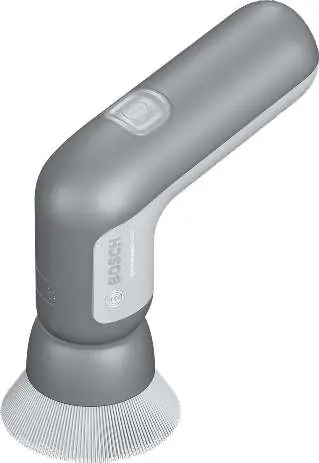
- (1) On/off switch
- (2) Holder for cleaning adapters
- (4) Detailed brush
- (5) Pad holder
- (6)-(9) Various cleaning pads
Model compatibility
- Use only original Bosch accessories.
- Melamine pad (9) is not suitable for wood, copper, stainless steel, non-stick coatings, or car paints.

Manual page author
Emily Carter
User documentation editor
Prepares concise manual descriptions and highlights the most useful setup, operation, and maintenance information for readers.