Electronics / Trail Cameras
User Manual for Bushnell Cellucore Live Dual SIM Trail Camera 119908D
Quick guide for the Bushnell Cellucore Live Dual SIM Trail Camera (119908D). Learn how to set up, mount, configure settings, and troubleshoot your device.
Table of contents
Manual images
Click an image to enlargeQuick Start Guide
To begin using your Bushnell Cellucore Live Dual SIM Trail Camera, follow these steps:
- Download the App: Install the free Bushnell Trail Camera app on your smartphone from the App Store or Google Play.
- Account Setup: Open the app, sign in, or create a new account.
- Add Camera: Log in, click the Camera icon, and select the "+" to add a new camera. Scan the QR code inside the camera or manually enter the serial number.
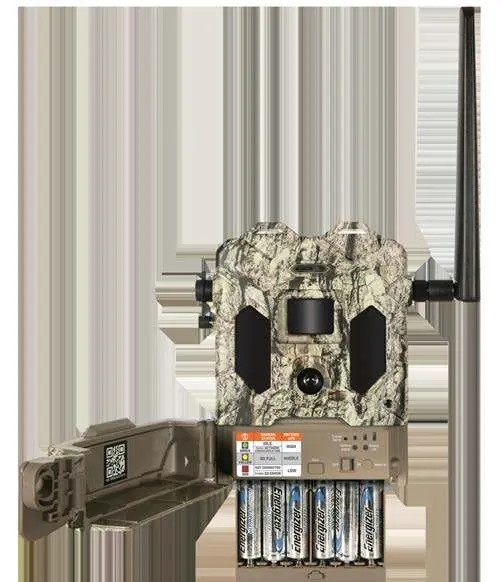
- Power: Install 12 AA batteries. Energizer lithium batteries are recommended for best performance. Ensure correct polarity (+/-).
- Storage: Insert a new SD card (up to 256GB). Class 10 or higher is recommended for video recording.
- Activation: Move the power switch to the ON position. The camera will automatically connect to the strongest available network (ATT or Verizon).
Camera Overview
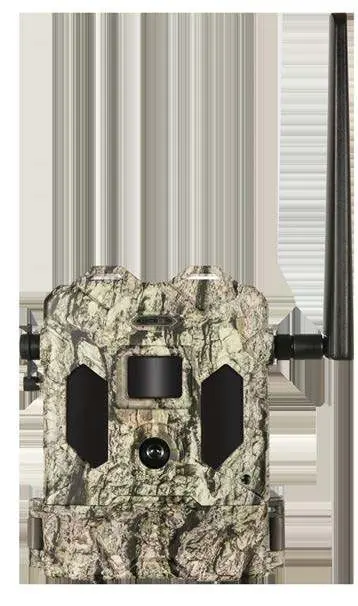
The camera features a PIR sensor, lens, LED IR flash, and antenna. The control panel is located behind the cover, housing the battery tray, SD card slot, and status indicator lights.
Settings Menu
Settings can be adjusted via the mobile app:
- Camera Mode: Choose between Image, Movie, or Hybrid (image followed by video).
- Image Resolution: Select resolution (Low, Medium, High). Low is the default.
- Video Resolution: Options include 1920x1080 (1080P), 1280x720 (720P), or 640x360 (360P).
- PIR Delay: Sets the time the camera ignores triggers after an event (10 seconds to 60 minutes).
- Work Mode: Configure active hours (Day, Night, or 24HRS).
- Flash Mode: Choose between Short Range (fast shutter, long battery life), Fast Motion (sharp images), or Long Range (high flash output).
Live Streaming
To use the live stream feature, select the "LIVE STREAM" button in the app. The connection may take a few seconds. You can view the stream for up to 10 minutes. Use the "Download" button to save the session to your mobile device.
Mounting & Positioning
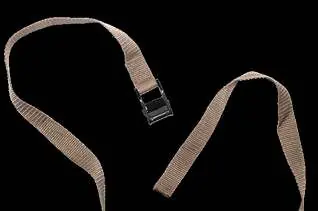
For optimal results, mount the camera on a sturdy tree or post (approx. 6 inches in diameter) at a height of 3.5 to 5 feet. The camera should be 16-17 feet away from the target area. Ensure the subject is within the flash range (10-60 feet). Use the provided adjustable belt through the strap channels or the 1/4"-20 tripod socket on the back.
Troubleshooting & FAQ
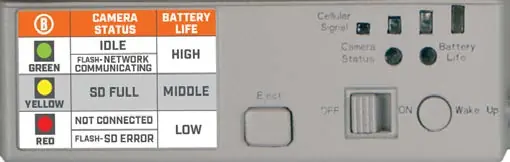
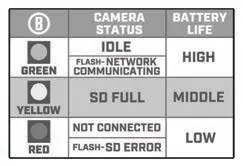
If you experience issues, check the status indicator lights. A green light indicates idle or network communication, yellow indicates a full SD card, and red indicates a connection or SD error. Ensure you have at least two bars of signal strength for reliable service. If problems persist, contact Bushnell Customer Service at (800) 423-3537.
Technical Specifications
- Lens: F=2.3; FOV=45°
- Power Supply: 12x AA batteries (lithium or alkaline)
- DC Input: 9V/2A
- Operating Temperature: -10°C to 50°C
- Operating Humidity: 5% to 90%
Manufacturer information
Bushnell
Practical help
Common problems
Camera not connecting to network
Power the camera off and back on to force a re-scan for the strongest signal (ATT or Verizon).
Short battery life
Use lithium batteries instead of alkaline. Ensure signal strength is at least two bars. Avoid high-drain settings like Long Range flash mode if not necessary.
False triggers
Avoid aiming the camera at heat sources, nearby tree branches, or brush, especially on windy days.
Cannot access videos
Videos are stored on the SD card and cannot be transmitted wirelessly. You must retrieve the SD card and insert it into a computer or reader to view them.
Before use
- Download the Bushnell Trail Camera app.
- Create or log into your account.
- Install 12 AA batteries (lithium recommended).
- Insert a high-speed (Class 10) SD card (up to 256GB).
- Check for at least two bars of signal strength.
- Mount the camera 3.5-5 feet high and 16-17 feet from the target.
Specs in practice
- Flash Mode: Short Range
- Uses medium LED output and fast shutter speed; best for battery life.
Images and diagrams
- The camera features a strap channel on the back for mounting with the provided belt.
- The control panel includes a power switch, wake-up button, and status indicator lights.
- The battery tray holds 12 AA batteries.
Model compatibility
- Designed for use in North America only.
- Automatically connects to ATT or Verizon networks.
- Requires an active data plan for each camera.

Manual page author
David Miller
Documentation analyst
Organizes user manual content into clear summaries, with attention to model details, product context, and everyday usability.