Power / Batteries & Chargers
User Manual for Choetech 8650 10000mAh Wireless Power Bank
Quick guide for the Choetech 8650 10000mAh Wireless Power Bank. Learn how to charge devices wirelessly and via cable, understand specifications, and follow safety guidelines.
Table of contents
Quick guide from the manual
The Choetech 8650 is a 10000mAh wireless power bank designed for portable charging. To use it, ensure your device is Qi-compatible for wireless charging. Place your device on the wireless charging area or connect it via a USB cable. For optimal performance, use a fast charger (Power Delivery or Quick Charge) to recharge the power bank itself. The device supports pass-through charging, allowing you to charge your device while the power bank is being recharged.
Product Overview
The package includes the power bank, a charging cable, and a customer service card.
Specifications
- Capacity: 10000mAh / 3.7V / 37Wh
- Wireless Output: 10W (Max)
- Micro USB Input: 5V/2.4A, 9V/2A
- USB-C Input: 5V/2.4A, 9V/2A, 12V/1.5A
- USB-C Output: 5V/2.4A, 9V/2A, 12V/1.5A
- USB-A Output: 5V/3A, 9V/2A, 12V/1.5A
How to Use
Wireless Charging: Ensure your device supports Qi wireless charging. Place the device on the wireless charging area. The indicator light will show the status.
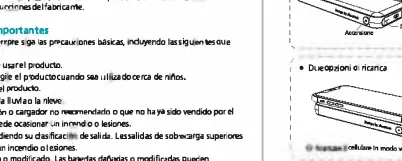
Wired Charging: Connect your device to the USB-A or USB-C port using a certified cable.
Pass-through Charging: You can charge your device while the power bank is being recharged, though this may affect charging speed.
Safety Instructions
- Do not expose the power bank to temperatures above 60°C (140°F).
- Do not disassemble or modify the product.
- Keep away from fire and extreme heat.
- Use original or certified cables to prevent fire or injury.
- Do not insert fingers or hands into the product.
- If the power bank is damaged or modified, discontinue use immediately.
Warranty
The product comes with a 24-month warranty. For technical support, contact the manufacturer via the provided support email or website.
Practical help
Common problems
Device not charging wirelessly
Ensure your device supports Qi wireless charging and is aligned correctly on the charging area.
Slow charging speed
Use a fast charger (Power Delivery or Quick Charge) to charge the power bank itself for optimal performance.
Power bank gets hot
It is normal for the device to get warm during operation. However, avoid temperatures above 60°C/140°F.
Before use
- Ensure your device supports Qi wireless charging.
- Use a certified cable for charging the power bank.
- Charge the power bank fully before first use.
- Check that the power bank is not damaged or modified.
Specs in practice
- Wireless Output
- 10W (Max)
- Output Ports
- USB-C and USB-A ports for wired device charging.
Images and diagrams
- The manual includes diagrams showing the port layout (Micro USB, USB-C, USB-A) and the wireless charging area.
- Visuals demonstrate how to place a device on the wireless charging pad.
Model compatibility
- Compatible with Qi-enabled devices.
- Supports fast charging protocols (Power Delivery/Quick Charge) for input and output.

Manual page author
Michael Turner
Technical manual editor
Reviews PDF manuals for structure, safety notes, and practical product details so readers can find the right information quickly.