Power / Batteries Chargers
D'Addario XPND Pedal Power Battery Kit User Guide
Comprehensive user guide for the D'Addario XPND Pedal Power Battery Kit. Includes instructions for mounting, daisy chain assembly, battery charging, and safety precautions.
Table of contents
Quick Guide
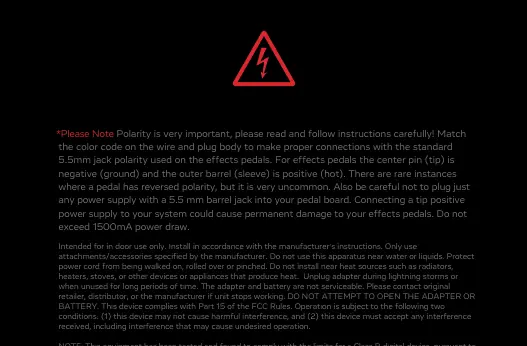
The D'Addario XPND Pedal Power Battery Kit provides a portable power solution for guitar effect pedals. Important: Polarity is critical. Ensure your pedals use a standard 5.5mm jack where the center pin is negative (ground) and the outer barrel is positive (hot). Connecting a tip-positive power supply can cause permanent damage. Do not exceed a total power draw of 1500mA.
Included Parts
- Portable Power Cell
- USB-C Power Supply
- (2) USB-C Cables
- Pedal Power Gateway
- Adjustable Daisy Chain
- Hook Fasteners
Powering Options
Powering with Battery: Connect the Power Cell to the Power Gateway using the short USB-C cable. Press and hold the power button on the side of the Power Cell to turn it on or off. The battery will display the charge level.
Powering with USB Power Supply: For non-battery use, connect the Power Gateway directly to a USB power supply using the long USB-C cable.
Mounting the Power Cell
Under-Board Mounting: To save space, apply hook fastener strips to the top face of the Power Cell. Mount it parallel with the rails of your pedalboard so the screen is visible between two pedals.
Top-Board Mounting: To position the Power Cell inline with your pedals, apply hook fastener strips to the back of the Power Cell. Mount it perpendicular to the rails at the beginning of your pedal array.
Adjustable Daisy Chain Assembly
The daisy chain is customizable. You can move plugs to optimize configuration for your specific needs. The wire insulation will 'heal' after moving plugs.
Pass-Through Configuration: Ideal for consecutive pedals with power inputs at the top.
- Assemble the pass-through insert by pushing the insert into the cap of the plug.
- Insert the cable into the plug body, aligning the red wire with the red indicator on the plug.
- Screw the cap down firmly clockwise until fully tightened and flush with the plug body.
- Ensure the red wire is aligned with the red indicators on the plug body.
Fold-Over Configuration: Ideal for pedals with side power inputs or for ending a daisy chain.
- Remove the pass-through insert from the plug cap.
- Pass the wire through the body of the plug and fold the wire over on top of itself, keeping the red wire aligned.
- Screw the cap down clockwise until fully tightened and flush with the plug body.
- Continue running the wire to the next pedal or snip the remaining wire to end the chain.
Battery Safety and Maintenance
Lithium-ion batteries are sensitive. Always charge on a fire-proof surface and never leave unattended. Do not store batteries fully charged or completely discharged for extended periods; store at a partial charge (40-60%) if not used for several weeks. Stop using immediately if the battery emits an unusual smell, feels hot, changes color, or appears damaged.
Practical help
Common problems
Audible noise or hum in the signal chain.
Place a Pedal Noise Isolator (PW-XPNDPNI-01, sold separately) between the Adjustable Daisy Chain and the offending pedal.
Battery degradation or swelling.
Do not store the battery at 100% or 0% charge for extended periods. Store at 40-60% charge for optimal health.
Pedal not powering on or potential damage.
Verify the pedal's polarity. The system requires center-negative polarity. Connecting a tip-positive power supply can cause permanent damage.
Before use
- Fully charge the Portable Power Cell using the included power supply.
- Verify that all pedals use standard 5.5mm center-negative polarity.
- Ensure the total power draw of all connected pedals does not exceed 1500mA.
- Apply hook fasteners to the Power Cell based on your chosen mounting location (top or under board).
- Align the red wire with the red indicators on the daisy chain plugs during assembly.
Specs in practice
- Output Voltage
- 9V DC, provided by the Power Gateway.
- Max Power Draw
- 1500mA. Do not exceed this limit to prevent damage.
- Connector Type
- Standard 5.5mm barrel jack.
Images and diagrams
- The Power Gateway converts the battery/USB input to 9V DC and provides noise filtering.
- The Adjustable Daisy Chain allows for custom plug placement by removing the cap and re-inserting the wire.
- The Power Cell features a side button for power control and a digital display for charge percentage.
Model compatibility
- Intended for indoor use only.
- Only use D'Addario circuitry for guaranteed clean 9V power.
- Not compatible with pedals requiring AC power or non-standard polarity.

Manual page author
Michael Turner
Technical manual editor
Reviews PDF manuals for structure, safety notes, and practical product details so readers can find the right information quickly.