Electronics / Headphones Earbuds
User Manual for Earbuds 12S True Wireless Headset
Quick guide for the Earbuds 12S True Wireless Headset. Learn how to pair, control music and calls, charge, and troubleshoot common connection issues.
Table of contents
Quick guide from the manual
Before using your Earbuds 12S for the first time, ensure both the earphones and the charging compartment are fully charged. The device supports automatic power-on when removed from the charging case and automatic power-off when placed back inside.
Pairing and Connection
To connect the headset to your device:
- Ensure the headset is turned on and in pairing mode.
- Search for the pairing name S12 in your phone's Bluetooth settings and click to connect.
- A voice prompt "Connected" will confirm a successful pairing.
- If pairing fails, turn your phone's Bluetooth off and on again to reconnect.
Resetting the headset: If the left and right ears do not connect or the device cannot be paired, delete the "S12" pairing information from your phone. With the headset turned on but not connected, tap the function key 5 times to turn it off and reset.
Key Operations
Use the function button on the earbuds for the following controls:
- Play/Pause music: Double click the function key.
- Previous song: Triple click the left ear function key.
- Next song: Triple click the right ear function key.
- Volume -: Click the left ear function key.
- Volume +: Click the right ear function key.
- Answer/Hang up call: Double click the function button.
- Reject call: Long press the function button for 2 seconds.
- Voice control: Long press the left/right ear function key for 2 seconds (requires phone support).
Charging and Indicators
The charging compartment indicator and the headphone indicator provide status updates:
- Charging headset: Red light flashes.
- Fully charged: Red light turns off.
- Low battery: Blue light flashes quickly.
- Charging compartment status: Use a standard charger and the provided cable. If the compartment charge is low, charge it promptly.
Troubleshooting
- Cannot pair: Check if the headset is paired or connected to another device; verify Bluetooth search function on your phone.
- Cannot turn on: Ensure the headset is sufficiently charged; charge for 30 minutes before attempting to turn on.
- Disconnected: Keep the headset within 10 meters of the connected device. Avoid metal objects or obstacles between the headset and the device.
Practical help
Common problems
Headset cannot be paired with the mobile phone
Delete the 'S12' pairing information from your phone and reset the headset by tapping the function key 5 times while on but disconnected.
Headset cannot be turned on
Check if the battery is sufficient and charge the headset for at least 30 minutes.
Connection drops or unstable
Ensure the distance is within 10 meters and there are no metal objects or obstacles blocking the signal.
Before use
- Ensure both earphones are fully charged.
- Ensure the charging compartment is fully charged.
- Enable Bluetooth on your mobile device.
- Verify the pairing name 'S12' appears in your Bluetooth list.
Specs in practice
- Bluetooth 5.0
- Wireless connection standard for the headset.
- Listening/Call time
- Approximately 3 hours of usage on a single charge.
- Bluetooth distance
- Effective range is 10 meters indoors.
- Charging time
- 1.5 hours for the base; 1-1.5 hours for the headphones.
Images and diagrams
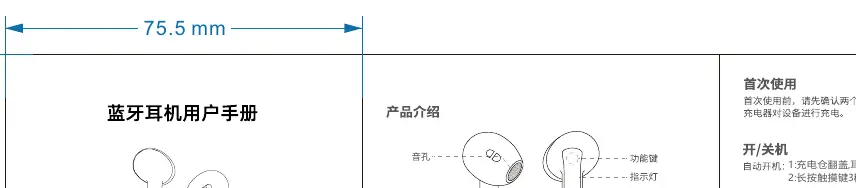
- Horn hole: The speaker output area.
- Function button: The touch-sensitive area for controls.
- Charging contacts: Metal pins used for charging the earbuds in the case.
Model compatibility
- Bluetooth connection is sensitive to metal objects and obstacles.
- The headset is not recommended for use while driving.
- The battery is non-detachable.

Manual page author
Emily Carter
User documentation editor
Prepares concise manual descriptions and highlights the most useful setup, operation, and maintenance information for readers.