Computers / Storage
Remote Battery Update Guide for EG4 18KPV Hybrid Inverter
A step-by-step guide for performing remote battery firmware updates on EG4 WallMount and LL-S/V2 batteries using the EG4 18KPV Hybrid Inverter and the EG4 Monitor Center portal.
Table of contents
Manual images
Jump to the sectionQuick guide from the manual
This document provides instructions for performing a remote firmware update on EG4 WallMount 280Ah or EG4 LL-S/V2 100Ah batteries through the EG4 18KPV Hybrid Inverter. Important: Do not power any loads during the update process, as this will interrupt the update and cause the system to shut off, requiring a manual restart.
Preparation and Login
Begin by logging into the EG4 Monitor Center portal. Ensure that the battery you intend to update is visible in the portal and that you have selected the correct inverter station.
Maintenance Settings
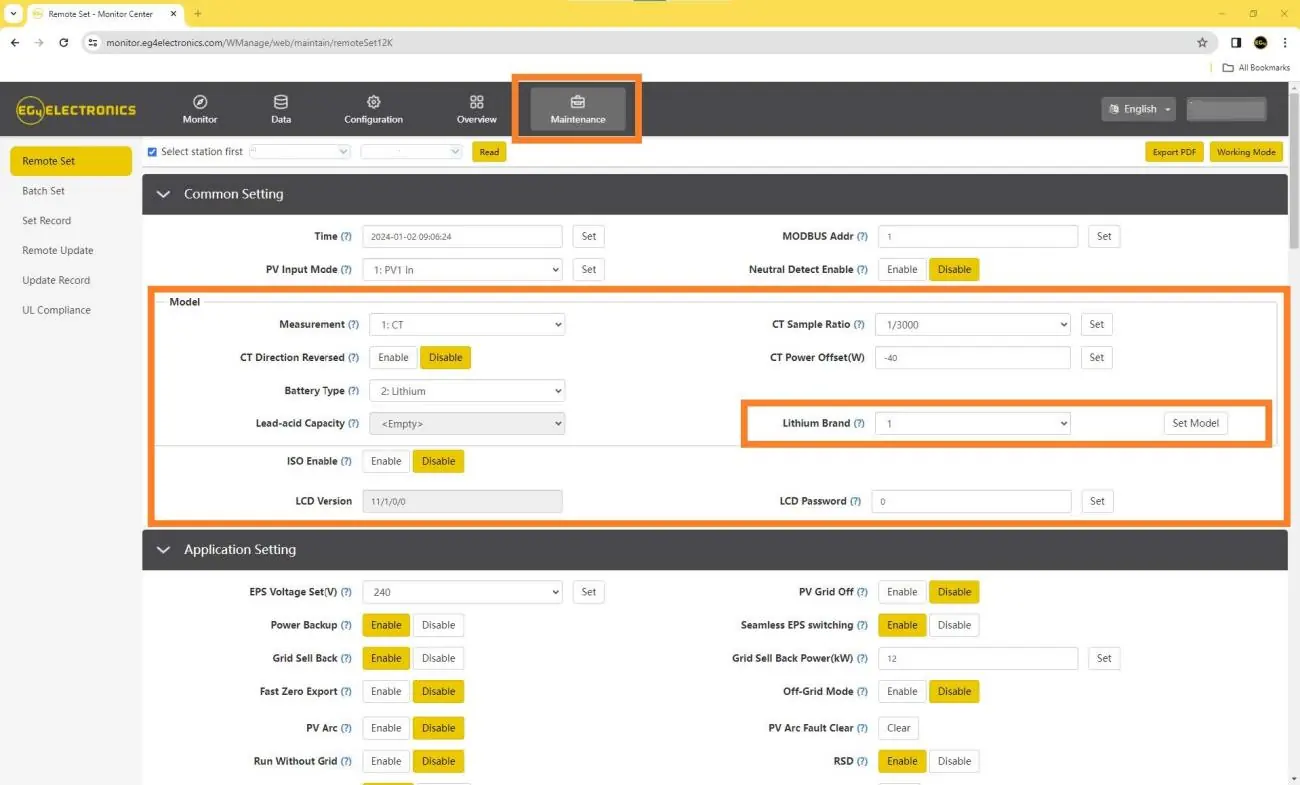
Navigate to the Maintenance tab and click Read. For a successful remote update, the Lithium Brand setting must be configured to Lithium-1.
Performing the Update
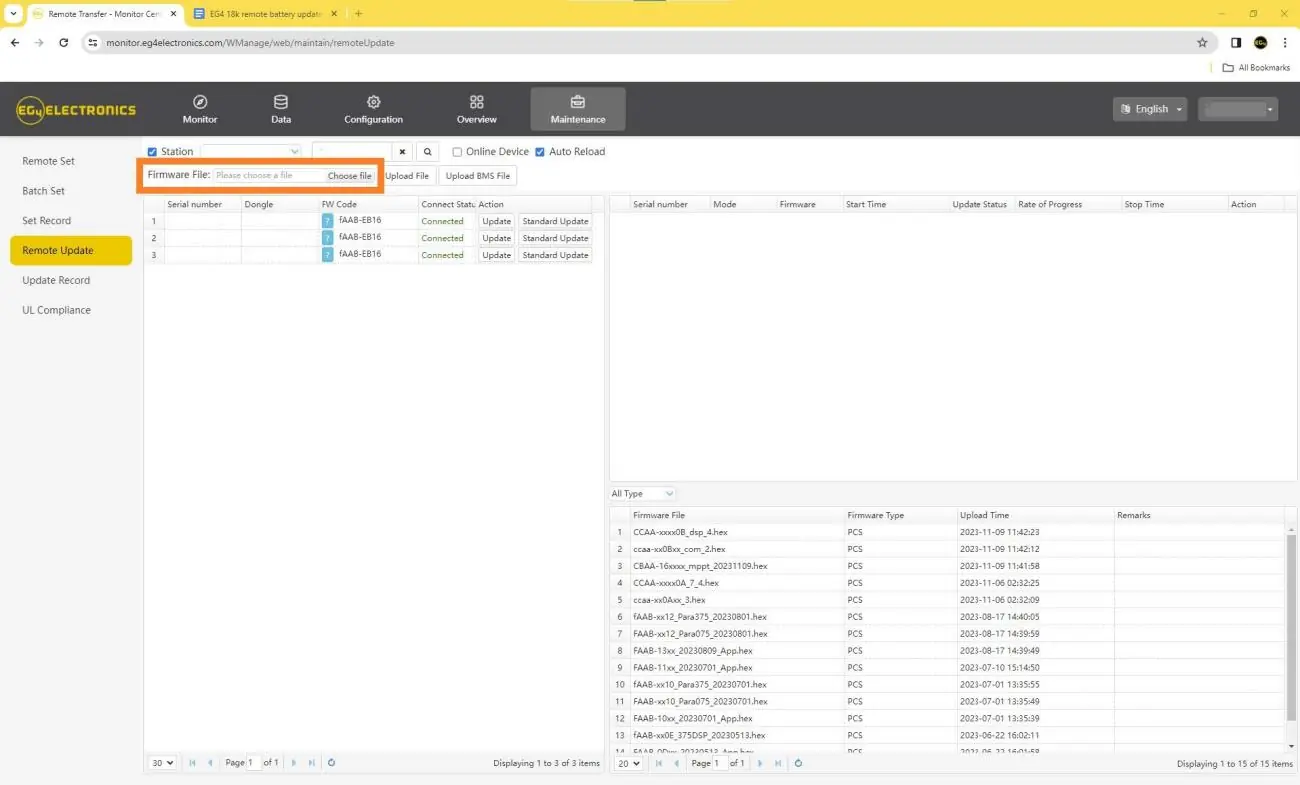
- Navigate to the Remote Update section under the Maintenance tab.
- Confirm the correct Station name.
- Click Choose File and select the firmware file named EG4 18kPV to PowerPro.bin.
- Click Upload File to upload the firmware to the online portal.
- Once uploaded, click Update in the Action column.
- A progress bar will appear. Once it reaches 100%, the file is downloaded to the inverter.
- The Update Status will change to Success. Do not power off the inverter or battery at this stage; the programming will begin automatically.
Monitoring the Update
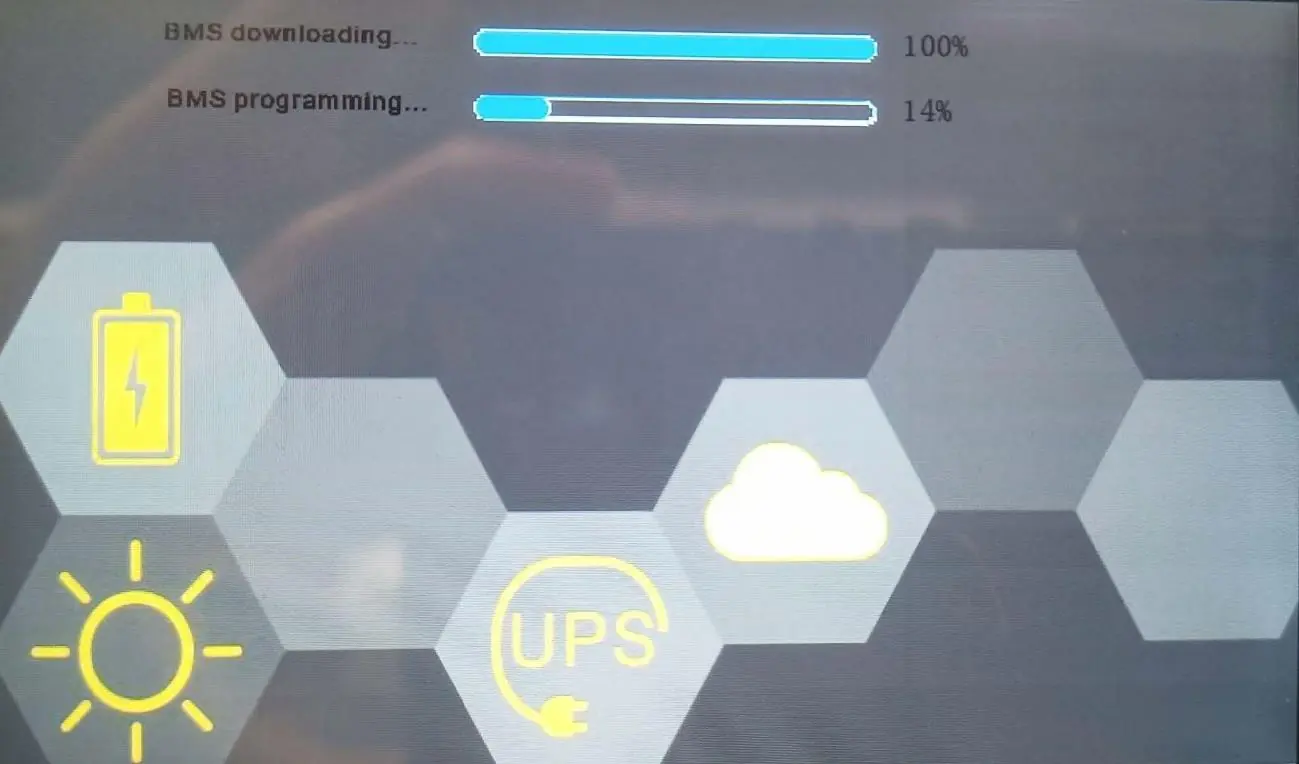
During the update, the inverter screen will display BMS downloading and BMS programming progress bars. Once both tasks reach 100%, the battery has been fully updated and will restart automatically.
Safety Warnings
Double-check that the correct firmware file is selected before uploading. Uploading an incorrect file will result in a soft-bricked BMS, which will require a manual RS485 update using a Windows computer to restore functionality.
Official resources from the manual
Manufacturer information
EG4 Electronics
Practical help
Common problems
Update interrupted or system shuts off
Ensure no loads are powered during the update process.
Soft-bricked BMS
Occurs if incorrect firmware is uploaded. Requires a manual RS485 update using a Windows computer to unbrick.
Before use
- Log in to the EG4 Monitor Center.
- Confirm the battery is visible in the online portal.
- Ensure you are connected to the correct inverter station.
- Set 'Lithium Brand' to 'Lithium-1' in the Maintenance tab.
- Verify the firmware file is named 'EG4 18kPV to PowerPro.bin'.
Images and diagrams
- The portal interface shows the 'Maintenance' tab where the 'Read' button and 'Lithium Brand' settings are located.
- The 'Remote Update' section displays the 'Action' column with the 'Update' button to initiate the download.
- The inverter screen displays two progress bars: 'BMS downloading' and 'BMS programming' during the update process.
Model compatibility
- Compatible with EG4 WallMount 280Ah batteries.
- Compatible with EG4 LL-S/V2 100Ah batteries.

Manual page author
Emily Carter
User documentation editor
Prepares concise manual descriptions and highlights the most useful setup, operation, and maintenance information for readers.