Electronics / Display Modules
User Manual for Elecrow CrowPanel Advanced 10.1inch ESP32-P4 HMI AI Display
Comprehensive user guide and tutorial series for the Elecrow CrowPanel Advanced 10.1inch ESP32-P4 HMI AI Display. Learn how to set up the development environment, configure GPIO, use peripherals like the touchscreen, SD card, camera, and...
Table of contents
Manual images
Click an image to enlargeQuick Start Guide
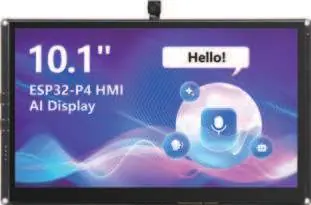
The Elecrow CrowPanel Advanced 10.1inch ESP32-P4 HMI AI Display is a high-performance development board. This manual provides a series of lessons to help you get started with the ESP-IDF development environment, configure hardware peripherals, and implement various features.
Development Environment Setup
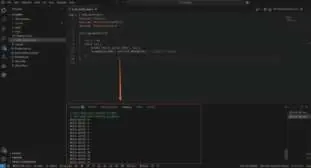
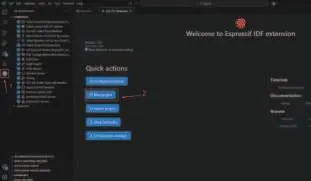
To begin development, ensure you have the ESP-IDF environment installed. The tutorials use version 5.4.2. Projects are managed using CMake, and you will need to configure the SDK for specific hardware features like PSRAM and font support.
Peripheral Tutorials
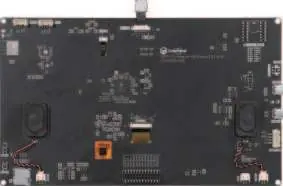
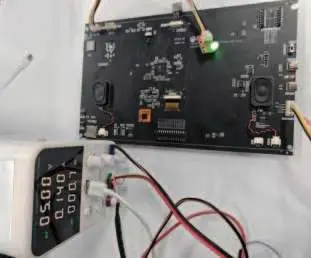
- GPIO Control: Learn to control LEDs using GPIO48.
- UART Interface: Understand how to use UART0 for programming and UART3-IN for external power supply (5V/2A).
- Touchscreen: Configure the I2C interface and GT911 touch controller to enable touch interaction.
- USB 2.0: Implement USB HID mouse functionality using the TinyUSB component.
- Display: Learn to initialize the screen backlight and display text using the LVGL graphics library.
- SD Card: Perform file read and write operations using the FAT file system.
- Audio: Record audio via microphone and play back via speaker using I2S.
- Camera: Activate the camera for real-time video feed display.
- Wireless Modules: Implement LoRa (SX1262) and nRF2401 wireless communication.
- Wi-Fi: Connect to Wi-Fi networks, obtain weather information, and implement STA/AP modes.
System Configuration and Maintenance
The manual covers advanced configurations such as enabling PSRAM for high-resolution displays, configuring font sizes in LVGL, and setting up Wi-Fi network forwarding (NAT) for STA+AP coexistence mode. Always ensure your power supply is sufficient, especially when using multiple peripherals like the screen and wireless modules.
Practical help
Common problems
Screen not turning on
Ensure the LDO channels are correctly initialized and the backlight is enabled via set_lcd_blight().
Wi-Fi connection failure
Verify SSID and password in the code. Ensure the ESP32-C6 is correctly initialized.
SD card not detected
Check the SD card insertion and ensure the file system is correctly mounted via sd_init().
Before use
- Connect the device to a computer via USB cable.
- Install the ESP-IDF development environment.
- Ensure the correct ESP-IDF version (5.4.2) is selected.
- Verify all wiring for external modules (e.g., LoRa, nRF2401).
Images and diagrams
- The manual includes various schematic diagrams for LED driving, touchscreen operation, and wireless module connections.
Model compatibility
- Requires ESP-IDF development framework.
- Supports 2.4GHz Wi-Fi.
- Compatible with standard WAV audio files (16kHz, 16-bit, stereo).

Manual page author
David Miller
Documentation analyst
Organizes user manual content into clear summaries, with attention to model details, product context, and everyday usability.