Automotive / Remote Starters
Installation Guide for Fortin EVO-ALL Remote Starter
A comprehensive installation and programming guide for the Fortin EVO-ALL remote starter module. Includes wiring diagrams, pinout configurations, and step-by-step programming procedures for the 2016 Toyota Tacoma.
Table of contents
Quick Guide from the Manual
This document provides installation and programming instructions for the Fortin EVO-ALL module, specifically for the 2016 Toyota Tacoma (Push-to-Start). The installation must be performed by a qualified technician to avoid permanent vehicle damage.
- Safety First: The hood pin switch is a mandatory security element. If the vehicle can be remote started with the hood open, you must set function A11 to OFF.
- Required Tools: Flash Link Updater or Flash Link Mobile tool (sold separately) is required for firmware updates and option configuration.
- Firmware: Ensure the module is updated to the latest firmware version (minimum 79.[66]).
Wiring Connections
The EVO-ALL module supports a Data-Link connection for simplified wiring. Refer to the wiring diagram for specific pin connections to the Body ECU, Push-to-Start button, and OBD-II connector.
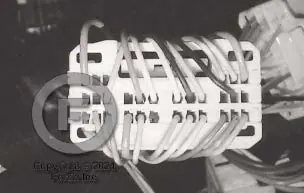
- Data-Link: Provides direct communication with the remote starter.
- Hardwired Connections: If not using Data-Link, follow the specific wire color codes provided in the diagram for Ignition, Ground, and CAN-High/Low signals.
- Parts Required: 1x 1Amp Diode and 1x Fuse (not included).
Programming Procedure
Before programming, configure the unit options using the Flash Link Manager software or mobile app.
- Preparation: Connect the 4-PIN Data-link connector while pressing and holding the programming button.
- LED Status: Wait for the LED to turn solid BLUE. If it is not solid blue, disconnect and restart the process.
- Ignition Sequence: Follow the specific ignition ON/OFF cycles as prompted by the LED indicators.
- Dcryptor Process: If the LED flashes red and yellow, proceed to the Dcryptor process using the Flash Link tool.
- Completion: Once programmed, reconnect all remaining connectors.
Remote Starter Functionality
Once installed, ensure all doors are closed before attempting a remote start. The vehicle will shut down automatically upon opening the driver's door for security. To drive, enter the vehicle with the Smart-Key, press the brake pedal, and press the Push-to-Start button.
Technical Support
For further assistance, contact Fortin Technical Support at 514-255-HELP (4357) or 1-877-336-7797. Visit www.fortinbypass.com for the latest firmware and installation guides.
Official resources from the manual
Practical help
Common problems
LED is not solid blue during programming
Disconnect the 4-Pin Data-Link connector and restart the programming procedure from step 1.
Vehicle starts with the hood open
Install the mandatory hood pin switch and set function A11 to OFF.
Parking lights not functioning automatically
Check option A6. If ON, the module controls lights; turn OFF to allow manual control by the remote starter.
Before use
- Verify firmware version 79.[66] or higher.
- Ensure Flash Link Updater or Flash Link Mobile tool is available.
- Confirm vehicle compatibility (2016 Toyota Tacoma Push-to-Start).
- Install the mandatory hood pin switch.
- Have a 1A diode and fuse ready for installation.
Images and diagrams
- Wiring diagram illustrates connections for Body ECU, Push-to-start button, and OBD-II connector.
- Data-link connection is preferred for simplified wiring.
Model compatibility
- Designed for 2016 Toyota Tacoma Push-to-Start.
- Requires firmware version 79.[66] minimum.

Manual page author
Michael Turner
Technical manual editor
Reviews PDF manuals for structure, safety notes, and practical product details so readers can find the right information quickly.