Power / Batteries & Chargers
User Manual for Fresh 'n Rebel Powerbank 12000mAh
Quick guide for the Fresh 'n Rebel Powerbank 12000mAh (2PB4500). Learn how to charge your devices, understand LED indicators, and follow safety guidelines for optimal performance.
Table of contents
Manual images
Click an image to enlargeQuick guide from the manual
To use your Fresh 'n Rebel Powerbank, follow these simple steps:
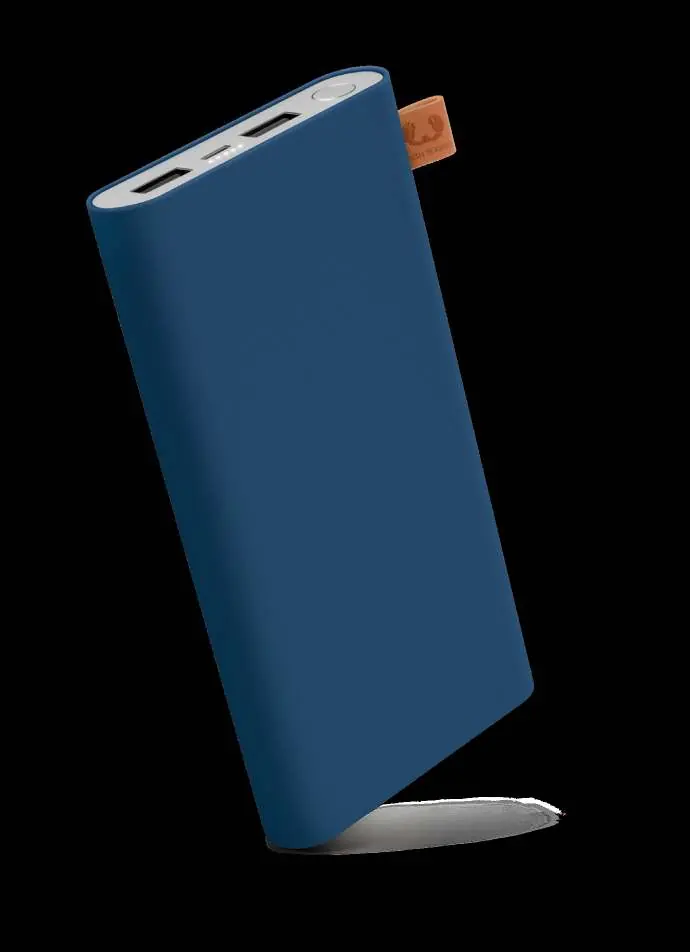
- Charging the Powerbank: Connect the powerbank to a power source using a Micro USB cable. The 'power' LED will remain solid while charging.
- Charging your device: Connect your device to the powerbank using a USB cable.
- Checking battery status: Press the power button on the powerbank. The battery indicator LEDs will light up for 1 second to show the remaining charge.
LED Indicators
The powerbank uses LED lights to communicate its status:
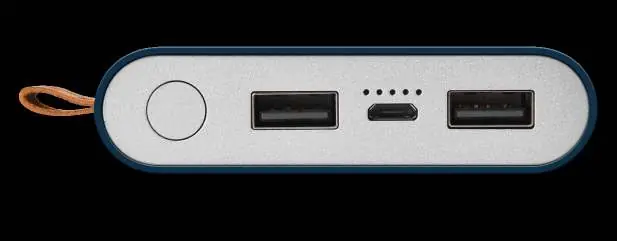
- Charging: Power LED is solid, other LEDs are off.
- Fully Charged: All LEDs are off.
- Charging a device: Power LED is solid, other LEDs are off.
- Low battery: The 25% LED blinks white.
Safety Instructions
To ensure reliable operation and safety, please adhere to the following:
- Do not open the powerbank; there are no serviceable parts inside, and opening it voids the warranty.
- Do not use the powerbank in wet environments or conditions.
- Keep the device away from significant heat sources, heat vents, or direct sunlight.
- Operating temperature range is 5°C to 45°C (41°F – 113°F).
- Do not cover the powerbank with paper or other materials, as this may affect cooling capacity.
- The powerbank will automatically turn off if it gets too hot to protect the device.
Technical Specifications
- Battery capacity: 12000 mAh
- Input: 5V/2.4A (max)
- Output: 5V/3.1A (max) shared on 2 USB ports; 5V/2.4A (max) on 1 USB port
- Product Weight: 290g
- Safety features: Overvoltage, overcurrent, overheating, overcharge, overdischarge, and short circuit protection.
Warranty
The product comes with a standard 2-year store warranty valid upon presentation of proof of purchase (original invoice with date and product code). The warranty covers defects in material and workmanship under normal usage but does not cover accidental damage, wear and tear, or misuse.
Support
If you have questions not covered in this manual, please contact support via email at [email protected].
Practical help
Common problems
Powerbank gets hot during use
The device will automatically turn off to protect itself. Keep it away from direct sunlight, heaters, and other hot environments.
Charging not starting
Ensure the Micro USB cable is securely connected to the powerbank and the power source.
Before use
- Check that the powerbank is charged
- Use a compatible Micro USB cable for charging the powerbank
- Ensure the operating environment is between 5°C and 45°C
- Verify the device is not covered by materials that block cooling
Specs in practice
- Battery capacity
- 12000 mAh total energy storage capacity.
Images and diagrams
- The powerbank features two USB output ports, one Micro USB input port, and a power button.
- LED indicators show the remaining battery level (25%, 50%, 75%, 100%).
Model compatibility
- Compatible with most devices charged via USB.
- Not suitable for devices requiring high-voltage charging beyond 5V.

Manual page author
Emily Carter
User documentation editor
Prepares concise manual descriptions and highlights the most useful setup, operation, and maintenance information for readers.