Mobile / Smartphones
Xiaomi Redmi 13C Smartphone User Guide
Quick start guide for the Xiaomi Redmi 13C smartphone, covering device layout, SIM card installation, and basic hardware controls.
Table of contents
Manual images
Jump to the sectionQuick guide from the manual
This document provides essential information for the initial setup and hardware orientation of the Xiaomi Redmi 13C smartphone. It outlines the physical layout of the device, including button placement and the SIM card tray configuration.
Device layout
The Redmi 13C features a standard smartphone design with the following physical controls and ports:
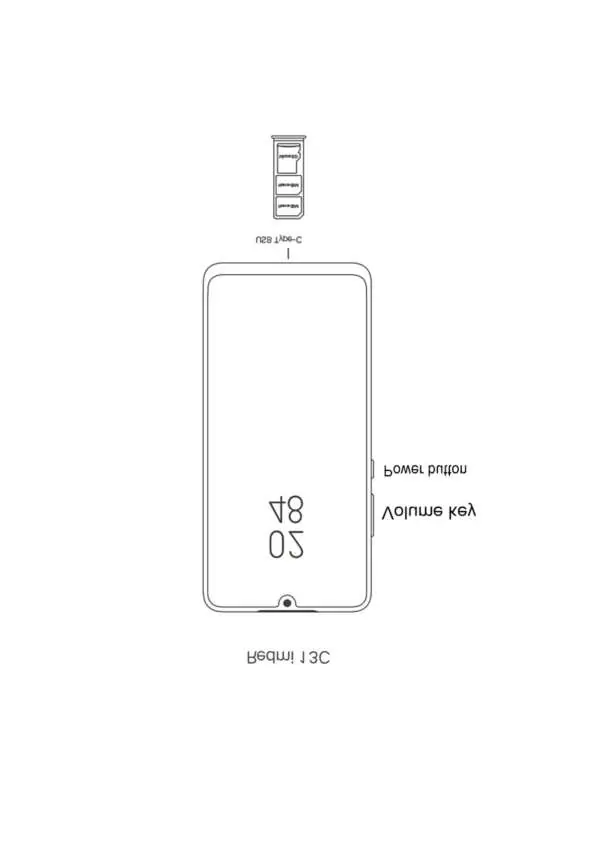
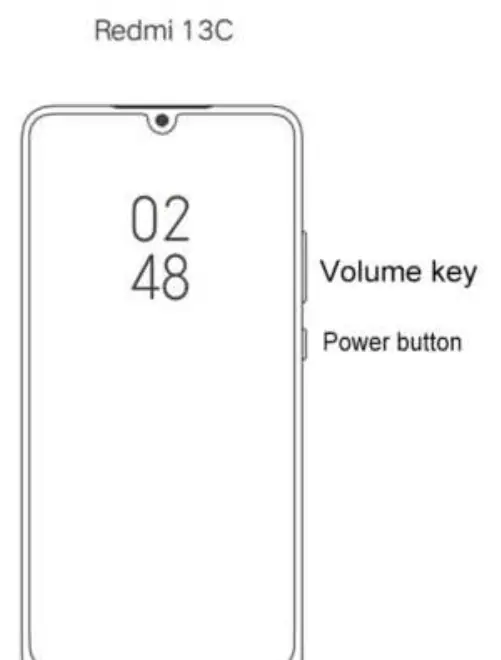
- Power button: Located on the right side of the device, used to turn the phone on/off and lock/unlock the screen.
- Volume key: Located on the right side, above the power button, used to adjust audio levels.
- USB Type-C port: Located at the bottom of the device for charging and data transfer.
- SIM card tray: Located on the side of the device, supporting dual Nano-SIM cards and a microSD card.
SIM card installation
To install your SIM cards or a microSD card, use the provided tool to eject the SIM tray. The tray is designed to hold two Nano-SIM cards and one microSD card simultaneously. Ensure the cards are placed correctly in the tray slots before reinserting it into the device.
Manufacturer information
Xiaomi Corporation
Practical help
Before use
- Ensure you have the correct Nano-SIM cards.
- Locate the SIM tray ejection tool.
- Identify the power button and volume keys on the right side.
- Verify the USB Type-C cable for charging.
Images and diagrams
- The diagram illustrates the right-side button configuration (Volume key and Power button).
- The diagram shows the bottom-mounted USB Type-C port.
- The diagram displays the SIM tray layout, which accommodates two Nano-SIM cards and one microSD card.
Model compatibility
- Supports dual Nano-SIM configuration.
- Supports external storage via microSD card.

Manual page author
Emily Carter
User documentation editor
Prepares concise manual descriptions and highlights the most useful setup, operation, and maintenance information for readers.