Electronics / Televisions
Redmi 15C Quick Start Guide
Quick start guide for the Redmi 15C smartphone, covering setup, basic operations, safety precautions, and maintenance.
Table of contents
Getting Started
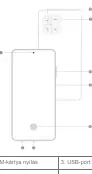
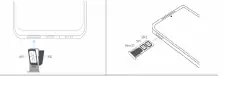
To turn on your Redmi 15C, press and hold the power button. Follow the on-screen instructions to configure your device. For SIM card installation, use the provided tool to eject the SIM tray, insert your Nano-SIM card(s), and reinsert the tray. Ensure you connect to a Wi-Fi network and sign in with your Google or Xiaomi account during the initial setup to fully utilize your device.
Basic Operations
The device uses intuitive gestures and physical buttons for navigation. You can tap, hold, swipe, and scroll to interact with the interface. Physical buttons allow for power control, volume adjustment, and taking screenshots. You can also customize your phone with themes, wallpapers, and various display settings, including Dark Mode and adaptive brightness.
Safety Precautions
To ensure safe operation, follow these guidelines:
- Use only authorized cables and power adapters.
- Operate the device within the 0–40 °C temperature range.
- Do not attempt to replace the built-in battery yourself.
- Keep the device dry and avoid using it in high-humidity environments like bathrooms.
- Turn off the device in explosive environments or near medical equipment like pacemakers.
- Do not use the phone outdoors during thunderstorms.
Maintenance and Troubleshooting
Keep your device updated using the built-in software update feature. If you encounter issues, you can perform a factory reset via Settings > About phone > Factory reset, but note that this will erase all personal data. For hardware issues, contact official Xiaomi support or an authorized service center. Do not attempt to repair the device yourself.
Disposal and Recycling
Dispose of the product and its battery responsibly according to local regulations. Do not discard the device with household waste. Utilize designated collection systems for electronic waste to prevent environmental and health hazards.
Related manuals
Related manuals from the same brand or category.
General / Other Manuals
Xiaomi 15T / 15T Pro VIP Service Terms
XiaomiDocuments / Warranty Safety
Xiaomi 15T & 15T Pro Exclusive Services Terms & Conditions
XiaomiDocuments / Warranty Safety
Xiaomi 15T Safety Information
XiaomiMobile / Smartphones
Xiaomi 15T Safety Information
XiaomiMobile / Smartphones
Xiaomi 15T: Quick Start Guide
XiaomiGeneral / Other Manuals
Xiaomi 15T Pro Quick Start Guide
XiaomiMobile / Smartphones
Xiaomi 15T Smartphone
XiaomiDocuments / Warranty Safety