Wearables / Smartwatches
User Manual for Amazfit Smart Sports Watch 2/2S
Comprehensive user guide for the Amazfit Smart Sports Watch 2/2S. Learn how to operate buttons, charge, track sports, monitor heart rate, and manage settings.
Quick answers from the manual
Quick answer
- The Amazfit Smart Sports Watch 2/2S is a sports-focused smartwatch featuring heart rate monitoring, GPS tracking, various sports modes, and music playback. It syncs with the Zepp App for data management. p. 1, 5, 12
Key actions
- Charging: Connect the watch to the charging dock and plug the USB into a 5V/500mA+ power adapter. p. 4
- Transferring Music: Connect the watch to a PC via USB, open the watch drive, and copy MP3 files to the 'Music' folder. p. 8, 12
First start
- Power On: Long press the top button for 4 seconds. p. 3
Show 4 more answers Show less
Problems and fixes
GPS signal not found
Move to an open outdoor area and wait for the signal. If in a crowd, raise your arm to chest height.
p. 17Maintenance and reset
- Clean the watch regularly with fresh water and a soft cloth. Avoid soaps and detergents. p. 23
Technical specifications
| Parameter | Value | Meaning | Pages |
|---|---|---|---|
| Water Resistance | 50 meters | Suitable for swimming in pools and shallow water. | p. 23 |
Where to find it in the PDF
- Button Controls p. 3
- Charging p. 4
- Sports Modes p. 12, 13, 18
Table of contents
Manual images
Click an image to enlargeQuick Guide
The Amazfit Smart Sports Watch 2/2S is a high-performance smartwatch designed for sports tracking. To get started, charge the device using the provided dock, pair it with the Zepp App on your smartphone, and ensure it is worn snugly for accurate heart rate monitoring. The watch supports various sports modes, music playback, and health tracking.
Button Controls
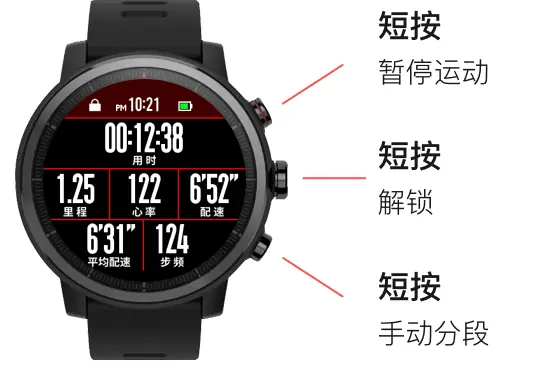
- Top Button: Short press to unlock or scroll up. Long press to access quick settings or return to the previous screen. Long press 4s to power on, 6s for restart/power off menu, 10s to force power off.
- Middle Button: Short press to view sports list or activate functions. Long press to return to the watch face.
- Bottom Button: Short press to scroll down or switch widgets. Long press to activate the message list.
Wearing and Charging
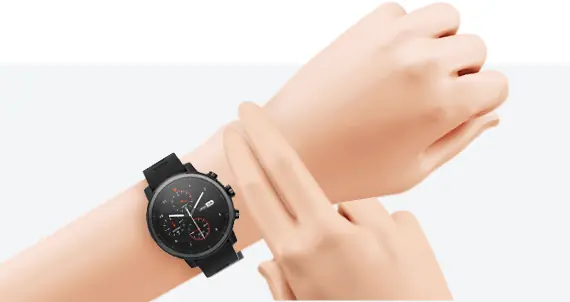
Wear the watch snugly, about two fingers' width from your wrist bone, to ensure accurate heart rate monitoring. When charging, align the charging contacts on the dock with the metal contacts on the watch. Use a computer USB port or a standard phone charger (DC 5.0V, >500mA).
Watch Functions
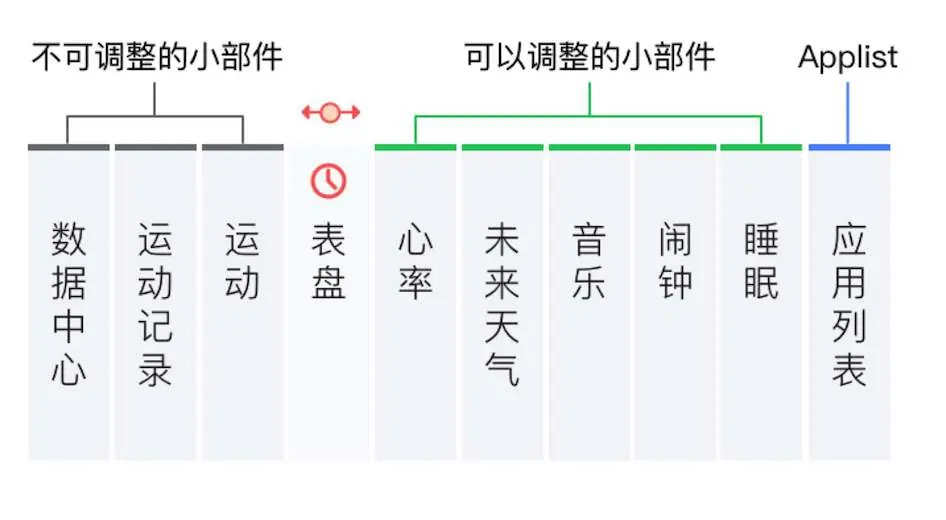
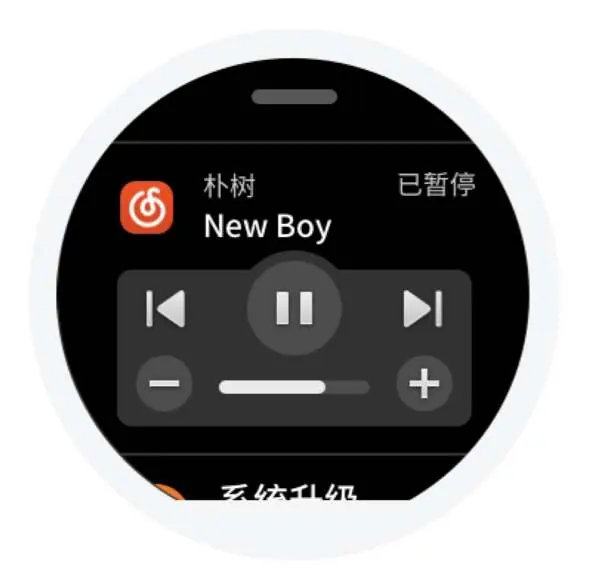
The watch features customizable watch faces and various widgets. You can manage these via the Zepp App. Key applications include heart rate monitoring, music player, Alipay, sleep tracking, notifications, weather, and alarms.
Sports Modes
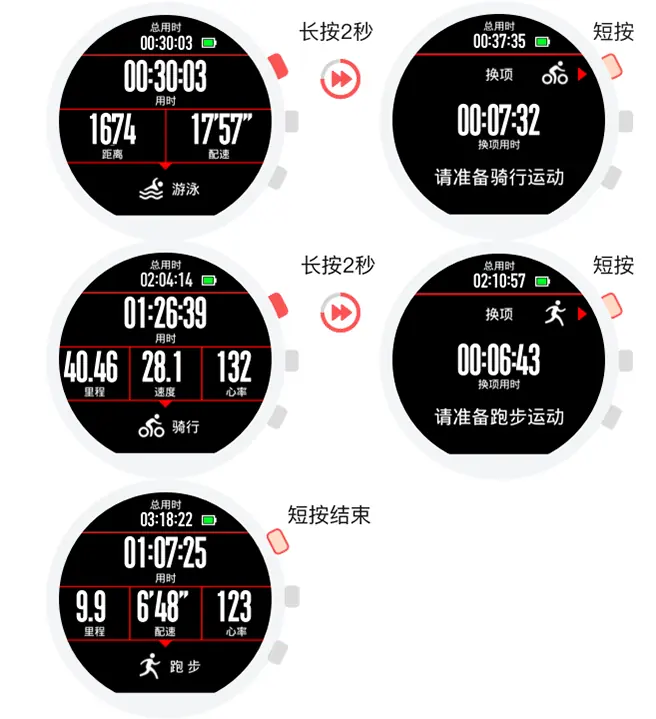
The watch supports multiple sports, including running, swimming, and triathlon. During running, you can track GPS, heart rate, and physical condition. Swimming mode tracks stroke rate, SWOLF, and distance. Triathlon mode allows for seamless transitions between swimming, cycling, and running.
Physiological Indicators
The watch calculates several metrics to help you optimize training:
- VO2max: Measures aerobic capacity. Requires at least 10 minutes of outdoor running with heart rate >75% of max.
- TE (Training Effect): Measures the impact of a workout on aerobic capacity (0.0-5.0 scale).
- TD (Training Load): Based on EPOC from the last 7 days to assess training volume.
Maintenance
Clean the watch and strap regularly with fresh water and a soft cloth. Do not use soap or detergents. The watch is water-resistant up to 50 meters, suitable for swimming, but not for diving or saunas. Leather straps are not waterproof.
Practical help
Common problems
Watch disconnects from the phone
Ensure the Zepp App is set to run in the background or added to the whitelist on your Android phone.
GPS not locking
Use the watch in an open outdoor area. If in a crowd, raise your arm to chest height to improve signal reception.
Heart rate data inaccurate
Ensure the watch is worn correctly and the sensor area is clean and free of sunscreen.
Before use
- Charge the watch using the provided dock
- Install the Zepp App on your smartphone
- Pair the watch with the app
- Ensure the watch is worn snugly for accurate heart rate monitoring
Show more Show less
Specs in practice
- TE (Training Effect)
- A score from 0.0 to 5.0 measuring the impact of a workout on aerobic capacity.
Model compatibility
- Windows XP SP2 or lower requires an MTP driver for PC connection.
- Leather straps are not waterproof and should not be worn during water activities.

Manual page author
Michael Turner
Technical manual editor