HVAC / Air Conditioners
Replacement Parts Manual for Bard 11EER Q-TEC Series Air Conditioners
Comprehensive replacement parts guide for the Bard 11EER Q-TEC series air conditioners. Includes exploded views and detailed parts lists for external, internal, functional, and control panel components to assist with maintenance and...
Table of contents
Manual images
Click an image to enlargeQuick Guide to Using This Manual
This document is a replacement parts manual for the Bard 11EER Q-TEC series air conditioners. It provides exploded view diagrams and corresponding parts lists to help identify components for maintenance and repair. The manual is organized by component type, allowing you to locate specific parts based on your unit's model number.
Ordering Replacement Parts
To ensure you receive the correct parts, always contact your local Bard distributor. Before contacting them, ensure you have the following information ready:
- Complete Model Number: Found on the unit rating plate.
- Serial Number: Found on the unit rating plate.
Understanding the Parts Lists
The parts lists are organized into tables. To find the correct part number:
- Locate the exploded view diagram for the component section you are working on.
- Identify the reference number (Dwg No.) for the part in the diagram.
- Find the corresponding Dwg No. in the parts list table.
- Look across the row to the column matching your specific unit model (e.g., Q24H4-A, Q36A4DA) to find the correct part number.
- X indicates a standard component for that model.
- O indicates an optional component.
Component Sections
The manual is divided into the following sections:
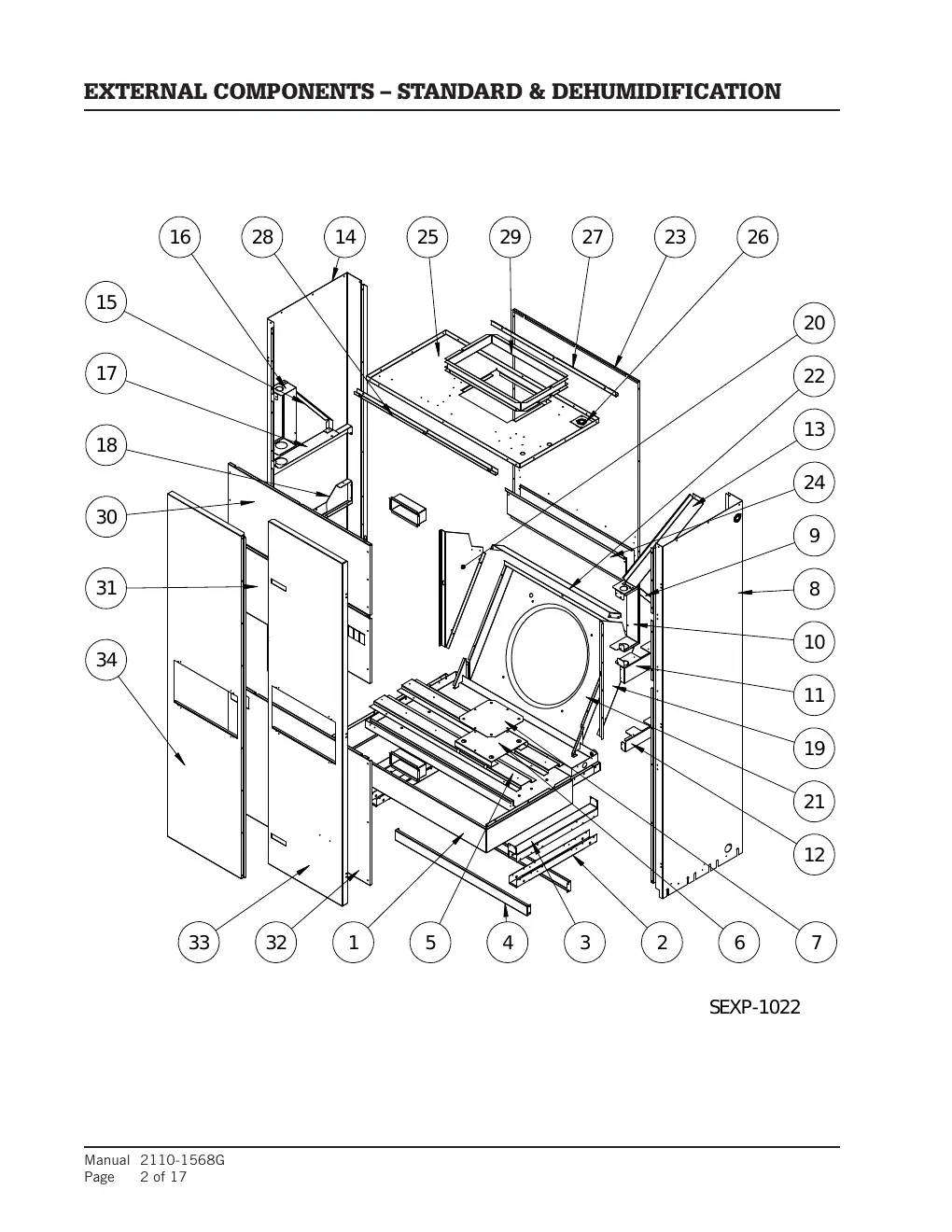
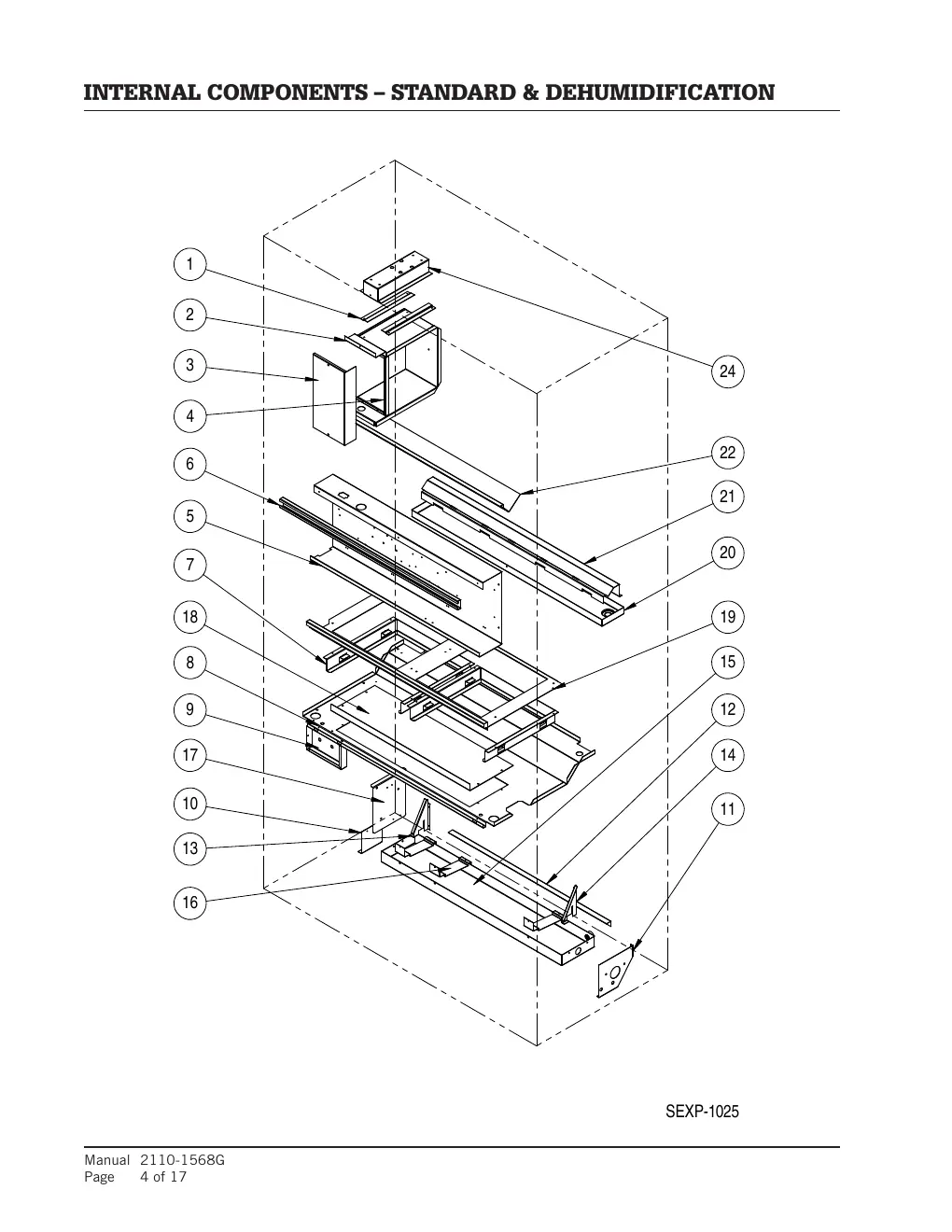
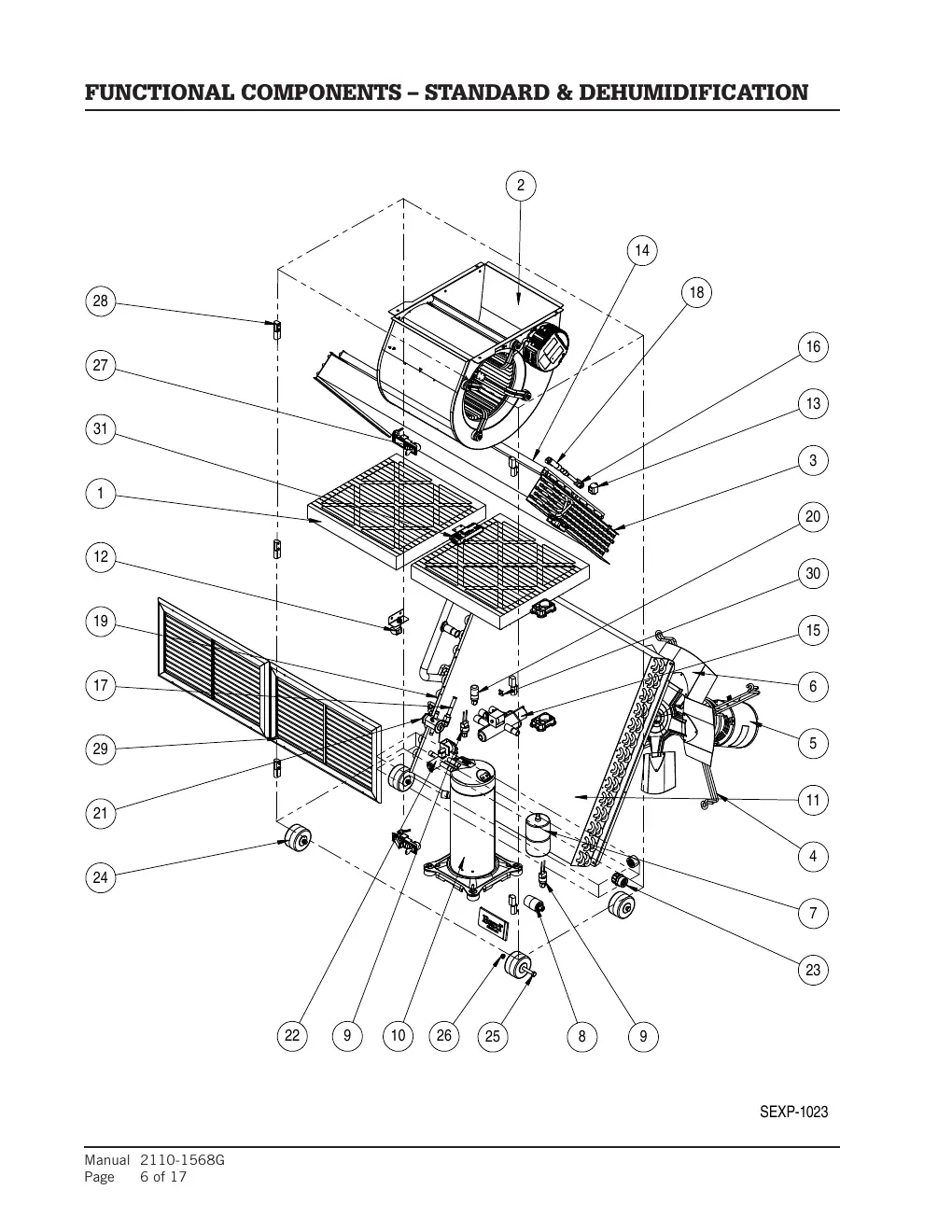
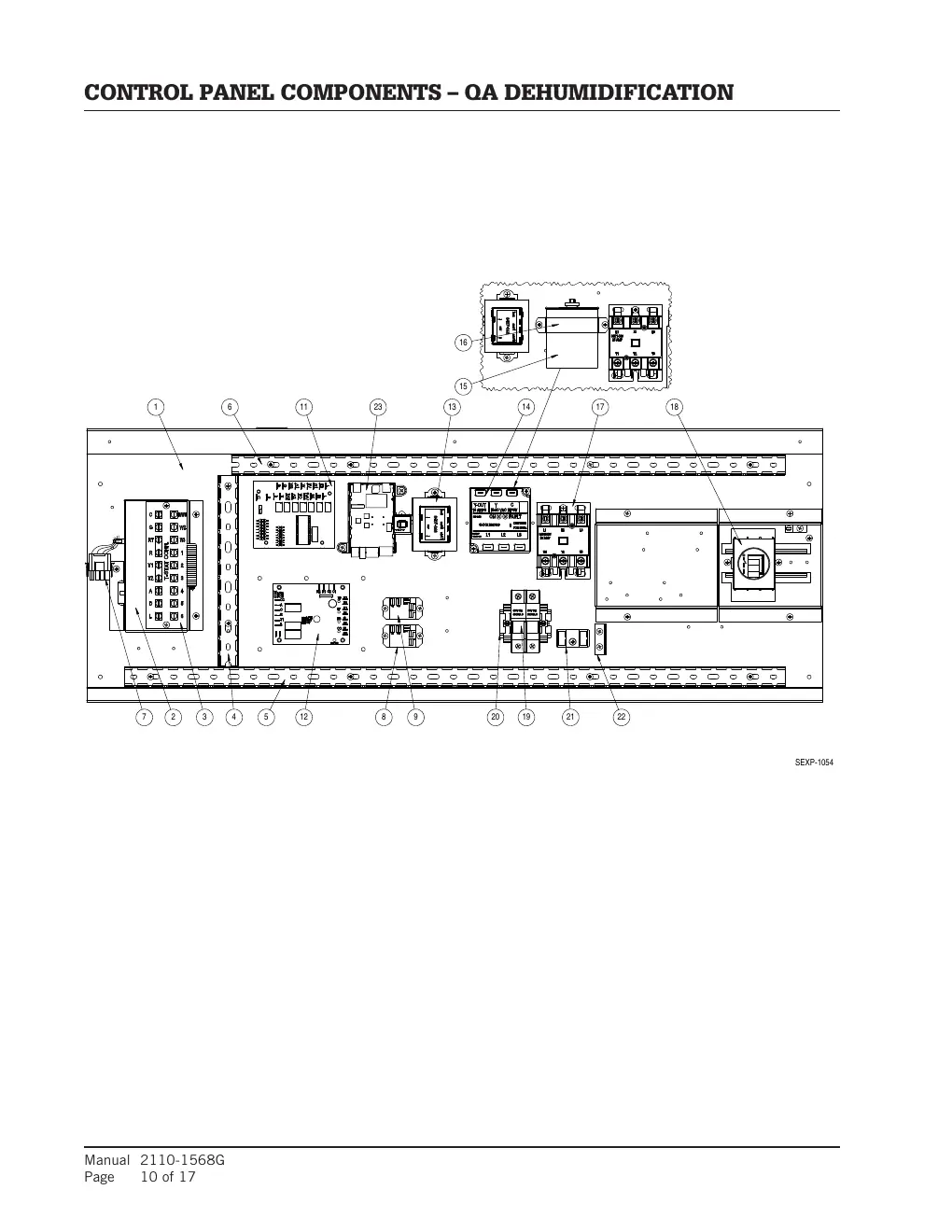
- External Components: Includes base trim, panels, doors, and cabinet parts.
- Internal Components: Includes heater packages, coils, drain pans, and partitions.
- Functional Components: Includes compressors, motors, fans, filters, and valves.
- Control Panel Components: Includes circuit boards, relays, transformers, and wiring harnesses.
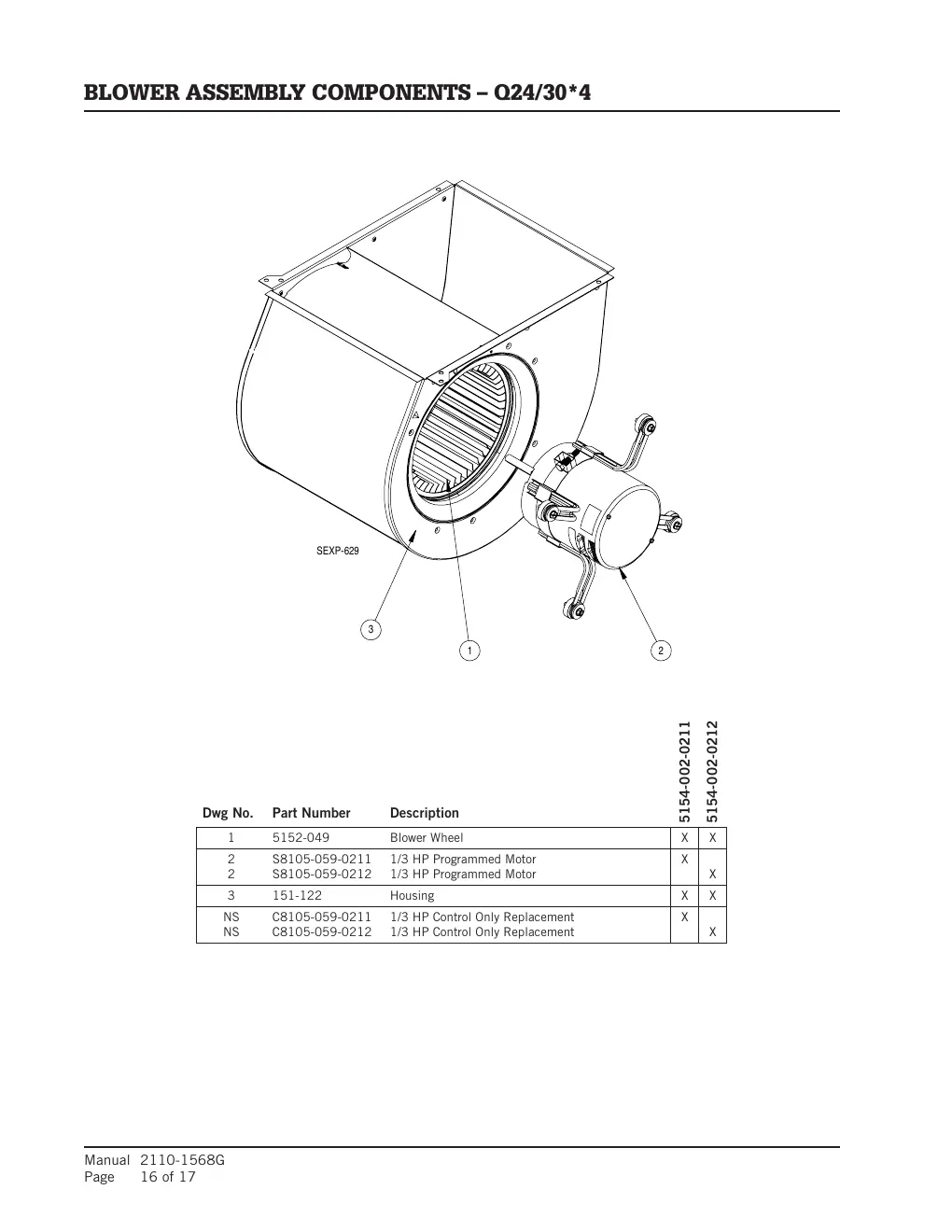
- Blower Assembly Components: Specific diagrams and parts for the blower assembly.
Practical help
Common problems
Incorrect part ordered
Always verify the complete model and serial number from the unit rating plate before contacting your distributor.
Identifying specific model variants
Check the model number on your unit's rating plate and match it against the specific columns in the parts list tables.
Missing parts for specific configurations
Note that some components are marked as 'Optional' (O) or 'Standard' (X) depending on the specific unit configuration.
Before use
- Locate the unit rating plate on your air conditioner.
- Record the complete model number and serial number.
- Identify the specific component section (External, Internal, Functional, Control Panel) you need.
- Verify the part number against the specific model column in the parts table.
Images and diagrams
- Exploded views show the assembly of components with reference numbers.
- Reference numbers in the diagrams correspond to the 'Dwg No.' column in the parts lists.
- Tables list the part number and description for each component based on the specific model.
Model compatibility
- Parts are specific to the model number. Always check the column corresponding to your specific model.
- Some parts are specific to 'Standard' or 'Dehumidification' units.

Manual page author
Emily Carter
User documentation editor
Prepares concise manual descriptions and highlights the most useful setup, operation, and maintenance information for readers.