Electronics / Audio
Behringer DX Series Active PA Speaker System User Guide
Quick start guide for Behringer DX Series active PA speakers (DX110 PRO, DX112 PRO, DX115 PRO) and DX18S PRO subwoofer, covering setup, DSP controls, and safety instructions.
Table of contents
Manual images
Jump to the sectionQuick guide from the manual
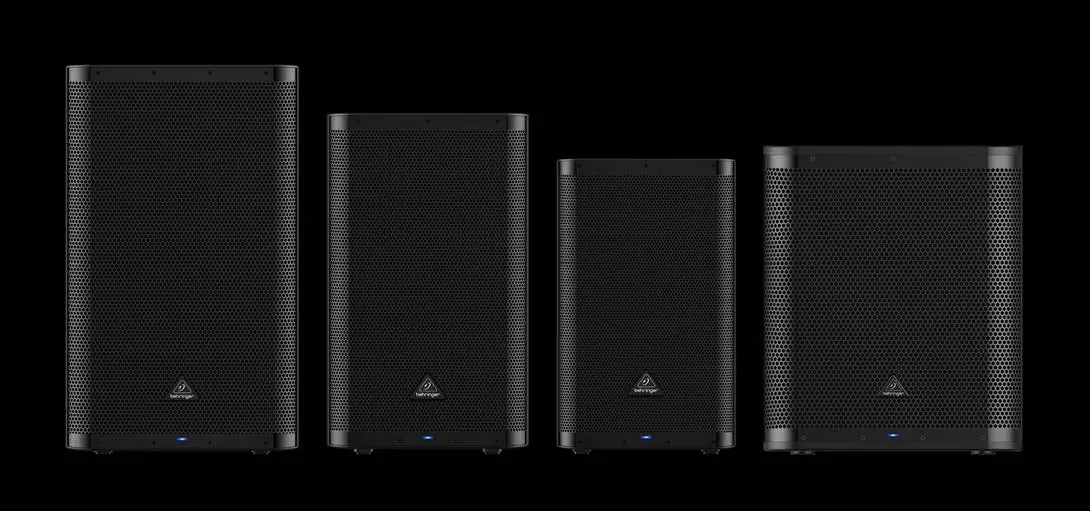
This document provides essential setup and operation instructions for the Behringer DX Series active PA speakers (DX110 PRO, DX112 PRO, DX115 PRO) and the DX18S PRO active subwoofer. It covers safety precautions, control panel functions, DSP settings, and subwoofer configuration.
Safety Instructions
Always read and follow these safety guidelines to prevent electric shock, fire, or hearing damage:
- Use only high-quality professional speaker cables with 1/4" TS or twist-locking plugs.
- Do not remove the top cover or rear section; there are no user-serviceable parts inside.
- Do not expose the apparatus to rain, moisture, or dripping liquids.
- Ensure the device is connected to a mains socket with a protective earthing connection.
- Operating temperature range is 5° to 45° C (41° to 113° F).
- Do not listen at high volume levels for long periods to prevent hearing damage.
Controls
Fullrange Models (DX110/112/115 PRO):
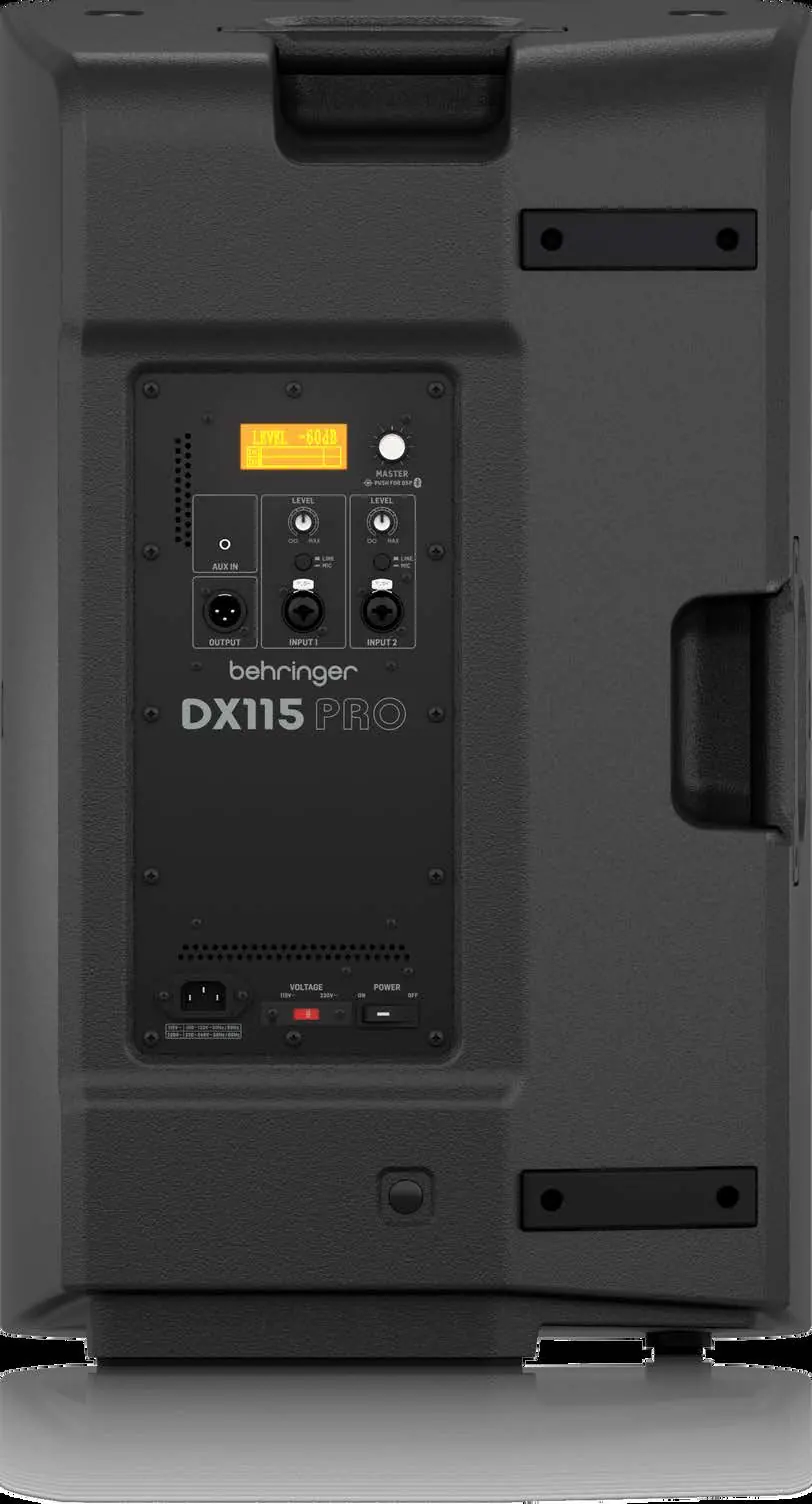
- DSP Screen: Backlit display for DSP functions.
- MASTER VOL: Rotate to control overall volume; push to access DSP menus.
- INPUT 1/2: Balanced XLR or 1/4" inputs.
- LINE/MIC: Switch to optimize input for line-level or mic signals.
- LEVEL: Gain control for each channel.
- AUX IN: 1/8" TRS input for media players.
- OUT: XLR output for daisy-chaining.
Subwoofer Model (DX18S PRO):
- INPUT A/B: Balanced XLR or 1/4" inputs.
- THRU A/B: Sends a copy of the input signal.
- OUTPUT A/B: Filtered, balanced audio outputs.
- PHASE (0°/180°): Corrects phase cancellation.
- X-OVER (90Hz/120Hz): Selects crossover frequency.
- CARDIOID PRESET: Selects output patterns.
DSP Functions (Fullrange Models)
Access the DSP menu by pressing the MASTER VOL knob:
- Sound Programs: Select between MUSIC, DJ, LIVE, or SPEECH.
- 3-band EQ: Adjust HIGH, MID, and LOW frequencies (+/- 12 dB).
- Boost: Adds +6 dB output at selected frequencies (OFF, 80, 100, 120, 150 Hz).
- Delay: Adjusts signal timing for distant speakers.
- LED Mode: Toggle front LED (ON, OFF, or LIMIT).
- Bluetooth: Activate and pair audio devices.
Subwoofer Setup
- Place speakers in desired locations.
- Make all connections before turning on the power.
- Set subwoofer LEVEL to full counterclockwise.
- Turn on audio sources, then the subwoofer.
- Adjust subwoofer LEVEL while playing audio; ensure the LIMIT LED only lights occasionally.
- Use X-OVER to balance frequencies between the subwoofer and satellite speakers.
Manufacturer information
Behringer
Practical help
Common problems
LIMIT LED lights continuously
Turn the LEVEL knob down until the LED only lights occasionally.
Phase cancellation between subwoofer and satellite speakers
Press the PHASE (0°/180°) switch on the subwoofer.
Quiet input signals
Press the BOOST switch on the subwoofer to increase input gain.
Before use
- Ensure input voltage matches the rating indicated on the product.
- Check that all connections are made before turning on the power.
- Set subwoofer LEVEL to full counterclockwise before initial power-on.
- Verify that the mains socket has a protective earthing connection.
- Ensure the operating temperature is between 5° and 45° C.
Specs in practice
- Class-D + Class-AB
- Hybrid amplifier design combining efficiency (Class-D) with sound quality (Class-AB).
- Servo-balanced inputs
- Balanced inputs that automatically adjust to maintain signal integrity.
- X-OVER (Crossover)
- Frequency point where the subwoofer hands off low frequencies to the satellite speakers.
Images and diagrams
- The back panel contains the DSP screen, master volume, input gain controls, and power section.
- The power section includes the AC input, voltage selector, and power switch.
- Subwoofer controls include phase, crossover, and cardioid preset switches.
Model compatibility
- Bluetooth supports A2DP 1.2 profiles.
- Fullrange models feature 2-channel mixers with DSP.
- Subwoofer features built-in stereo crossover.

Manual page author
Michael Turner
Technical manual editor
Reviews PDF manuals for structure, safety notes, and practical product details so readers can find the right information quickly.