Industrial / Electrical
User Manual for BESTTEN 15A Remote Control Outdoor Outlet Switch
Quick guide for the BESTTEN 15A Remote Control Outdoor Outlet Switch (USOT-R-2A). Learn how to pair the remote, operate the outlets, and follow safety guidelines.
Table of contents
Quick guide from the manual
This device allows remote control of outdoor electrical outlets. To begin, install a CR2032 battery in the remote. Ensure the outlet is plugged into a 15A circuit breaker. The remote can control up to 3 channels, but please note that the remote cannot control the two outlets on the outdoor switch separately.
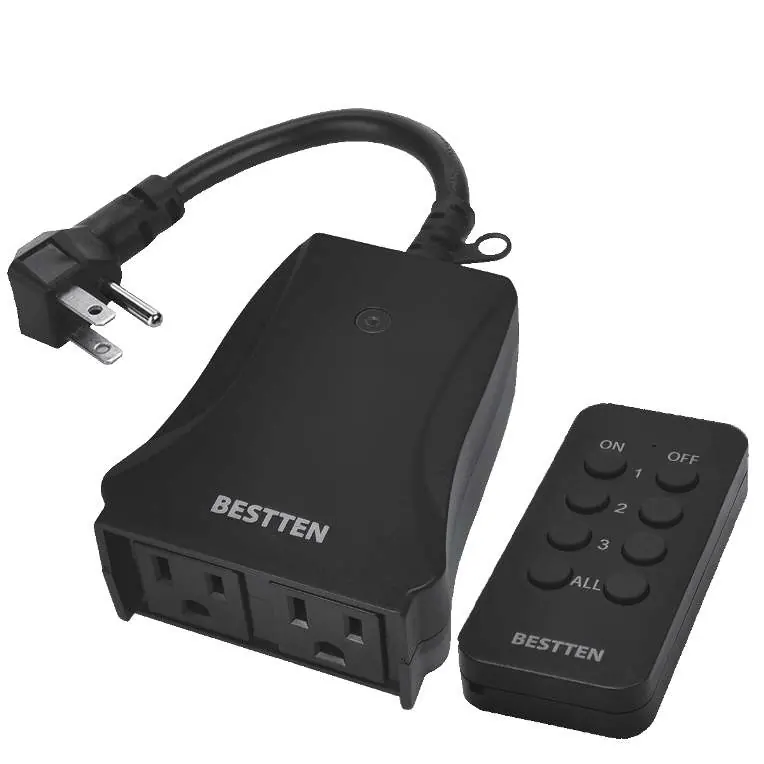
Pairing instructions
- Plug the remote outlet into a wall outlet. The LED indicator will flash slowly, indicating it is in learning mode.
- Press the selected ON button on the remote to pair with the outlet. Once paired, the LED indicator will stop flashing.
- Test the remote with the outlet to ensure they are paired successfully.
Clearing pairing
- Unplug the remote outlet and plug it back in. The LED indicator will flash slowly.
- Press the selected OFF button of the remote. The LED indicator on the outlets will flash quickly (3-4 seconds), indicating pairing is cleared.
Safety information
- Circuit Protection: Do not install or operate unless plugged into a 15A circuit breaker.
- Usage: Do not use extension cords for extended periods (greater than 90 days).
- Storage: Store indoors when not in use.
- Environment: Do not immerse in water or other liquids.
- Capacity: Do not use with appliances exceeding rated capacity.
Technical specifications
- Input: 125V AC
- Max Rating: 1875W Resistive / 1250W Tungsten / 1/2 HP / 5A
- Radio Frequency: 433.92MHz
- Remote Range: 80 feet in line of sight
- Battery: CR2032
Manufacturer information
BESTTEN
Practical help
Common problems
Remote not controlling outlets
Ensure the remote is paired correctly. If pairing fails, clear the pairing by unplugging the unit and pressing the OFF button on the remote.
Cannot control outlets separately
The remote cannot control the two outlets on the outdoor switch separately; they operate together.
Before use
- Install CR2032 battery in the remote.
- Verify remote power by pressing a button and checking the LED.
- Ensure the outlet is connected to a 15A circuit breaker.
Images and diagrams
- The remote features ON/OFF buttons for channels 1, 2, 3 and an ALL button.
- The outlet unit features a pairing/learning LED indicator.
Model compatibility
- One outlet can be paired with up to 10 remotes.
- If an 11th remote is paired, the 1st remote will be unpaired.

Manual page author
David Miller
Documentation analyst
Organizes user manual content into clear summaries, with attention to model details, product context, and everyday usability.