Music / Guitar Amplifiers
Owner's Manual for Blackstar Dept. 10 AMPED 2 Guitar Amplifier Pedal
Comprehensive user manual for the Blackstar Dept. 10 AMPED 2 guitar amplifier pedal. Includes detailed instructions on front panel controls, rear panel connections, CabRig speaker simulation, MIDI settings, and technical specifications.
Table of contents
Manual images
Click an image to enlargeQuick Guide
The Blackstar Dept. 10 AMPED 2 is a 100W guitar amplifier pedal featuring built-in effects (Drive, Modulation, Delay, Reverb), CabRig DSP speaker simulation, and USB audio interface capabilities. Ensure the unit is connected to a compatible power outlet (100-240V) and that a suitable speaker cabinet (8 or 16 ohm) is connected before switching on. Always connect the speaker cable to the cabinet first, then to the AMPED 2.
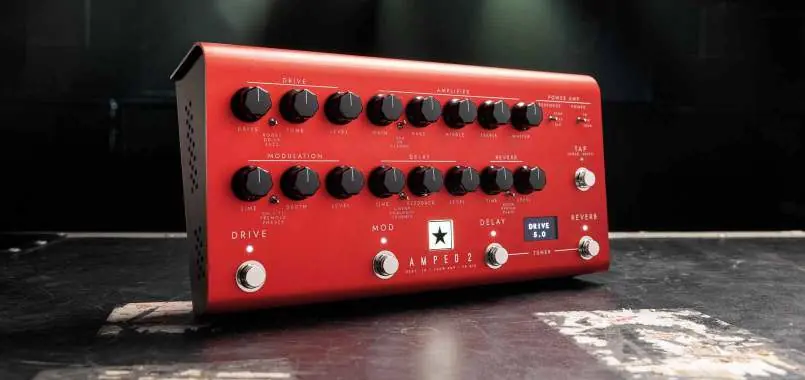
Front Panel Controls
The front panel provides intuitive control over your sound:
- Voice: Selects preamp character (USA, UK, Classic).
- Gain: Adjusts overdrive/distortion levels.
- Bass, Middle, Treble: Tone shaping controls tailored to the selected Voice.
- Drive: Selects Boost, Drive, or Fuzz types. Fine-tune with Drive, Tone, and Level.
- Modulation: Selects CH/FL, Tremolo, or Phaser. Fine-tune with Time, Depth, and Level.
- Delay: Selects Linear, Analogue, or Shimmer. Fine-tune with Time, Feedback, and Level.
- Reverb: Selects Room, Spring, or Plate. Fine-tune with Time and Level.
- Tuner: Activate by pressing Delay and Reverb footswitches simultaneously.
- Tap: Sets tempo for synced effects.
Rear Panel Connections
- Mains Input: Universal power supply (100-240V).
- In: Guitar input.
- FX Loop: Send and Return for external effects. Level switchable between +4dBu and -10dBV.
- Out: Output to another amplifier.
- Speaker Outputs: Connect 8 or 16 ohm cabinets. Do not use both simultaneously.
- Outputs: Two isolated 9V DC outputs (max 500mA total).
- USB Audio: Connect to computer for recording and Architect software.
- Balanced/Line Out: CabRig outputs for recording or live use.
CabRig and Architect Software
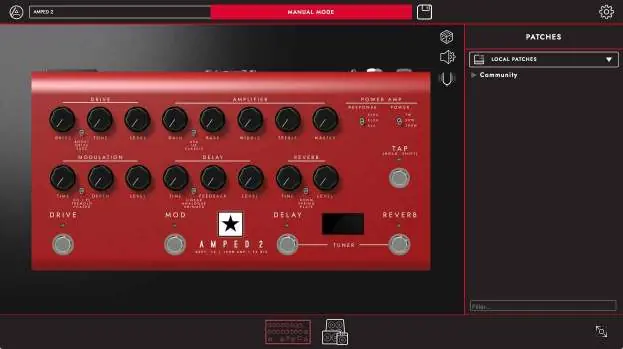
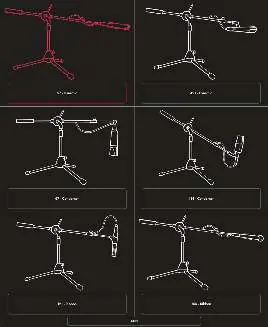
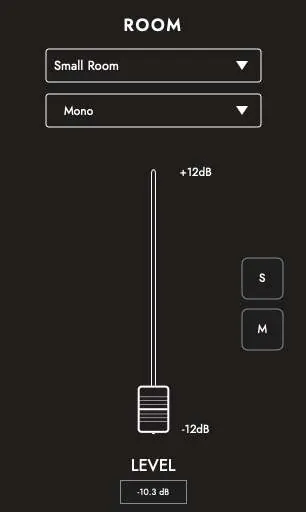
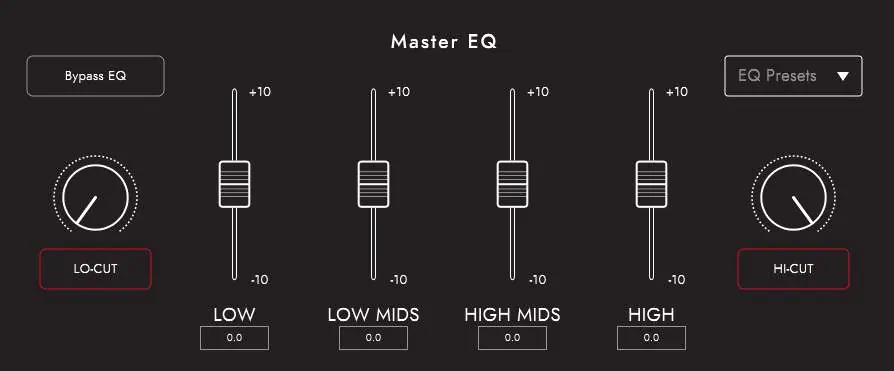
Use Blackstar's Architect software to access deep editing for CabRig, MIDI settings, and patch management. CabRig allows you to customize cabinet, microphone, and room settings. You can save patches to the device or as local patches on your computer.
Technical Specifications
- Power: 100W RMS
- Weight: 1.76 kg
- Dimensions: 285mm (W) x 80mm (H) x 150mm (D)
Manufacturer information
Blackstar Amplification
Practical help
Common problems
No sound output
Check that the speaker cabinet is connected correctly and the amplifier is not in a muted state (e.g., Tuner active).
Tuner not working
Ensure both Delay and Reverb footswitches are pressed simultaneously to activate the tuner.
MIDI commands not responding
Verify the MIDI channel settings in the Architect software and ensure the MIDI controller is sending the correct CC numbers.
Before use
- Connect your guitar to the 'In' jack.
- Connect a suitable 8 or 16 ohm guitar speaker cabinet to the corresponding Speaker Output.
- Ensure the power cable is connected to a grounded outlet.
- Check that the FX Loop level switch is set correctly for your external equipment (+4dBu or -10dBV).
- Download and install Blackstar Architect software for full customization.
Specs in practice
- Power Settings (100W/20W/1W)
- Allows you to adjust output power for different environments (live, rehearsal, recording).
- FX Loop Level
- Switchable between +4dBu (professional gear) and -10dBV (guitar pedals).
Images and diagrams
- Front panel layout showing all knobs and footswitches.
- Rear panel layout showing all input/output jacks.
- CabRig signal chain diagram illustrating the path from Cab/Mic to outputs.
Model compatibility
- Speaker outputs support 8 ohm or 16 ohm cabinets.
- Do not use both speaker outputs at the same time.
- Isolated 9V DC outputs provide a maximum combined current of 500mA.

Manual page author
David Miller
Documentation analyst
Organizes user manual content into clear summaries, with attention to model details, product context, and everyday usability.