Tools / Power Tools
Bosch GPB 18V-5 C Professional Job Site Radio User Manual
Quick guide for the Bosch GPB 18V-5 C and GPB 18V-5 SC job site radio. Includes instructions for power supply, audio operation, sound settings, and troubleshooting.
Table of contents
Manual images
Jump to the sectionQuick guide from the manual
The Bosch GPB 18V-5 C and GPB 18V-5 SC are job site radios that can be powered by mains electricity or a Bosch 18V Li-ion battery. The device features an integrated equalizer, Bluetooth connectivity, and USB charging for external devices. The SC model includes DAB+ reception and a multi-function display.
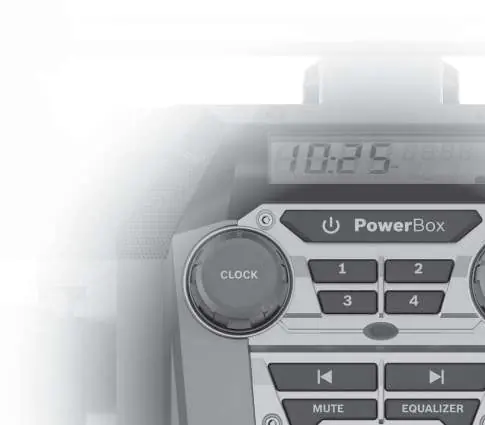
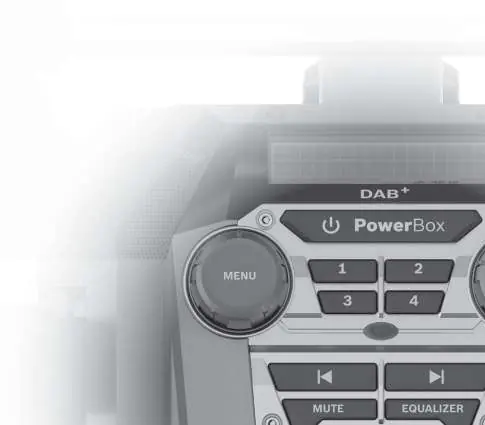
Device description
The radio features a carrying handle, a media compartment (Digital Media Bay) for external audio sources, and AC power outlets for operating other electrical devices. The control panel includes buttons for source selection, volume, tuning, and equalizer settings.
Power supply
The radio can be powered via a mains connection or a Li-ion battery. When using a battery, the radio must be switched on to charge external devices via the USB port. The AC power outlets only function when the radio is connected to mains power.
Audio operation
Switch the radio on/off using the power button. Adjust volume by turning the Clock or Menu knob. Use the Equalizer button to select preset sound profiles (JAZZ, ROCK, POP, CLASSIC) or a custom setting. Select audio sources (DAB, FM, AUX, Bluetooth) using the Source button.
Settings and menus
The GPB 18V-5 SC model features a menu system for advanced settings like time format, auto-scan, and display type. Navigate using the Menu knob and confirm selections by pressing it.
Maintenance and cleaning
Keep the radio clean for safe operation. Wipe with a soft, damp cloth. Do not use cleaning agents or solvents. If the power cord needs replacement, it must be done by an authorized Bosch service center.
Manufacturer information
Bosch
Practical help
Common problems
Radio does not turn on
Check if the battery is charged or if the mains plug is properly connected to a live socket.
Poor radio reception
Adjust the rod antenna or move the radio to a location with better reception. Keep away from other electronic devices.
Bluetooth connection fails
Ensure the radio is in Bluetooth mode and the external device is within range. Try re-pairing the device.
Before use
- Check radio, cable, and plug for damage before each use.
- Ensure the mains plug is inserted into an easily accessible socket.
- Insert backup batteries to save time and settings.
- Ensure battery compartment and media bay covers are closed to protect against water and dust.
Specs in practice
- Amplifier output
- 4 x 5 W nominal power.
- Bluetooth compatibility
- Bluetooth 5.0 standard.
- Max. USB charging current
- 2.1 A.
Images and diagrams
- The radio features a protective roll cage design.
- The media bay (Digital Media Bay) houses the AUX-IN socket and USB charging port.
- The battery bay is located behind a locking cover.
Model compatibility
- Compatible with Bosch GBA 18V and ProCORE18V batteries.
- Compatible with Bosch GAL 18, GAX 18, and GAL 36 series chargers.

Manual page author
David Miller
Documentation analyst
Organizes user manual content into clear summaries, with attention to model details, product context, and everyday usability.